1.Purpose of this Document
This guide is intended to help developers in creating audio objects in the Extended Audio Framework (xAF). The framework act as a gateway between the audio object and the outside world.
This guide covers the following topics:
- An overview on how audio objects interact with the framework, including the order in which the framework interacts with the audio object.
- Details on the audio object configuration in the design tool and how to set it up.
- Basic Features and APIs
- Advanced features and APIs.
- An example of a template audio object, which will include a reference implementation for all of the items mentioned above.
- An explanation of how to connect external audio objects to the framework.
- Information on the general guidelines that xAF objects should follow.
1.1.Terms and Abbreviations
Terms
- Global Tuning Tool (GTT): Global tuning tool is used to configure the audio algorithm framework seamlessly and intuitively, as well as to tune algorithm.
- Run-Time: When a signal flow is deployed and running on a target device.
- Design time: Design-time is referred when a signal flow is being designed in the GTT signal flow designer. At that point nothing is running on a target device.
- Tuning variables/Tuning parameters: These are the variables within audio objects that are modifiable through a set/parameter file change. These variables are also modifiable from GTT at runtime. For example, a channel gain value within a gain object that can be modified during a set file change is considered a tuning variable.
- State variables / State tuning parameters: These are the variables within audio objects that are modifiable at runtime from GTT or from other embedded code. These variables are not saved in a set / parameter file. For example, a channel volume value within a volume object that can be modified during runtime is considered a state variable.
- Metadata: Metadata is data provided by the object developer to GTT at design time. This data is not used at runtime. It is usually provided in the object toolbox file which is compiled only for GTT. Examples of metadata the object will send GTT are:
- Description of the object control inputs and outputs
- What processors the object is supported on
- What block sizes and sample rates the object can operate at
Abbreviations
| xAF: Extendable Audio Framework | BAO: Basic Audio Object |
| GTT: Global Tuning Tool | SR: Sample Rate |
| SFD: Signal Flow Designer | BL: Block Length |
| xTP: Extendable Tuning Protocol | VST: Virtual Studio Technology |
| HU: Head Unit | AWX: AudioworX |
1.2.Requirements
This is the document that audio object developers should use as reference when creating audio objects for the xAF framework.
| Req. ID | Req. Name | Description | Comment |
| CASCCGAF-210 | Developers guide to create object for xAF document |
2.Overview
The audio object developer must create the three classes listed below in order to create any new algorithms or audio objects.
- Audio object class that inherits CAudioObject base class.
- Audio object memory record class that inherits Audio object class and CMemoryRecordProperties base class.
- Audio object tool box class that inherits CAudioObjectToolbox base class and Audio object memory records class.
Audio object Class
- CAudioObject: The CAudioObject base class has all the hooks to interact with the framework that in turn provides the hooks to the outside world. By inheriting CAudioObject, the audio object developer needs to simply implement the features they require for their new audio object and all the hooks would automatically be provided.
Additionally, the CAudioObject provides default implementations, such as bypass, that the object developer would get without having to write any additional code. - CAudioObjectToolbox: By inheriting CAudioObjectToolbox all the hooks would automatically be provided to the tuning tool.
- CMemoryRecordProperties:The CMemoryRecordProperties provides hooks to add memory records for generic and processor specific records.
These classes should be declared in the separate header files.
In this guide all examples and explanations are given for creating AudioworX objects based on source code. However, the audio object developer can still inherit the CAudioObject base class and implement its methods by calling methods of their own non-AudioworX ported libraries. As long as a public header file is provided and a library is linked, this approach is valid.
Source Code Type
The audio object developer must split the implementation of these classes into at least three source code (cpp) files:
- generic: This file implements generic source code (not processor specific) for the embedded functionalities, i.e. init, calc, tuneXTP etc.
- toolbox: This source code file implements code that will only be used and compiled for use with GTT. This code will not be part of any embedded library. The contents of this file describe the interaction of the object in GTT during design time and provides metadata that will assist the user in configuring the object during signal flow design
- memrecs: This source file implements the code to add memory records required for audio objects
- processor: Processor specific optimizations are usually implemented in their own separate source code files that are only compiled for the given processor. These processor specific files will work in conjunction with the generic file and they do not have to re-write it.
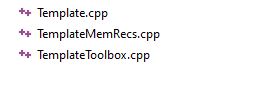
For example below is snapshot of files used in template audio object for Generic, Memory record, and Toolbox implementation.
Once the audio object development is complete, two libraries must be compiled:
- A toolbox one that will be loaded into GTT.
- A processor/target specific one.
2.1.Audio Object Workflow
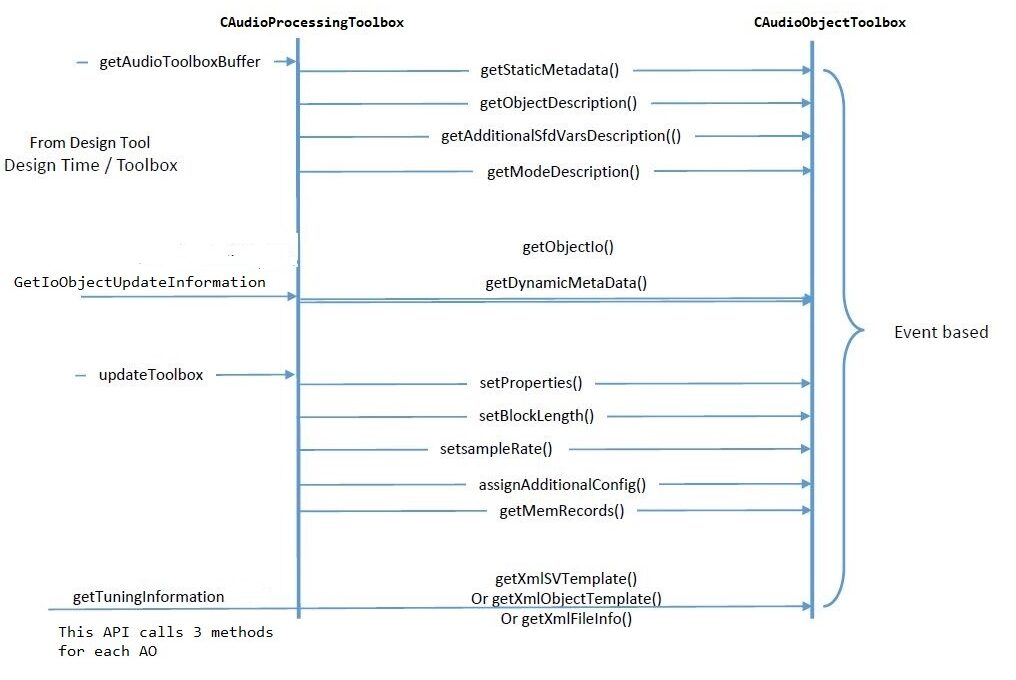
Design Time Work flow
The work flow during design time is described below. Design time is when the user is creating a signal flow from the Signal Flow Design tool within GTT. These are the interactions that go on between the tool and dll loaded into the tool:
Runtime Workflow
The workflow during runtime between the framework class, CAudioProcessing, and the audio objects base class, CAudioObject, is described below.

2.2.Audio Object Class
This section provides a description of the base class. The tables below show the class members and methods of CAudioObject class that a developer would need to use.
CAudioObject Members
| Member | Description |
| m_Owner | This is the audio processing class that ‘owns’ this audio object. |
| m_MemRecPtrs | m_MemRecPtrs is an array which has the address to the start of each record |
| tObjectProperties | This is a struct containing the object properties:
|
| m_NumAudioIn | This is the number of audio input channels. |
| m_NumAudioOut | This is the number of audio output channels. |
| m_NumElements | This is the number of elements (e.g., filters, taps) per channel. |
| m_Mode | This is the audio object mode. For example, Mode with a value of zero could represent a matrix mixer that operates on linear gains while mode one could represent a mixer that operates on a logarithmic scale. |
| m_AdditionalSFDConfig | This is a pointer (void) to the additional data an object requires for configuration |
| m_BlockLength | This is the block length in samples. |
| m_Type | This is the audio object type, defined in object properties. |
| m_Name | This is the name of the audio object. |
| m_BlockID | This is the ID of the block in a specific signal flow. |
| m_NumControIn | This is the number of control data input channels. |
| m_NumControlOut | This is the number of control data output channels. |
| m_ControlConfig | A list of audio objects and their control input channel numbers, where the current audio object’s control output channels are connected in order. There are two elements for each control output channel:
|
CAudioObject Methods
| Method | Description |
| Constructor | This sets the following:
|
| assignAdditionalConfig() | This dereferences the m_AdditionalVariables pointer to use the additional configuration parameters as needed. |
| getSubBlockPtr() | Retrieves pointer to the start of the subblock in the audio object. |
| getSubBlockSize() | Returns the size (in BYTES) of the sub block indicated by ‘subBlock’ . subBlock is the ID of the state subBlock we want to get the size |
| init() | This initializes all internal variable and parameters. This is called by CAudioProcessing::initAudioObjects(). |
| calc() | This function implements the module functionality or algorithm that runs every audio interrupt. Before calling this function m_Inputs & m_Outputs objects to be set by CAudioProcessing object. This is called by CAudioProcessing::calcProcessing() for every frame interval. |
| tuneXTP() | This performs any required operations after the parameter memory is updated. This is called by CAudioProcessing::setAudioObjectTuning() and is triggered by the tuning tool. |
| setControlOut() | This is a helper function for writing a value to one of the object’s outputs. |
| controlSet() | This is called when controls like volume, bass, fade, RPM, and throttle are changed. These variables should live in state memory. |
| getXmlSVTemplate() | This function implements the generation of state variable templates used in the Device Description File on the computer. |
| getXmlObjectTemplate() | This function implements the generation of object templates used in the Device Description File on the computer. |
| getXmlFileInfo() | This function generates the Device.ddf file through the SFD. This function is enabled only when generating Device Description Files on the computer. |
| getStateMemForLiveStreamingPtr() | This function returns the address and length of the state variable for live streaming. |
3.Audio Object Configuration
Before any audio flow design can start, the design tool needs to know about the audio objects and how to interact with them. All objects must provide the information in the structures below, and expose them to the tool through dll calls. This dll is generated by the Visual Studio solution, VirtualAmp.
This code will not be compiled in embedded libraries. It will only be compiled in the toolbox library targeted for GTT.
3.1.Design Time Configuration
The steps below are the minimum required to setup the configuration of an audio object that can be designed from SFD. The base class (CAudioObject) methods must be overridden and the framework will use these overridden methods to provide structures to inform SFD of your object’s settings. These methods are provided to GTT/SFD via a DLL interface.
- Object Description
- Mode Description
- GetObjectIO Description
3.1.1.Object Description
The designing of the audio object, start with configuring object descriptions.
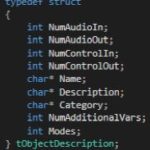
The object description describes the default configuration of the object, when the object is dragged into signal flow designer view in GTT. Default configuration of the object will be Name, Description and Category of the object. Additionally, supported operating Modes and the objects required Additional configuration variables.
The table provide details of description of variables :
|
Member
|
Description
|
|
NumAudioIn
|
This is the default number of audio inputs. It can be overridden as the object is configured.
|
|
NumAudioOut
|
This is the default number of audio outputs. It can be overridden as the object is configured.
|
|
NumControlIn
|
This is the default value, which can be overridden during the design of the audio object and refers to the number of input control signals an object receives.
|
|
NumControlOut
|
Same as NumControlIn but for output.
|
|
Name
|
This is a string with the name of the object.
|
|
Description
|
This describes what the audio object does.
|
|
Category
|
There are various categories in the SFD. This will sort the audio object under that category. For example, the category for a biquad object is “filter”
|
|
NumAdditionalVars
|
This is the number of additional variables an object needs for design configuration purposes. The minimum is 0
|
|
Mode
|
This is the number of modes the object supports. The minimum is 1.
|
The object developer needs to set m_Descriptions in the header file:

Once the object description is set, developers need to override the virtual getObjectDescription method inherited from the base class CAudioObject:

3.1.2.Mode Description
Once the object’s overall description is provided, a mode description has to be provided for every “Mode” supported by the object. This number is specified in the section above.
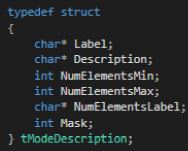
The table below provides a description of the variables required to describe each mode:
|
Member
|
Description
|
|
Label
|
The label of the mode described in the subsequent fields.
|
|
Description
|
Description of what this mode does.
|
|
NumElementsMin
|
The minimum number of elements permitted.
|
|
NumElementsMax
|
The maximum number of elements permitted.
|
|
NumElementsLabel
|
The label for the number of elements. For example, the number of elements in the Parameter Biquad block represents the number of Biquad filters within the Biquad block. This field is populated with ’Number of Biquads‘ for the Biquad block.
|
|
Mask
|
Four bits are used to indicate to GTT if it is possible to configure the audio channels and the number of elements (one for configurable):
|
The basic configuration information is written to the m_Descriptions variable in the audio object header file. The tObjectDescription structure displays all the variables necessary for configuration that are not dependent on the mode of the object.
For a mode dependent description, the tModeDescription needs to be provided. The example below describes and object that has 2 modes.

Once the mode description(s) is set, developers need to override the virtual getModeDescription method inherited from the base class CAudioObject.

3.1.3.GetObjectIO Description
Additionally, developers must implement a function for each audio object that describes the audio and control I/O, based on what they configured in the design tool. This function interacts with the object through the dll described above. The code below shows an example of this function implemented for the merger object that always has zero controls and only number of audio inputs is configurable. The number of outputs is dictated by the number of audio inputs as seen below.
xAF_Error CMergerToolbox::getObjectIo(ioObjectConfigOutput* configOut)
{
configOut->numAudioOut = m_NumAudioIn + 1;
configOut->numControlIn = 0;
configOut->numControlOut = 0;

return xAF_SUCCESS;
}
This method may rely on the following member variables depending on the object mask.
- m_NumAudioIn
- m_NumAudioOut
- m_NumElements
- m_Mode
- m_AdditionalSFDConfig
configOut is made up of the settings returned by the getObjectIo() function and is composed of:
- numAudioInputs
- numAudioOutputs
- numControlIn
- numControlOut
3.1.4.Metadata
The Metadata is design-time information of the audio objects use to describe their features and attributes. Metadata is stored in the audio object code. This information can be used to convey memory usage or to check compatibility between the audio objects.
It also provides the tool with constraints on parameters, and information describing controls and audio channels.
There are three types of metadata:
- Dynamic: The dynamic accepts numerous configuration parameters and provides data specific to those parameters.
- Static: The static data is constant, it does not take in any parameters.
- Real-time: The real-time metadata specific to a connected target device.
3.1.4.1.Static Metadata
The Static Metadata represents data that will not change based on configuration. It is provided as is.
There are two API methods related to this feature.
- createStaticMetadata
- getStaticMetadata
virtual void createStaticMetadata();
staticMetadata getStaticMetadata() { return m_StaticMetadata; }
Create Static Metadata
This method is intended to be overwritten by each instance of AudioObject. The goal is to populate the protected member m_StaticMetadata. There is an example of how to do this in AudioObject.cpp. The basic audio objects included within xAF also implement this method appropriately.
This method should be overridden by any object updating to the new API. Here are the relevant details:
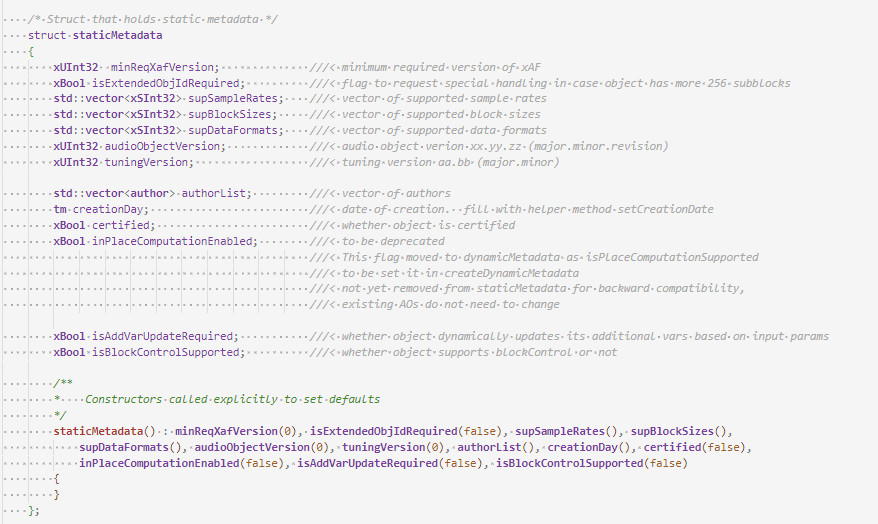
- minReqXafVersion – set this to an integer which is related to the major version of xAF. (ACDC == 1, Beatles == 2, etc)
- isExtendedObjIdRequired – false for most objects. This flag enables support for more than 256 subblocks.
- supSampleRates – list of all supported samples rates (leave blank if there are no restrictions)
- supBlockSizes – list of all supported block sizes (leave blank if there are no restrictions)
- supDataFormats – list of supported calcObject data formats (leave blank if there are no restrictions)
- audioObjectVersion – Condensed three part version number. Created with helper method :
- void setAudioObjectVersion(unsigned char major, unsigned char minor, unsigned char revision)
- It is up to audio object to determine how to manage these versions.
- tuningVersion – Condensed two part version number. Created with helper method :
- Void setTuningVersion(unsigned char major, unsigned char minor)
- These version numbers must only be changed when appropriate!!
- Follow these rules:
- Increment minor version when new release has *additional* tuning but previous tuning data can still be loaded successfully.
- Increment major reversion when the new release is not compatible at all with previous tuoid setTuning data.
- If tuning structure does not change, do not change this version
- authorList – fill with list of authors if desired
- creationDay – date of creation for the object
- certified – whether this object has undergone certification
- inPlaceComputationEnabled – whether this object requires input and output buffers to be the same (see below)
- isAddVarUpdateRequired – whether the tuning tool should assume additional vars can change any time main object parameters are updated.
- Set this to true if your additional variable sizes are based in some way on inputs.
- Example: Number of Input channels is configurable by the user – and the first additional variable size is always equal to the number of input channels.
Get Static Metadata
This method simply returns a copy of m_StaticMetadata. It is not virtual.
In-Place Computation
This will be deprecated here and moved to dynamic metadata, to support a target/core specific implementation. The static member will be kept for backward compatibility reasons only and will be deprecated after some time.
Do not use this struct member in future implementations!
3.1.4.2.Dynamic Metadata
Dynamic metadata creation is similiar to static, but accepts arguments for the creation process, hence the dynamic. The object receives all configuration data being considered (in most cases this would be by GTT) and writes relevant information to the member m_DynamicMetadata in response.
virtual void createDynamicMetadata(ioObjectConfigInput& configIn, ioObjectConfigOutput& configOut);
dynamicMetadata getDynamicMetadata() { return m_DynamicMetadata; }
Create Dynamic Metadata
createDynamicMetadata is called after a successful call to getObjectIo. It can further restrict values in the ioObjectConfigOutput struct. All required information is passed in with configIn.
- audioIn & audioOut – instances of type metaDataDescription which label and set restrictions for inputs and outputs. Label need not be specified if a generic label will suffice. (eg: Input 1) If not, supply a label for each input and output.
- controlIn & controlOut – are vectors of type metaDataControlDescription which label and specify value ranges for each control input. The number of controls is dictated by other. parameters, so we don’t have to bound the min and max. Note: Min and Max are not enforced, they are only informative to the user.
- estMemory – Estimated memory consumption for the current configuration (in bytes).
- estMIPS – estimated consumption of processor (in millions of cycles per second, so not really MIPS).
Get Dynamic Metadata
This method simply returns a copy of m_DynamicMetadata. Note that it is not virtual.
Description of Structures
These structures are used by the tool during signal design. The input configuration struct holds all *attempted* parameters, the output struct is used to constrain audio inputs and outputs and report the correct number of control inputs and outputs.
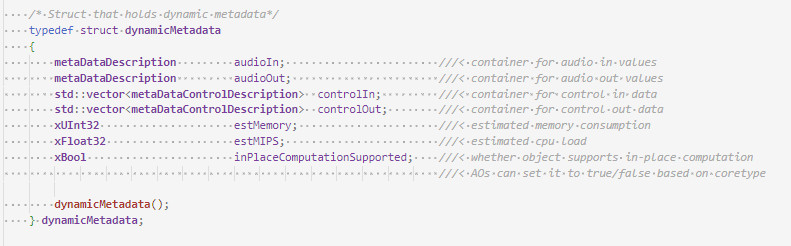
In-Place Computation
This feature allows Audio Objects to give the GTT the ability to operate in in-place computation mode. In this mode, the audio object uses the same buffers for input and output. This option has been moved from static metadata to dynamic metadata to support a kernel-based decision. This allows the AO developer to decide, based on the target architecture, whether or not it is beneficial to run the calc function in-place.
GTT analyses the signal flow and calculates the amount of buffers required for the given signal flow. If isInplaceComputationSupported is set by the audio object developer, GTT tells the framework to allocate only input buffers only.
The isInplaceComputationSupported flag can be checked in the the audio object’s dynamic metadata.
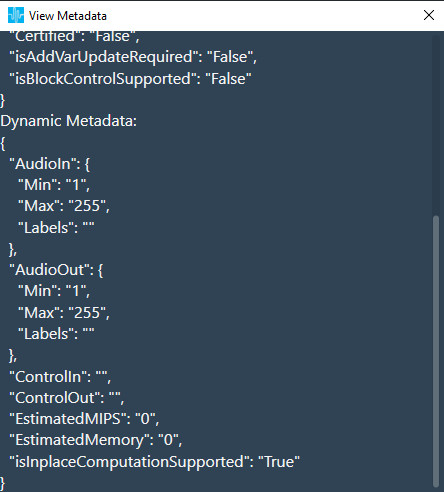
For example, Gain configured for 6 channels :
- If isInplaceComputationSupported is not set, it will use a total of 12 buffers.
- If isInplaceComputationSupported is set, it will use a total of 6 buffers.
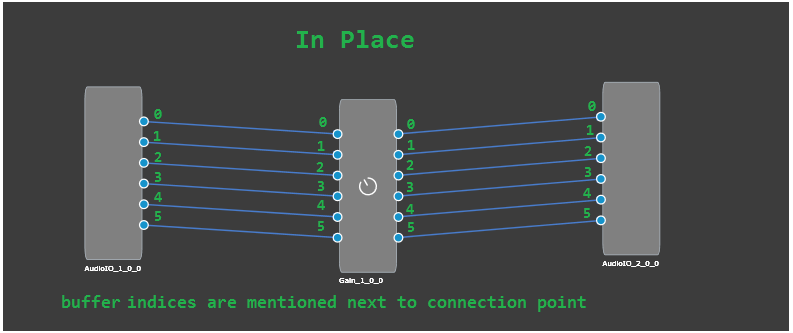
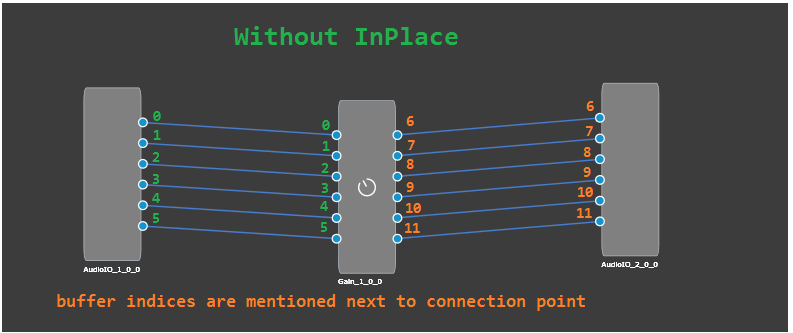
In-place computation feature has the following benefits:
- reduces flash size.
- reduces number of IO streams which improves the memory performance on embedded.
Current Limitation or Additional conditions
An Audio Object Marked is considered for in-place has to satisfy following three conditions:
- Audio Object should have dynamic metadata flag isInplaceComputationSupported set to true for the selected core type.
- Audio Object should have equal number of input and output pins.
- All audio pins should be connected.
3.2.Advanced Design Time Configuration
3.2.1.Additional Object Configuration
Additional configuration variables are optional parameters that are needed if a specific object/algorithm needs configuration parameters beyond the default ones. Objects by default have configuration for (as mentioned above):
- Channels
- Elements
- Modes
An object can chose to utilize all the default variables or not. However if the object needs more configuration variables, that’s where additional variables come in.
A good example is parameter biquad audio object:
- Channels are used
- Elements represent number of biquads field
- Object Mode is the drop down.
However, the parameter biquad object also allows the user to select the filter topology and whether ramping is needed or not. Those two are represented with additional variables. These are fully customizable by the objects.

3.2.2.Adding Additional Variables to Audio Object
The object needs to inform the toolbox regarding the number of additional variables it needs. This is already described above as part of the object description. Besides the number of additional variables, the object needs to have a description of each additional variable. The audio object developer can provide the following:
Besides the number of additional variables, the object needs to have a description of each additional variable. The audio object developer can provide the following:
- Label for additional variable (example: filter enable or disable)
- Data type for the additional variable

String data type is not supported, as it will add additional bytes to the flash memory. Strings are used only in GTT and not required on target.
- Defaults & Range
- Min
- Max
- Default value
- The dimension for each additional variable
- Data order – Describes how data is ordered. e.g. ascending or descending order
- Dimension description
- Label
- Size of each dimension
- Axis start index (Float always irrespective of datatype)
- Axis increment (Float always irrespective of datatype)
Starting in R release – the sizes of a dynamic additional variable (NOT the count of variables, the size of each variable) can change based on user inputs.
To enable this functionality, make sure to see the static metadata page. You must set the static metadata parameter isAddVarUpdateRequired to true.
Here are the restrictions and features:
- You can access the following members to change your size –
- m_NumElements
- m_NumAudioIn
- m_NumAudioOut
- You can only refer to these if they are true inputs (IE: you are NOT setting them in getObjectIO)
- Example : Your mask says m_NumElements and m_NumAudioOutare NOT configurable by the user (so they are considered derived values).
- You cannot utilize m_NumElements and m_NumAudioOut for changing additional var size – this would create a two way dependency as additional vars are INPUTS to getObjectIO
- You can use m_NumAudioIn freely
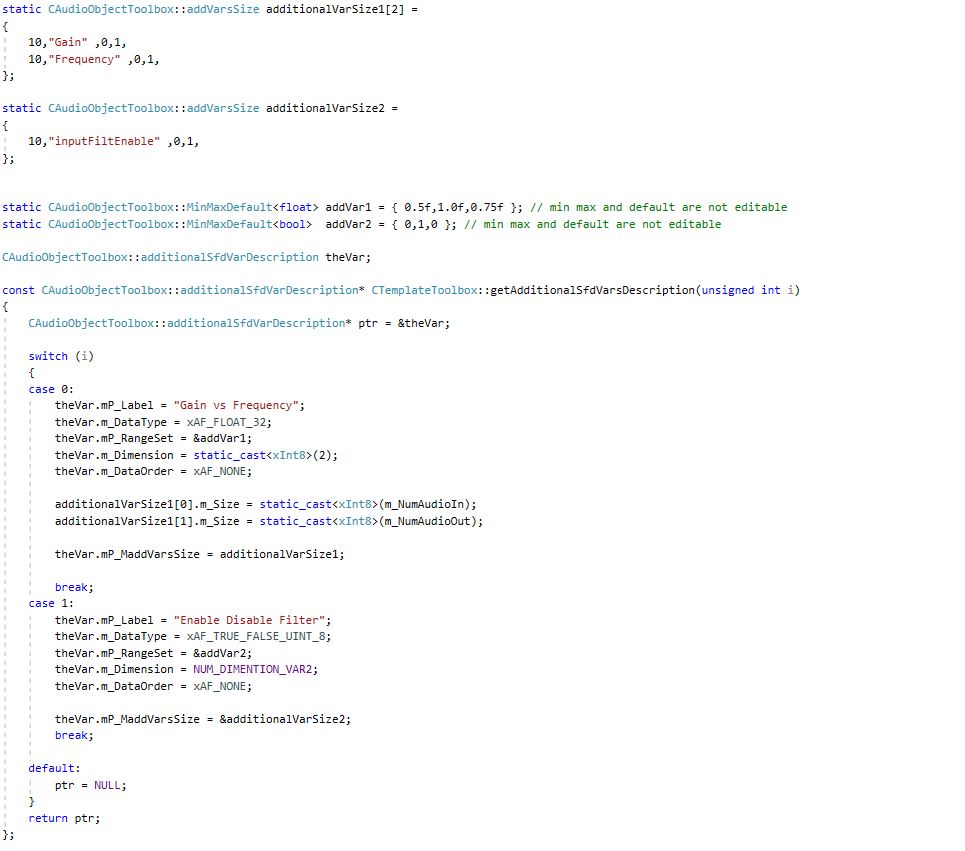
Below is an example of an object that has four additional variables.
- First additional variable
- Label : “ Gain Vs Frequency “
- Data type : Float
- Defaults : Min Value = 0.5 Max Value = 1.0 and Default value = 0.75
- Number of dimension = NUM_DIMENTION_VAR1 (2)
- Data order : xAF_NONE (no specific order required)
- Dimension details :
- 1st dimension:
- Size of 1st dimension : SIZE_ADDVAR_1_XAXIS (10)
- Label : “Gain“
- Axis start index : 0
- Axis increment : 1
- 2nd dimension:
- Size of 2nd dimension : SIZE_ADDVAR_1_YAXIS (20)
- Label : “Frequency“
- Axis start index : 0
- Axis increment : 1
- 1st dimension:
- Second additional variable
- Label : “Enable Disable Filter“
- Data Type : Int8 / char
- Defatults : Min Value = 0 Max Value = 1 and Default value = 0
- Number of dimension = 1
- Data order : xAF_NONE (no specific order required)
- Dimension details :
- 1st dimension
- Size of 1st dimension : 10
- Label : “ inputFiltEnable“
- Axis start index : 0
- Axis increment : 1
- 1st dimension
- Third additional variable
- Label : “ Min Max “
- Data type : Int
- Defatults : Min Value = 0 Max Value = 30 and Default value = 5
- Number of dimension = 1
- Data order : xAF_ASCENDING (Data has to be entered in ascending order)
- Dimension details :
- 1st dimension
- Size of 1st dimension : 2
- Label : “ 1st – Min 2nd – Max“
- Axis start index : 0
- Axis increment : 1
- 1st dimension
- Fourth additional variable
- Label : “ Gain “
- Data type : Int
- Defatults : Min Value = -30 Max Value = 20 and Default value = 1
- Number of dimension = 1
- Data order : xAF_NONE (Data has to be entered in ascending order)
- Dimension details :
- 1st dimension
- Size of 1st dimension : 1
- Label : “ Gain “
- Axis start index : 0
- Axis increment : 1
- 1st dimension
The example can be referred to here
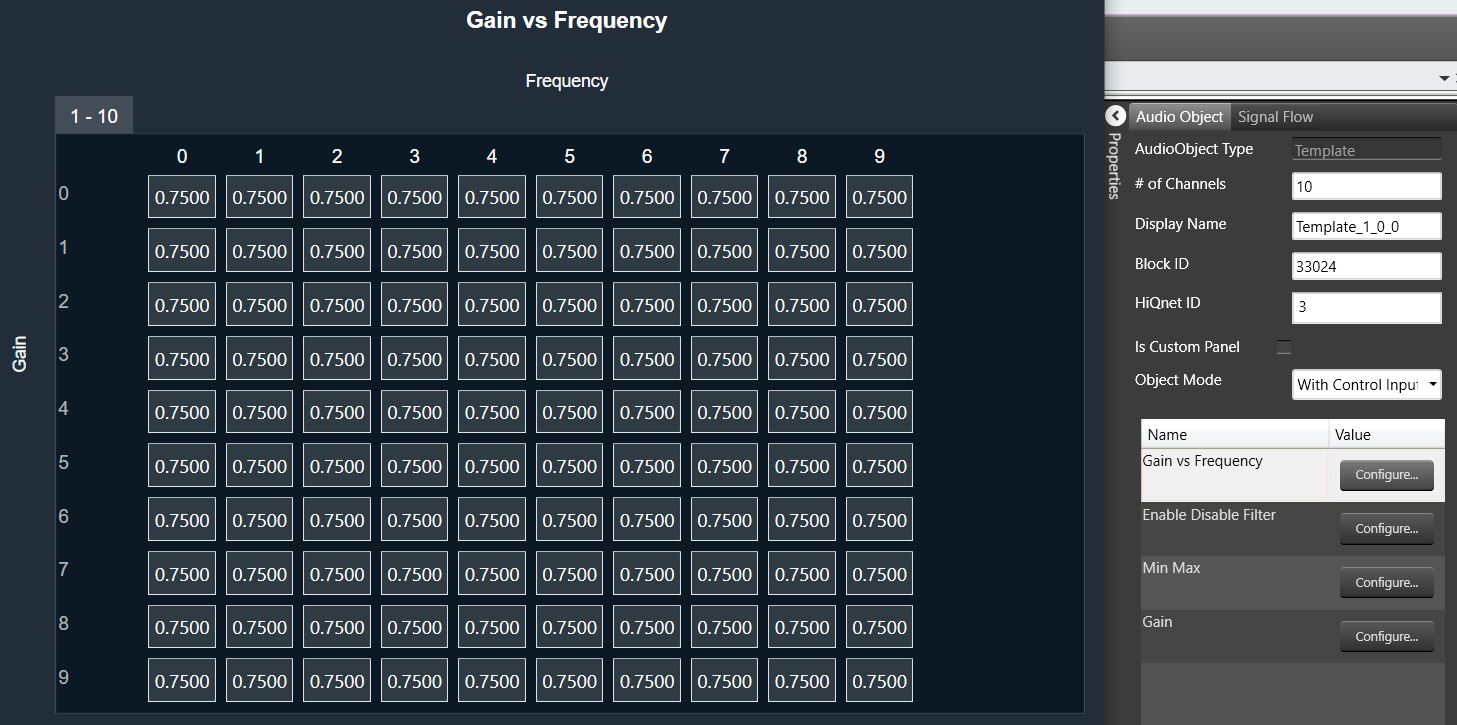
An example of the result in the SFD is shown below, with the configuration of additional variable 1:
3.2.3.Audio Object description file for tuning and control
Once a signal flow design is complete, SFD calls the following three Audio Object API functions, getXmlSVTemplate(), getXmlObjectTemplate(), and getXmlFileInfo(), to generate XML that describes the parameter memory layout for tuning purposes and state memory layout for control and debug purposes. This data depends on the object configuration designed in the signal flow.
These functions are enabled only when generating the XML file on a PC. The getXmlSVTemplate() function is called once and used for state variable templates, a single parameter, or control value. This state variable template can be reused in the object template or even the device description. The getXmlObjectTemplate() creates an object template that can be reused in another object template or in the device description. The getXmlFileInfo() uses the block ID assigned by the SFD and the HiQnet address of an object. HiQnet ID of the StateVariable must be unique in an object – even across hierarchical levels.
This data describes the parameter memory layout for tuning purposes and state memory layout for control purposes:
unsigned int CAudioObjectToolbox::getXmlSVTemplate(tTuningInfo* info, char* buffer, unsigned int maxLen)
{
}
unsigned int CAudioObjectToolbox::getXmlObjectTemplate(tTuningInfo* info, char* buffer, unsigned int maxLen)
{
}
unsigned int CAudioObjectToolbox::getXmlFileInfo(tTuningInfo* info, char* buffer, unsigned int maxLen)
{
}
This data must precisely describe the memory layout of the object. Here are some general guidelines:
- Each object should start with a new HiQnet block value.
- Each object should have a unique block ID value.
- Block ID refers to an entire audio object. How sub-blocks are used, depends on the object developer. This is tied to how the developer writes the tuneXTP function. For example, each sub-block in a Biquad that contains multiple filters and multiple channels, can refer to the multiple filters on one channel. Alternatively, each sub-block can refer to one filter in the Biquad.
- This file and tuning are directly related and should be implemented or laid out in the same order.
- Each parameter or state value in an object that the developer wants to expose to the user should be wrapped and described in the <StateVariable> segment.
- Category should be set to ‘Tuning‘ for parameter memory and to ’State‘ for control memory or state memory.
To ease the generation of this data, the xAF has created XML helper functions. These functions can be used when writing getXmlSVTemplate(), getXmlObjectTemplate() functions.
The helper function is shown below for an example where getXmlSVTemplate() for a Delay object is written using writeSvTemplate():
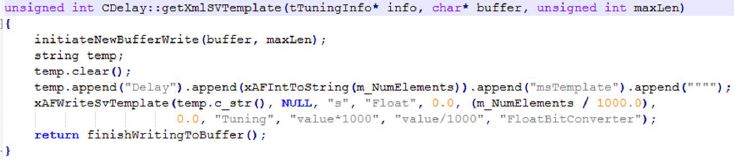
For more xml helper functions:
- Internal customers: Refer to XafXmlHelper.h and XafXmlHelper.cpp.
- External customers: Contact Harman.
For more information and details, please check the Device Description File specification guide.
Examples of the XML function that needs to be written is shown in Audio Object Example section.
3.2.4.Audio Object Memory
3.2.4.1.API
The below API is used to fill memory records according to given target and data format:
xUInt8 getMemRecords(xAF_memRec* memTable, xAF_memRec& scratchRecord, xInt8 target, xInt8 format);
- getMemRecords() is called by the GTT when it needs to know how many memory records each object contains or requires and their type, latency and size which depends on target and data format.
- The memory record sizes could be dependent on these object variables: m_NumElements, m_NumAudioIn, m_NumAudioOut, BlockLength, SampleRate, additional configuration data, etc
By default, the getMemRecords() method will return zero number of records and doesn’t fill the provided memTable if your object does not require any dynamic memory, you do not need to override these this method.
3.2.4.2.Memory Configuration on GTT
In the SFD when AudioObject is drag into panel, GTT will call getMemRecords() API to collect memory records details from the object to update the memory latency table. This will be repeated for all the AO’s of the SFD. Once the design is complete it shall be saved.
The user can open the memory latency editor and edit the latency levels. After saving the latency levels, if the object properties were edited and saved, the user will loose the saved latency levels for that object because GTT will call getMemRecords() again that will reset to default latency levels.

Scratch memory does not need to be allocated for each audio object since all the audio objects can use the same scratch memory. The GTT calculates the maximum scratch memory, maximum alignment and minimum latency requested by the audio objects, and put it into AudioProcessing chunk.
The elements of this table must be of the data type xAF_MemRec, which is shown below:

| Member | Description |
| alignment | This is the required alignment for the memory region. |
| memType | Type of the memory to be allocated – memType could be:
|
| size | This is the size of the memory to be allocated. |
| memLatency | This can take values from one to five where one – low latency and five – high latency. |
While sending the signal flow to the target device the memory records details will be send as part of audio processing chunk and audio object chunk in the signal flow write command.
3.2.4.3.Memory allocation in framework
The memory records are part of flash file so the platform needs to parse the flash file using DSFD parser that would give audio processing properties and audio object properties structures.
The platform needs to register the platform dependent memory allocator and deallocator in the constructor CAudioProcessing::CAudioProcessing().
Now call the CAudioProcessing::initFramework() pass the audio processing and audio properties structures, which will allocate the requested memory using platform dependent allocator and calls CAudioObject::setRecordPointers() (it will set m_MemRecPtrs) and CAudioObject::init() API’s for every objects.
3.2.4.4.Audio Object Memory Declaration and Usage
There are two types of memory used when allocating memory for audio objects.
- Scratch Memory: Scratch memory is non persistent memory that is used by an audio object only during an audio interrupt. Data in the scratch memory is not guaranteed to remain unchanged from one audio interrupt to the next. Up to and including Deep Purple, each object is restricted to one memory record. Developers can determine the size, alignment and latency level required.
- Coefficient Memory: Coefficient memory is any other type of persistent memory that is required by the audio object. There is no limit to the number of records developers can create. Developers can configure the size, alignment and latency levels required for each record and they can be different for every record.
Audio Buffers: The audio buffers provided in the calc function are intended to be read and write only, i.e. they should not be used for intermediate calculations. If intermediate buffers are required, scratch memory must be requested. The reason for this is that it is not guaranteed that the buffer per channel will be unique for unconnected pins. For unconnected pins on the input side, xAF provides a single buffer (filled with zeros) that is shared by all audio objects in an xAF instance. It is expensive (MIPS-wise) to clear this buffer each time, so it is important not to write data to this buffer and leave it untouched, as it will be read by all audio objects with unconnected pins. For unconnected output pins, xAF allocates a single “dummy” buffer for all unconnected pins, rather than a unique buffer per channel.
For audio objects that support in-place processing and all pins are connected, xAF will assign the same input and output buffer per channel, but if there are unconnected pins, the input and output buffers will be different, so the audio object developer should not blindly rely on the input and output buffers being the same or different. It is highly recommended to implement proper checks if the algorithm requires any of the above input/output buffer constellations.
4.1.Constructor
The Audio object constructor is called by the framework. Audio Object developers should use the constructors to initialize their classes to a suitable state. No member variables and pointers should be un-initialized.
CAudioObject::CAudioObject()
The constructor initializes various member variables.
4.2.GetSize
This method is an abstract method in the base class so it MUST be implemented by every audio object. This simply returns the class size of the given audio object.
/**
*    Returns the size of an audio object
*/
virtual unsigned int getSize() const = 0;4.3.Init
This function initializes all internal variables and parameters. It is called by the framework (CAudioProcessing class). In this method, the object should initialize all its memory to appropriate values that match the device description specified in the toolbox methods (getXmlFileInfo, etc)
void CAudioObject::init()
{
}
If the audio object requires additional configuration variables, then the user must also implement the method to initialize that data via assignAdditionaConfig(). For more details, refer Audio Object Additional Configuration.
If this method is not overwritten, it is an empty method that will not do anything.
4.4.Calc
The calc() function executes the audio object’s audio algorithm every time an audio interrupt is received. This function is called when the audio object is in “NORMAL” processing state only. This function takes pointers to input and output audio streams and is called by the CAudioProcessing class when an audio interrupt is received.
The audio inputs and outputs are currently placed in two different buffers for out of place computation. xAF expects audio samples stored in input buffers to be processed and stored in output buffers.
void CAudioObject::calc(xAFAudio** inputs, xAFAudio** outputs)
{
}
If the object/algorithm does not have any logic to execute during an audio interrupt, this method does not need to be overridden. By default, it is empty. For example, some control objects do not need to execute any logic during an interrupt and, accordingly, they do not override this method.
4.5.TuneXTP
This functionality alerts an object when its parameter memory is updated or modified. It provides information on the exact variables that were modified and allows the object to update internal variables accordingly. An example is in a filter block, where a parameter update (for example a gain/frequency/q change) triggers the recalculation of the filter coefficients in the tuning code. The API triggered is CAudioObject::tuneXTP().
void CAudioObject::tuneXTP(int subblock, int startMemBytes, int sizeBytes, xBool shouldAttemptRamp)
{
}
An ID-based memory addressing scheme is used instead of pure memory offsets. The CAudioObject→tuneXTP() method is called by the framework in CAudioProcessing→setAudioObjectTuning().
CAudioObject::tuneXTP() take in three integers representing the:
- sub-block: index of the sub-block in the audio object.
- startMemBytes: memory offset (in bytes) from the beginning of the sub-block memory.
- sizeBytes: number of the parameters tuned (size in bytes).
- shouldAttemptRamp: flag to indicate audio object should attempt to ramp the tuning parameters or not.
The subblock, startAdr and size are passed into the audio object to enable the calculation of the elements it needs to tune.
The code MUST be written in a manner that allows the tuning of any variable even if the corresponding sub-block is not provided. For example, an object with 2 sub-blocks with 4 variables within each sub-block, the algorithm should be able to support tuning the 5th variable with both commands: tuneXTP(0, 5, 1) AND tuneXTP(1,0,1).
Implementation
Once triggered, the function’s implementation is heavily dependent on the audio object itself and on the corresponding tuning panel (or Device Description/ memory layout) that the tuning tool will use to tune the audio object.
The developer needs to take into consideration the following while designing an object:
- The set file header size. If an object uses a large number of sub-blocks, each sub-block will require additional header data to store its values in the initial tuning file.
- The number of sub-blocks. If there are a lot of sub-blocks, and developers are tuning a big chunk of data, there will be many more xTP messages sent compared to an audio block with fewer sub-blocks.
- The calculations required. Having more sub-blocks can reduce the calculations required in the AudioObject::tuneXTP() functions. The audio object can focus on calculations for a narrower section of audio object memory, which is the sub-block.
For example, if a parameter biquad block is being tuned, the index or sub-block ID passed in by the CAudioProcessing class could determine:
- If a specific channel is being tuned. Once triggered, the function should:
- Recalculate the filter coefficients characterizing all filters of that specific Biquad channel.
- Use the memory offset and size variables to recalculate only the filter coefficients whose corresponding parameters were modified.
- A specific filter within a specific channel. Once triggered, this will only compute the coefficients of a single filter.
The xAF team has implemented the Parameter biquad block with the sub-block definition referring to a channel in the biquad block rather than one specific filter. The xAF also uses memory offset and sub-block to recalculate as few filter coefficients as possible.
Examples of what the tuning methods of each individual Audio Object trigger are listed below:
| Audio Object | Description |
| Delay | Sets the delay time in milliseconds. Each channel may have different delay and update buffers. |
| Gain | Sets the gain of each channel. |
| Parameter Biquad | Sets the type, frequency, gain, quality of a filter and recalculate filter coefficients for all filters in a channel. |
| Limiter | Sets the limit gain, threshold, attach time, release time, hold time and hold threshold. |
| LevelMonitor | Sets the frequency and time weighting of level meter. |
4.6.Control
Audio object control is carried out through CAudioObject→controlSet(). When a control message is received, it triggers the CAudioProcessing→setControlParameter(..) function, which in turn triggers the Control Input object control function, ControlIn→controlSet(..).
This then routes the control from the control input object to each object intended to receive the message through the audio object controlSet() method.
virtual int controlSet(int pin, float val);where pin: is the input control pin index being updatedval: the new value the control pin is being updated with
Objects that can be modified by control variables like volume, need to configure their object class control input and output values. These control I/Os are determined during the design of the audio object and can depend on the user configuration of the object during the signal design stage.
For example, a volume audio object will have multiple audio input and output channels. It will also have an input control that receives volume changes from the HU and an output control that relays those changes to other objects that depend on volume control.
These pins are a one to one connection between objects. If, at the output of the volume object, the volume control needs to be forwarded to multiple audio objects, the signal designer must add a control relay (ControlMath->splitter) object that can route those signals to multiple objects.
The implementation of this function is specific to the audio object. For example, a volume audio object control command will fade the volume value in the audio object starting from the old gain value and ending with the new gain value sent through the control command.
An object can also pass control to another object connected to its control output via the following CAudioObject→setControlOut(..) method. This method identifies which object should receive the output and passes the value to it.
/*!
*   Helper method for writing control to mapped outputs
*   \param index - which of the object's control outputs we are writing to
*   \param value - value we are writing out to the control output
*/
void setControlOut(int index, float value);
To be able to externally read the value of a control variable from an audio object, that data must be placed in the state memory of the object and described in the description file used by the GTT tool. This is done through the Device Description section.
Finally, objects that do not interact with any controls do not need to override this method.
controlSet MUST NOT write to another objects memory, if that memory is part of a larger block of memory that must be changes altogether. For example, controlSet must not write into memory containing filter coefficients because changing one coefficient alone is bound to break the filter behavior
5.Advanced Features and APIs
These methods are optional and are usually used for more advanced algorithms that have a large memory footprint or require advanced features like live streaking.
This code will be compiled for embedded libraries and used at runtime.
5.1.Audio Object Additional Configuration
This is the first method called by the framework to the object after its properties are setup according to the signal flow configuration. This method allows the object the opportunity to setup its configuration. The framework retrieves the additional configuration data the object is expecting from the signal flow file and sets these two audio object variables:
- m_AdditionalSFDConfig – this is a void pointer that holds the additional configuration data
- m_SizeofAdditionalVars – this variable will contain the size (in bytes) of the additional data
The object is then responsible for configuring its internal states based on this data provided. The API to implement is:
void assignAdditionalConfig()
{
}
An example is provided below for the delay audio object.

In the toolbox configuration, the delay object specifies it has the following 2 additional configuration variables:
typedef struct AdditionalConfigs
{
xFloat32 crossFadingDuration;   ///< first additional config param == Crossfading duration
xUInt8 cntrlInputEnable;        ///< second additional config param == Control input mode (disabled, oneSet, multiset)
}
So, accordingly, this is the data it expects as the output from the tool once the signal flow is designed.
The endianness of this additional configuration data is passed to the object in little endian format.
5.2.Audio Object Sub Blocks
The Sub-blocks represents logical divisions of a block’s (or audio object’s) memory. They are partitions of the audio object’s memory.
There are many reasons to use sub-blocks in an object.
- Tuning data preservation is facilitated by the use of sub-blocks.
- The data can be organized into more logical chunks.
- The data will also be easier to debug.
- In some cases, tuning preset files can store much less data. This is due to the fact that sub-blocks of the memory can be individually stored in the preset files as opposed to the entire object’s memory.
Sub-blocks belonging to the same object do not necessarily need to have the same sub-block size.
The two API calls associated with setting up sub-blocks in an object are:
xInt8* getSubBlockPtr(xUInt16 subBlock)
xSInt32 getSubBlockSize(xUInt16 subBlock)
- getSubBlockPtr() is called by the framework to retrieve pointer to start of the subblock.
- getSubBlockSize() is called by framework to get size of the subblock in bytes
Here we will create an example of a simple object. This object has one parameter (m_Gain). It’s a float so its size is four bytes. Since it is our only parameter we will only have one subblock it’s subblock will be zero (we start at zero).
In this code we only return a valid pointer if our subblock is as expected. If subblock is zero then we return a pointer to our parameter memory – which in this case is the address of our member float. Memory referenced doesn’t have to be a member variable of course, often it is a reference directly to a requested memory record. Sometimes objects will allocate one record but map several subblocks to the memory, spacing them out appropriately. You are free to do what you want as long as you don’t reference global memory as your object has to support multiple instances.

Likewise for this method the return for an error case is the default (0). If the framework sees a 0 size record or nullptr returned from the subblock method it will return an error over xTP and not attempt to write out of bounds. It will also return an error if address + size in the tuneXTP method exceeds the bounds dictated here. (Eg: subblock size is 16, but I want to write 8 bytes starting at address 12, this would be denied).
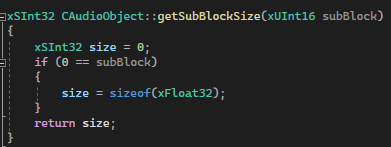
Whether your data is defined in DDF as ‘Tuning’ or ‘State’ it still will have a subblock. The following fields in GTT’s SV Viewer.
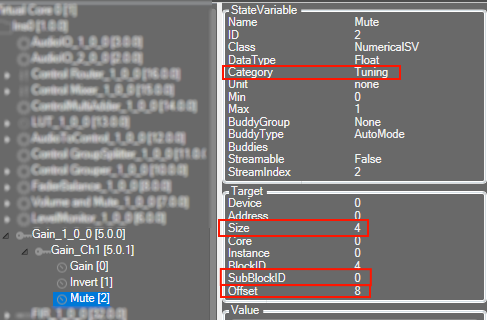
In the above picture we can see how this information translates to the DDF side.
SubBlockID is the same subblock as above. Offset is your address within the subblock, size is the size of the variable. You can also see above the category here is ‘Tuning’. A subblock is either ‘Tuning’ or ‘State’ and it cannot be split between them.
If an audio object not require any sub-blocks (no tuning or state parameters), these methods don’t need to be overridden.
5.3.Audio Object AO Switch Processing State
This function is called from CAudioProcessing class whenever a XTP command is received to switch the audio object processing state. This function configures the ramping related variables and also the function pointer for the method to be called for every subsequent audio interrupts.
void CAudioObject::aoSwitchProcState(int state, int prevState);
5.3.1.Audio Object Processing states
The audio objects can be set to one of the following states from the GTT:
- Normal (default state on boot-up)
- Bypass
- Mute
- Stop
These options are available to all regular audio objects with equal number of input and output channels. For source objects like Waveform generator, only Normal and Mute states are allowed. This feature is not available to the interface objects like Audio-in/out, Control-in/out. For the compound audio objects, the selected state will be applied to all inner audio objects.
Following are the tasks carried out every time an audio interrupt is received for each state:
- Normal: Normal operation with update of necessary internal states of the audio object; normal output.
- Bypass: Normal operation with update of necessary internal states of the audio object; input channel buffer data copied to the output channel buffers.
- Mute: Normal operation with update of necessary internal states of the audio object; output channel buffers cleared to zero.
- Stop: Input channel buffer data copied to the output channel buffers (no update of internal states).
Ramping
To ensure smooth transition across states, linear ramping is provided with the ramp-up OR ramp-down time of 50 ms. Ramping is not provided for any transitions involving Bypass state and the individual audio object need to support this.
For transition between Normal and Stop states, first the output is ramped down from the present state to mute state and then ramped up to the target state.
5.3.2.Audio Object Bypass
This function is called every time an audio interrupt is received and when the audio object is in “BYPASS” processing state. The calc() function is called from here to get the internal states of the audio object updated. Subsequently the data from the input audio buffers are copied to the output audio buffers (overwriting the generated output data through the calc process).
This function takes pointers to input and output audio streams and is called by the CAudioProcessing class when an audio interrupt is received.
void CAudioObject::bypass(float** inputs, float** outputs)
{
}
5.3.3.Audio Object Mute
This function is called every time an audio interrupt is received and when the audio object is in “MUTE” processing state. The calc() function is called from here to get the internal states of the audio object updated. Subsequently the output audio buffers are cleared to zero (overwriting the generated output data through the calc process).
This function takes pointers to input and output audio streams and is called by the CAudioProcessing class when an audio interrupt is received.
void CAudioObject::mute(xAFAudio** inputs, xAFAudio** outputs);
{
}
5.3.4.Audio Object Stop
This function is called every time an audio interrupt is received and when the audio object is in “STOP” processing state. The data from the input audio buffers are copied to the output audio buffers without calling calc() and thereby the internal states of the audio object are not updated. This function is used to save cycles.
This function takes pointers to input and output audio streams and is called by the CAudioProcessing class when an audio interrupt is received.
void CAudioObject::stop(xAFAudio** inputs, xAFAudio** outputs);
5.3.5.Audio Object Ramp-Up
This function is called every time an audio interrupt is received and when the audio object is in the transition state of switching from “MUTE” state to “NORMAL / STOP” processing state. The calc() function is called from here with “NORMAL / STOP” as the active state and the output is ramped up linearly. The ramp-up time is fixed as 50 ms. The ramp step and number of times this function need to be called is computed during the start of the ramp period.
This function takes pointers to input and output audio streams and is called by the CAudioProcessing class when an audio interrupt is received.
void CAudioObject::rampUp(xAFAudio** inputs, xAFAudio** outputs);
5.3.6.Audio Object Ramp-Down
This function is called every time an audio interrupt is received and when the audio object is in the transition state of switching from “NORMAL / STOP” to “MUTE” processing state. The calc() function is called from here with NORMAL / STOP as the active state and the output is ramped down linearly. The ramp-down time is fixed as 50 ms. The ramp step and number of times this function need to be called is computed during the start of the ramp period.
This function takes pointers to input and output audio streams and is called by the CAudioProcessing class when an audio interrupt is received.
void CAudioObject::rampDown(xAFAudio** inputs, xAFAudio** outputs);
5.3.7.Audio Object Ramp-DownUp
This function is called every time an audio interrupt is received and when the audio object is in the transition state of switching from “NORMAL” to “STOP” or “STOP” to “NORMAL” processing state. The transition is in two parts – ramp down from the present state to the MUTE state followed by ramp up from MUTE state to the target state. The calc() function is called from here with present state as the active state during ramp down and target state as the active state during ramp up. Linear ramping is applied and the ramp down time and ramp up time are fixed at 50 ms each. The ramp step and number of times this function need to be called is computed during the start of the ramp period.
This function takes pointers to input and output audio streams and is called by the CAudioProcessing class when an audio interrupt is received.
void CAudioObject::rampDownUp(xAFAudio** inputs, xAFAudio** outputs);
5.4.Debug and Monitoring
A number of features are planned for debugging and monitoring but currently, live streaming is implemented and described below
5.4.1.Live streaming of state variable or state memory
To enable live streaming for a particular state variable, below steps needs to be performed by the audio object.
1. The XML section of the state variable has to be updated to convey that state variable is streamable to GTT. The optional variable after the bit converter has to be set to true to enable the state variable streaming.
The code snippet from CTemplate::getXmlObjectTemplate function conveys to GTT that the state variable “State1Value” is enabled for streaming by setting the optional variable after bit converter to true.
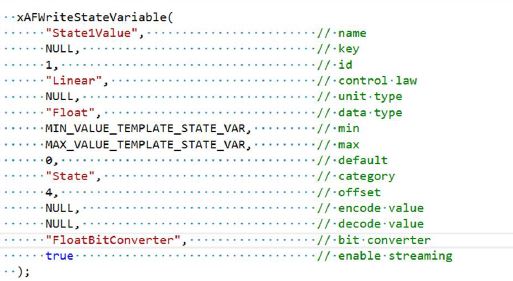
2. For uploading data from framework to GTT, the following public functions have to overridden or implemented:
- CAudioObject::getStateMemForLiveStreamingPtr
- CAudioObject::getDataFormatForLiveStreamingPtr
|
CAudioObject::getStateMemForLiveStreamingPtr () take in 4 arguments representing streamIndext, subBlockId, pointer to hold memory address of the state variable (stateMem) and the number of the bytes to be streamed (len). The streamIndext and subBlockId are passed into the audio object to enable the calculation of which channel of the state variable to be streamed. Based on the calculation done, the audio object has to update the variables stateMem and len. The code snippet from CTemplate::getStateMemForLiveStreamingPtr shows the example implementation. In this example code, subblock is not used for state variable and hence subBlockId has to be always zero. The first state variable (with streamIndex 0) is mute which is not enabled for streaming in XML file. The state variables (streamIndext 1 to 6) is enabled for streaming in XML file and stateMem and len is updated. |
|
CAudioObject::getDataFormatForLiveStreamingPtr() take in 2 arguments representing streamIndext and subBlockId. The streamIndext and subBlockId are passed into the audio object to return the data format of the state variable to be streamed. The code snippet from CTemplate::getDataFormatForLiveStreamingPtr shows the example implementation. In this example code, subblock is not used for state variable and hence subBlockId has to be always zero. The first state variable (with streamIndex 0) is mute which is not enabled for streaming in XML file. The state variables (streamIndext 1 to 6) is enabled for streaming in XML file and the corresponding data format is returned from this function. |
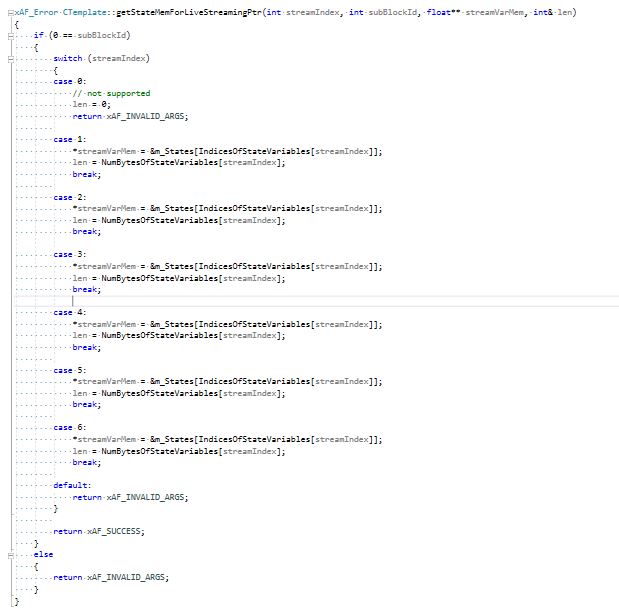
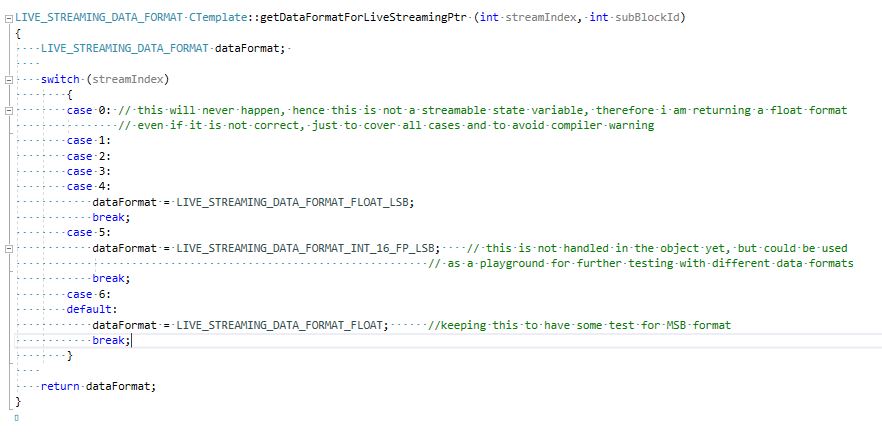
3. Data from framework to GTT is sent based on the value commands per second of the state variable which is sent from GTT.
The framework does the below calculation to decide on which call it needs to send data to GTT.
- Number of blocks per second = SampleRate / BlockLength
- Blocks per message = Number of blocks per second / commands per second
The amount of data to be send is based on the below calculation.
- Bytes per message = Header size + len
where- Header size is 5.
- len is in bytes.
The framework sends Bytes per message amount of data to GTT for every Blocks per message.
Example #1:
SampleRate = 48000, BlockLength = 64, len = 4 and commands per second = 10
Number of blocks per second = 48000 / 64 = 750
Blocks per message = 750 / 10 = 75
Bytes per message = 5 + 4 = 9
The framework sends 9 bytes of data to GTT for every 75th block.
Bytes per second = (9 * 10) bytes per sec = 90 bytes per sec
Example #2:
SampleRate = 48000, BlockLength = 64, len = 128 and commands per second = 6
Number of blocks per second = 48000 / 64 = 750
Blocks per message = 750 / 6 = 125
Bytes per message = 5 + 128 = 133
The framework sends 133 bytes of data to GTT for every 125th block.
Bytes per second = (133 * 6) bytes per sec = 798 bytes per sec
5.5.Background Method
Some objects may require CPU intensive tasks that do not need to execute immediately. For this purpose xAF offers the background process. To enable this functionality the object will override backgroundMethod and hasBackgroundMethod. hasBackgroundMethod needs to return true. Within the method, the object can do whatever it wants. This method will be interrupted by other threads; even the object’s calc method. For this reason, the logic in this method must be implemented in a protective, thread-safe manner.
virtual void CAudioObject::backgroundMethod () {};
virtual bool CAudioObject::hasBackgroundMethod () const
{
    return FALSE;
}
6.Audio object Examples
A new audio object will implement the following functions depending on functionality. See the header files for the associated classes for detailed comments.
In the class which inherits CAudioObject – ie: CYourAudioObject.cpp
Abstract Methods (required implementation)
xUInt32 CAudioObject::getSize() const
Virtual Methods (optional implementation – depending on object features). This is not a complete list but contains the major virtual methods.
void      CAudioObject::init()
void      CAudioObject::calc(xFloat32** inputs, xFloat32** outputs)
void      CAudioObject::tuneXTP(xSInt32 subblock, xSInt32 startMemBytes, xSInt32 sizeBytes, xBool shouldAttemptRamp)
void      CAudioObject::controlSet(xSInt32 index, xFloat32 value)
xAF_Error CAudioObject::controlSet(xSInt32 index, xUInt32 sizeBytes, const void * const pValues)
void      CAudioObject::assignAdditionalConfig()
xInt8*    CAudioObject::getSubBlockPtr(xUInt16 subBlock)
xSInt32   CAudioObject::getSubBlockSize(xUInt16 subBlock)
In the class which inherits CAudioObjectToolbox – ie: CYourAudioObjectToolbox.cpp
const CAudioObjectToolbox::tObjectDescription*          CAudioObjectToolbox::getObjectDescription()
const CAudioObjectToolbox::tModeDescription*            CAudioObjectToolbox::getModeDescription(xUInt32 mode)
const CAudioObjectToolbox::additionalSfdVarDescription* CAudioObjectToolbox::getAdditionalSfdVarsDescription(xUInt32 index)
xAF_Error                                               CAudioObjectToolbox::getObjectIo(ioObjectConfigOutput* configOut)
xUInt32                                                 CAudioObjectToolbox::getXmlSVTemplate(tTuningInfo* info, xInt8* buffer, xUInt32 maxLen)
xUInt32                                                 CAudioObjectToolbox::getXmlObjectTemplate(tTuningInfo* info, xInt8* buffer, xUInt32 maxLen)
xUInt32                                                 CAudioObjectToolbox::getXmlFileInfo(tTuningInfo* info, xInt8* buffer, xUInt32 maxLen)
void                                                    CAudioObjectToolbox::createStaticMetadata()
void                                                    CAudioObjectToolbox::createDynamicMetadata(ioObjectConfigInput& configIn, ioObjectConfigOutput& configOut)
In the class which inherits CMemoryRecordProperties – ie: CYourAudioObjectMemRecs.cpp
xUInt8 CMemoryRecordProperties::getMemRecords(xAF_memRec* memTable, xAF_memRec& scratchRecord, xInt8 target, xInt8 format)
Source code for AwxAudioObjExt audio object can be found in HarmanAudioworX installation folder. The path for the source code is
\Program Files\Harman\HarmanAudioworX\ext-reference-algorithms\external\inc
\Program Files\Harman\HarmanAudioworX\ext-reference-algorithms\external\src
The code snippet for source and include files is provided in following sections for reference
6.1.Example 1 - AwxAudioObjExt.cpp
/*!
*   \file      AwxAudioObjExt.cpp
*   \brief     Simple example Audio object for building outside from the xAF repo- Source file
*   \details   Implements a simple example fucntionality
*   \details   Project    Extendable Audio Framework
*   \copyright Harman/Becker Automotive Systems GmbH
*
       2022
*
       All rights reserved
*   \author    xAF Team
*/

/*!
*   xaf mandataory includes
*/
#include "AwxAudioObjExt.h"
#include "XafMacros.h"
#include "vector.h"

VERSION_STRING_AO(AwxAudioObjExt, AWXAUDIOOBJEXT);
AO_VERSION(AwxAudioObjExt, AWXAUDIOOBJEXT);

/** here you can add all required include files required for
    the core functionality of your objects
**/

#define MAX_CONFIG_MIN_GAIN_dB              (0.0f)
#define MAX_CONFIG_MAX_GAIN_dB              (30.0f)
#define MAX_GAIN_DEFAULT_GAIN_dB            (10.0f)
#define CONTROL_GAIN_MIN                    (-128.0f)
#define GAINDB_CONVERSION_FACTOR             (0.05f)

CAwxAudioObjExt::CAwxAudioObjExt()
    : m_Coeffs(NULL)
    , m_Params(NULL), m_MemBlock(NULL), m_EnMemory(DISABLE_BLOCK)
{
}

CAwxAudioObjExt::~CAwxAudioObjExt()
{
}

void CAwxAudioObjExt::init()
{
    m_Params = static_cast<xFloat32*>(m_MemRecPtrs[PARAM]);
    m_Coeffs = static_cast<xFloat32*>(m_MemRecPtrs[COEFF]);

	if (ENABLE_BLOCK == m_EnMemory)
	{
		m_MemBlock = static_cast<xFloat32*>(m_MemRecPtrs[FLOATARRAY]);
	}
	if (static_cast(GAIN_WITH_CONTROL) == m_Mode)
	{
		m_NumControlIn = 1;
		m_NumControlOut = 0;
	}
	else
	{
		m_NumControlIn = 0;
		m_NumControlOut = 0;
	}
}

void CAwxAudioObjExt::assignAdditionalConfig()
{
	xInt8*  addVars8Ptr = reinterpret_cast<xInt8*>(m_AdditionalSFDConfig);
	//Assigning additional configuration variable "Abstracted Tuning Memory".
	if (static_cast<void*>(NULL) != m_AdditionalSFDConfig)
	{
		m_EnMemory = addVars8Ptr[m_NumAudioIn * sizeof(xFloat32)];
	}
}

xFloat32 CAwxAudioObjExt::getMaxGain(xSInt32 index)
{
	xFloat32*  addVars32Ptr = reinterpret_cast<xFloat32*>(m_AdditionalSFDConfig);
	xFloat32 value = addVars32Ptr[index];
	return value;
}

xInt8* CAwxAudioObjExt::getSubBlockPtr(xUInt16 subBlock)
{
    xInt8* ptr = NULL;

    // this is just an example of how memory could be split by an AO developer. There is no strict rule
    // how memory has to be split for each subblock

    switch(subBlock)
    {
        case 0:
        ptr = reinterpret_cast<xInt8*>(m_Params);
        break;

        case 1:
        ptr = reinterpret_cast<xInt8*>(m_MemBlock);
        break;

        default:
        // by default we will return a null ptr, hence wrong subBlock was provided
        break;
    }

    return ptr;
}

xSInt32 CAwxAudioObjExt::getSubBlockSize(xUInt16 subBlock)
{
    xSInt32 subBlockSize = 0;

    // this is just an example of how memory could be split by an AO developer. There is no strict rule
    // how memory has to be split for each subblock
    switch(subBlock)
    {
        case 0:
        subBlockSize = static_cast(sizeof(xFloat32)) * static_cast(m_NumAudioIn) * NUM_PARAMS_PER_CHANNEL;
        break;

        case 1:
        subBlockSize = (nullptr != m_MemBlock) ? (static_cast(sizeof(xFloat32)) * FLOAT_ARRAY_SIZE) : 0;
        break;

        default:
        // by default we will return a null ptr, hence wrong subBlock was provided
        break;
    }
    return subBlockSize;
}

void CAwxAudioObjExt::calc(xAFAudio** inputs, xAFAudio** outputs)
{
	if (static_cast(ENABLE_BLOCK) == m_EnMemory)
	{
		xSInt32 numAudioIn = static_cast(m_NumAudioIn);
		for (xSInt32 i = 0; i < numAudioIn; i++)
		{
			// for example if m_MemBlock[0] is to mute all channels
			xFloat32 factor = m_Coeffs[i] * m_MemBlock[0];
			scalMpy(factor, inputs[i], outputs[i], static_cast(m_BlockLength));
		}
	}
	else
	{
		xSInt32 numAudioIn = static_cast(m_NumAudioIn);
		for (xSInt32 i = 0; i < numAudioIn; i++)
		{
			scalMpy(m_Coeffs[i], inputs[i], outputs[i], static_cast(m_BlockLength));
		}
	}
}

void CAwxAudioObjExt::calcGain(xSInt32 channelIndex, xFloat32 gainIndB)
{
	xFloat32 maxGainIndB = getMaxGain(channelIndex);

	LIMIT(gainIndB, CONTROL_GAIN_MIN, maxGainIndB);
	m_Params[channelIndex * NUM_PARAMS_PER_CHANNEL] = gainIndB;

	xUInt32* mutePtr = reinterpret_cast<xUInt32*>(&m_Params[(channelIndex * NUM_PARAMS_PER_CHANNEL) + 1u]);

	m_Coeffs[channelIndex] = (0 == *mutePtr) ? powf(MAX_GAIN_DEFAULT_GAIN_dB, gainIndB * GAINDB_CONVERSION_FACTOR) : 0.f;
}

void CAwxAudioObjExt::tuneXTP(xSInt32 subBlock, xSInt32 offsetBytes, xSInt32 sizeBytes, xBool shouldAttemptRamp)
{
	if(0 == subBlock)
	{
		xUInt32 channelu = static_cast(offsetBytes) >> 2u;
		xSInt32 channel = static_cast(channelu) / NUM_PARAMS_PER_CHANNEL;
		while (sizeBytes > 0)
		{
			calcGain(channel, m_Params[channel * NUM_PARAMS_PER_CHANNEL]);
			sizeBytes -= static_cast(NUM_PARAMS_PER_CHANNEL * sizeof(xFloat32));
			channel++;
		}
	}
	else if(1 == subBlock)
	{ // handle float array related here
	  // values are available in m_MemBlock
	}
	else
	{
	}
}

xSInt32 CAwxAudioObjExt::controlSet(xSInt32 index, xFloat32 value)
{
	if ((0 == index) && (static_cast(GAIN_WITH_CONTROL) == m_Mode))
	{
		xSInt32 numAudioIn = static_cast(m_NumAudioIn);
		for (xSInt32 i = 0; i < numAudioIn; i++)
		{
			calcGain(i, value);
		}
	}
	return 0;
}

xUInt32 CAwxAudioObjExt::getSize() const
{
    return sizeof(*this);
}
6.2.Example 2 - AwxAudioObjExtToolbox.cpp
/*!
*   \file      AwxAudioObjExtToolbox.cpp
*   \brief     AwxAudioObjExt Toolbox Source file
*   \details   Implements the AwxAudioObjExt signal design API
*   \details   Project    Extendable Audio Framework
*   \copyright Harman/Becker Automotive Systems GmbH
*
       2020
*
       All rights reserved
*   \author    xAF Team
*/

/*!
*   xaf mandataory includes to handle the toolbox related data
*/
#include "AwxAudioObjExtToolbox.h"
#include "XafXmlHelper.h"
#include "AudioObjectProperties.h"
#include "AwxAudioObjExt.h"
#include "XafMacros.h"
#include "AudioObject.h"


// the revision number may be different for specific targets
#define MIN_REQUIRED_XAF_VERSION            (RELEASE_U)
// mode specific defines
#define AUDIO_IN_OUT_MIN                    (1)
#define AUDIO_IN_OUT_MAX                    (255)
#define EST_MEMORY_CONSUMPTION_NA           (0)         // memory consuption not available/measured
#define EST_CPU_LOAD_CONSUMPTION_NA         (0.f) // cpu load not available/measured
#define CONTROL_GAIN_MAX                   (30.0f)
#define CONTROL_GAIN_MIN                   (-128.0f)
#define CONTROL_GAIN_IN_LABEL              "Gain"
#define MAX_CONFIG_MIN_GAIN_dB              (-12.0f)
#define MAX_CONFIG_MAX_GAIN_dB              (30.0f)
#define MAX_GAIN_DEFAULT_GAIN_dB            (10.0f)

CAwxAudioObjExtToolbox::CAwxAudioObjExtToolbox()
{
}

CAwxAudioObjExtToolbox::~CAwxAudioObjExtToolbox()
{
}

static CAudioObjectToolbox::additionalSfdVarDescription theVar;
const CAwxAudioObjExtToolbox::additionalSfdVarDescription* CAwxAudioObjExtToolbox::getAdditionalSfdVarsDescription(xUInt32 index)

{
    CAudioObjectToolbox::additionalSfdVarDescription* ptr = &theVar;
    static CAudioObjectToolbox::MinMaxDefault addVar1 = { MAX_CONFIG_MIN_GAIN_dB ,MAX_CONFIG_MAX_GAIN_dB ,MAX_GAIN_DEFAULT_GAIN_dB }; //Min,max,default values for additional config variable
    static CAudioObjectToolbox::MinMaxDefault addVar2 = { 0, 1, 0 }; //Min,max,default values

    static CAudioObjectToolbox::addVarsSize m_AddtionalVarSize1[NUM_DIMENSION_VAR] =
    {
        // size, label, start index, increment
        {1, "Max Gain per channel(dB)", 0, 1}
    };
    static CAudioObjectToolbox::addVarsSize m_AddtionalVarSize2[NUM_DIMENSION_VAR] =
    {
        // size, label, start index, increment
        {1, "Disable: 0\nEnable  : 1", 0, 1}
    };

     if (index == 0)
     {
       theVar.mP_Label = "Max Gain per channel";
       theVar.m_DataType = xAF_FLOAT_32;
       theVar.mP_RangeSet = &addVar1;
       theVar.m_Dimension = 1;
       theVar.m_DataOrder = xAF_NONE;
       //size varies according to the number of channels
       m_AddtionalVarSize1[0].m_Size = static_cast(m_NumAudioIn);
       theVar.mP_MaddVarsSize = m_AddtionalVarSize1;
     }
     else if (index == 1)
     {
         theVar.mP_Label = "Abstracted Tuning Memory";
         theVar.m_DataType = xAF_UCHAR;
         theVar.mP_RangeSet = &addVar2;
         theVar.m_Dimension = 1;
         theVar.m_DataOrder = xAF_NONE;
         theVar.mP_MaddVarsSize = m_AddtionalVarSize2;
     }
     else
     {
         /* Invalid index. Return NULL */
         ptr = NULL;
     }
     return ptr;
}


const CAudioObjectToolbox::tObjectDescription* CAwxAudioObjExtToolbox::getObjectDescription()
{
    static const CAudioObjectToolbox::tObjectDescription descriptions =
    {
        1, 1, 0, 0, "AwxAudioObjExt", "Simple Object to start with for 3rd party/external objects integration", "External", AWX_EXT_NUM_ADD_VARS, AWX_EXT_NUM_MODES
    };
    return &descriptions;
}


const CAudioObjectToolbox::tModeDescription* CAwxAudioObjExtToolbox::getModeDescription(xUInt32 mode)
{
    static const CAudioObjectToolbox::tModeDescription modeDescription[AWX_EXT_NUM_MODES] =
    {
        {"Gain", "No control input", 0, 0, "", CFG_NCHANNEL},
        {"GainWithControl", "One gain control input pin gets added", 0, 0, "", CFG_NCHANNEL},
    };
    return (mode < (sizeof(modeDescription) / sizeof(tModeDescription))) ? &modeDescription[mode] : static_cast<tModeDescription*>(NULL);
}


xAF_Error CAwxAudioObjExtToolbox::getObjectIo(ioObjectConfigOutput* configOut)
{
    if (static_cast(GAIN_WITH_CONTROL) == m_Mode)
    {
        configOut->numControlIn = 1;
        configOut->numControlOut = 0;
    }
    else
    {
        configOut->numControlIn = 0;
        configOut->numControlOut = 0;
    }

    return xAF_SUCCESS;
}


xUInt32 CAwxAudioObjExtToolbox::getXmlObjectTemplate(tTuningInfo* info, xInt8* buffer, xUInt32 maxLen)
{
    initiateNewBufferWrite(buffer, maxLen);

    // add your tuning parameters here in order to show up in the tuning tool
    // the number of params specified here, depends on the number to be tuned in GTT
    // in this example we are exposing the tuning parameters as arrays split into 2 subblocks

    //template 1
    xSInt32 numAudioIn = static_cast(m_NumAudioIn);
    xSInt32 blockID = info->Global_Object_Count; // uniq to this instance
    xUInt32 id = 0;

    for (xSInt32 i = 0; i < numAudioIn; i++)
    {
        //Max value for each channel to show up shall be specified by this function
        xFloat32 gainval = getMaxGain(i);
        xAFOpenLongXMLTag("Object");
        string templateName = string("").append("AwxAudioObjExtTuneTemplate").append(xAFIntToString(i + 1)).append(xAFIntToString(blockID));
        xAFAddFieldToXMLTag("Key", templateName.c_str());
        xAFEndLongXMLTag();
        xAFWriteQuickXmlTag("ExplorerIcon", "Object");
        xAFWriteXmlTag("StateVariables", XML_OPEN);
        xAFWriteStateVariable("Gain",                   // name
            id,                                         // id
            NULL,                                       // control law
            "dB",                                       // unit type
            DataTypes[xAF_FLOAT],                       // data type
            -128.0,                                     // min
            gainval,                                    // max
            0.0,                                        // default
            0u,                                         // offset
            NULL,                                       // encode value
            NULL,                                       // decode value
            DataTypeConverters[xAF_FLOAT],              // bit converter
            false                                       // disable streaming
        );
        id++;

        xAFWriteStateVariable("Mute",                    // name
            id,                                          // id
            NULL,                                        // control law
            NULL,                                        // unit type
            DataTypes[xAF_UINT],                         // data type
            0.0,                                         // min
            1.0,                                         // max
            0.0,                                         // default
            4u,                                          // offset
            NULL,                                        // encode value
            NULL,                                        // decode value
            DataTypeConverters[xAF_UINT],                // bit converter
            false                                        // disable streaming
        );
        id++;

        xAFWriteXmlTag("StateVariables", XML_CLOSE);
        xAFWriteXmlTag("Object", XML_CLOSE);

    }

    //template 2
    //It shall be shown up in the State Variable Explorer if through additional configuration "Abstracted Tuning Memory" is set to 1 or enabled.
    if (static_cast(ENABLE_BLOCK) == m_EnMemory)
    {
        xAFOpenLongXMLTag("Object");
        xAFAddFieldToXMLTag("Key", "AwxAudioObjExtArrayTemplate");
        xAFEndLongXMLTag();
        xAFWriteQuickXmlTag("ExplorerIcon", "Object");
        xAFWriteXmlTag("StateVariables", XML_OPEN);
        xAFWriteStateVariableBuffer(/* name = */ "FloatArray",
            /* id = */ id,
            /* type = */ FLOATARRAY_SV,
            /* size = */ FLOAT_ARRAY_SIZE,
            /* streamIdx = */ id,
            /* minVal = */ -1000.0,
            /* maxVal = */ 1000.0,
            /* defaultVal = */ 0.0,
            /* offset = */ 0,
            /* isStreamable = */ false);

        xAFWriteXmlTag("StateVariables", XML_CLOSE);
        xAFWriteXmlTag("Object", XML_CLOSE);
    }
    return finishWritingToBuffer();
}


xUInt32 CAwxAudioObjExtToolbox::getXmlFileInfo(tTuningInfo* info, xInt8* buffer, xUInt32 maxLen)
{
    initiateNewBufferWrite(buffer, maxLen);
    xUInt32 hiqnetInc = 0u;
    xUInt8  subBlock = 0u;
    xSInt32 blockID = info->Global_Object_Count; // uniq to this instance

    xAFWriteObject(info->Name, static_cast(info->Global_Object_Count), hiqnetInc, static_cast(info->HiQNetVal), 0);

    xAFWriteXmlTag("Objects", XML_OPEN);
    xSInt32 numAudioIn = static_cast(m_NumAudioIn); // m_NumAudioIn == m_NumAudioOut

    xAFWriteXmlObjectContainer("Gains", hiqnetInc, subBlock, PARAM_CATEGORY);
    xAFWriteXmlTag("Objects", XML_OPEN);
    for(xSInt32 i = 0; i < numAudioIn; i++)
    {
        string templateName = string("").append("AwxAudioObjExtTuneTemplate").append(xAFIntToString(i+1)).append(xAFIntToString(blockID));
        xAFWriteXmlObjectTemplateInstance(templateName.c_str(), string("Ch").append(xAFIntToString(i+1)).c_str(), i * 8, 1 + i);
        // 8 is related here to the internal memory layout where a "state/tuning" is related to a block of N-bytes and withing this needs to be offset
        hiqnetInc++;
    }
    xAFWriteXmlTag("Objects", XML_CLOSE);
    xAFWriteXmlTag("Object", XML_CLOSE); //gains

    if (static_cast(ENABLE_BLOCK) == m_EnMemory)
    {
        xAFWriteXmlObjectBlockOffset("AwxAudioObjExtArrayTemplate", "FloatArrayMemory", subBlock, static_cast(info->HiQNetVal), hiqnetInc, PARAM_CATEGORY);
        hiqnetInc++;
    }
    xAFWriteXmlTag("Objects", XML_CLOSE);

    xAFWriteXmlTag("Object", XML_CLOSE);

    return finishWritingToBuffer();
}


void CAwxAudioObjExtToolbox::createStaticMetadata()
{
    m_StaticMetadata.minReqXafVersion = static_cast(MIN_REQUIRED_XAF_VERSION);

    setAudioObjectVersion(AWXAUDIOOBJEXT_VERSION_MAJOR, AWXAUDIOOBJEXT_VERSION_MINOR, AWXAUDIOOBJEXT_VERSION_REVISION);
    setTuningVersion     (AWXAUDIOOBJEXT_TUNING_VERSION_MAJOR, AWXAUDIOOBJEXT_TUNING_VERSION_MINOR);

    m_StaticMetadata.supDataFormats.push_back(xAF_DATATYPE_FLOAT);

    //creation/release date
    setCreationDate(2022, 8, 4);

    //Simple AO supports in-place computation
    m_StaticMetadata.inPlaceComputationEnabled = true;
    //This flag allows to set whether the object dynamically updates its additional vars based on input params
    m_StaticMetadata.isAddVarUpdateRequired = true;
}

void CAwxAudioObjExtToolbox::createDynamicMetadata(ioObjectConfigInput& configIn, ioObjectConfigOutput& configOut)
{
    metaDataControlDescription ctrlDesc;
    // define audio in metadata
    m_DynamicMetadata.audioIn.Min = AUDIO_IN_OUT_MIN;
    m_DynamicMetadata.audioIn.Max = AUDIO_IN_OUT_MAX;

    // define audio out metadata
    m_DynamicMetadata.audioOut.Min = AUDIO_IN_OUT_MIN;
    m_DynamicMetadata.audioOut.Max = AUDIO_IN_OUT_MAX;

    switch (configIn.mode)
    {
        case static_cast(GAIN_WITH_CONTROL) :
        // define control in min, max and label values for the control pin

        ctrlDesc.Min = CONTROL_GAIN_MIN;
        ctrlDesc.Max = CONTROL_GAIN_MAX;
        ctrlDesc.Label = CONTROL_GAIN_IN_LABEL;
        m_DynamicMetadata.controlIn.push_back(ctrlDesc);
        break;

        default:
        break;
    }

    m_DynamicMetadata.estMemory = EST_MEMORY_CONSUMPTION_NA;
    m_DynamicMetadata.estMIPS = EST_CPU_LOAD_CONSUMPTION_NA;
}
6.3.Example 3 - AwxAudioObjExtMemRecs.cpp
/*!
*   \file      AwxiAudioObjExtMemRecs.cpp
*   \brief     Memory related description Source file
*   \details   Implements the audio object memory related API
*   \details   Project    Extendable Audio Framework
*   \copyright Harman/Becker Automotive Systems GmbH
*
       2020
*
       All rights reserved
*   \author    xAF Team
*/

/*!
*   include files required to request the dynamic memory
*/
#include "AwxAudioObjExtMemRecs.h"

xUInt8 CAwxAudioObjExtMemRecs::getMemRecords(xAF_memRec* memTable, xAF_memRec& scratchRecord, xInt8 target, xInt8 format)
{
	xUInt8 numMemRecords = (static_cast(ENABLE_BLOCK) == m_EnMemory) ? static_cast(NUM_MEM_RECORDS) : static_cast(FLOATARRAY);
	//m_Param memory
    memTable[PARAM].alignment = 4;
    memTable[PARAM].size = static_cast(static_cast(m_NumAudioIn) * NUM_PARAMS_PER_CHANNEL * sizeof(xFloat32));
	memTable[PARAM].label = "Tuning Parameters";

	//m_Coeff memory
    memTable[COEFF].size = static_cast(static_cast(m_NumAudioIn) * sizeof(xFloat32));
	memTable[COEFF].alignment = 4;
	memTable[COEFF].label = "Gain Values";

	//m_MemBlck memory(Abstracted Tuning Memory)
	if (static_cast(ENABLE_BLOCK) == m_EnMemory)
	{
		memTable[FLOATARRAY].size = FLOAT_ARRAY_SIZE * sizeof(xFloat32);
		memTable[FLOATARRAY].alignment = 4;
		memTable[FLOATARRAY].label = "Abstracted Tuning Memory values";
	}
    return numMemRecords;
}
6.4.Example 4 - AwxAudioObjExt.h
// ============================================================
// (C) 2017 Harman International Industries, Incorporated.
// Confidential & Proprietary. All Rights Reserved.
// ============================================================

/**
*   \file       AwxAudioObjExt.h
*   \brief      Simple demo object Audio object to start a development of a new audio object- Header file
*   \details    Project    Extendable Audio Framework
*   \copyright  Harman/Becker Automotive Systems GmbH
*
        2017
*
        All rights reserved
*   \author     xAF Team
*   \date       Nov 28, 2023
*/

#ifndef AWXAUDIOOBJEXT_H
#define AWXAUDIOOBJEXT_H

/*!
*   xaf mandataory includes
*/
#include "AudioObject.h"

#define AWXAUDIOOBJEXT_VERSION_MAJOR             (0x01)
#define AWXAUDIOOBJEXT_VERSION_MINOR             (0x01)
#define AWXAUDIOOBJEXT_VERSION_REVISION          (0x06)
#define AWXAUDIOOBJEXT_TUNING_VERSION_MAJOR      (0x01)
#define AWXAUDIOOBJEXT_TUNING_VERSION_MINOR      (0x00)

/** here you can add all required include files required for
    the core functionality of your objects
**/

#define AWX_AUDIO_OBJ_EXT_NUM_PARAMS         1
#define FLOAT_ARRAY_SIZE                     10
#define NUM_DIMENSION_VAR                    1

/**
*    \brief Simple example object to provide a starting point for a new audio object
*/
class CAwxAudioObjExt : public CAudioObject
{
public:
    static AOVersion version;
    CAwxAudioObjExt();
    virtual ~CAwxAudioObjExt();

    /**
    *   Refer AudioObject.h for description
    */

	/*
     *   It returns the class size of the given audio object.
     */
    xUInt32 getSize() const OVERRIDE;

	/*
     This function initializes all the object variables and parameters. In this method, the object shall initialize all its memory to appropriate values.
    */
    void init() OVERRIDE;
    void calc(xAFAudio** inputs, xAFAudio** outputs) OVERRIDE;

	/**
     *    \brief  This method is called when an object receives updated tuning data.
     *    \param  subblock               index selects the subblock
     *    \param  offsetBytes               points the offset in param memory (bytes)
     *    \param  sizeBytes                   number of parameters to be updated (bytes)
     *    \param  shouldAttemptRamp      whether or not this data should be attempt to apply instantly, or AO should attempt ramping
     */
    void tuneXTP(xSInt32 subblock, xSInt32 adrBytes, xSInt32 sizeBytes, xBool shouldAttemptRamp) OVERRIDE;

	/**
	*    \brief  Retrieves pointer to the start of the subblock
	*    \param  subBlock subblock number
	*    \return start address of the subblock
	*/
    xInt8* getSubBlockPtr(xUInt16 subBlock) OVERRIDE;

	/**
	*    Returns the size of the sub block indicated by 'subBlock'
	*    \param  subBlock the ID of the state subBlock we want to get the size of
	*    \return size of subBlock
	*/

    xSInt32 getSubBlockSize(xUInt16 subblock) OVERRIDE;

	/**
    *   Assigns the additional configuration as the object requires.
    */
	void assignAdditionalConfig() OVERRIDE;

	/**
     *    Control method to set the new value
     *    \param index - pin index of the object's control input we are writing to
     *    \param value - value we are writing
     */
	xSInt32 controlSet(xSInt32 index, xFloat32 param) OVERRIDE;

	/**
     *    \brief  It reads the array of applied gain values through additional configuration "Max Gain per channel" for each channel.
     *    \param    index  denotes the channel index
     *    \return   Gain value read for each channel.
     */
    xFloat32 getMaxGain(xSInt32 index);

	enum AddnlVars {MAX_GAIN_PER_CHANNEL, THIRD_PARTY_MEM_BLK , AWX_EXT_NUM_ADD_VARS };
	enum Modes { GAIN, GAIN_WITH_CONTROL, AWX_EXT_NUM_MODES };
	enum MemAccess { DISABLE_BLOCK, ENABLE_BLOCK };
	enum memoryRecords { PARAM, COEFF, FLOATARRAY, NUM_MEM_RECORDS } memRecs;
    enum PARAMS { NUM_PARAMS_PER_CHANNEL = 2 };
	xInt8 m_EnMemory;

protected:
    xFloat32* m_Coeffs;                                         ///< internal pointer to COEFF memrec
    xFloat32* m_Params;                                         ///< internal pointer to PARAM memrec
	xFloat32* m_MemBlock;                                       ///< internal pointer to FLOATARRAY memrec

private:
	/**
     *    \brief  for each channel, checks the gain limits and calculates gain coefficient
     *    \param    channel     channel index
     *    \param    gainIndB    gain in dB
     */
    void calcGain(xSInt32 channelIndex, xFloat32 gainIndB);
};
#endif //AWXAUDIOOBJEXT_H
6.5.Example 5 - AwxAudioObjExtToolbox.h
// ============================================================
// (C) 2017 Harman International Industries, Incorporated.
// Confidential & Proprietary. All Rights Reserved.
// ============================================================

/**
*   \file      AwxAudioObjExtToolbox.h
*   \brief     AwxAudioObj Audio Object Toolbox - Header file
*   \details   Project    Extendable Audio Framework
*   \copyright Harman/Becker Automotive Systems GmbH
*
       2017
*
       All rights reserved
*   \author    xAF Team
*   \date      March 28, 2023
*/

#ifndef AWXAUDIOOBJEXT_TOOLBOX_H
#define AWXAUDIOOBJEXT_TOOLBOX_H

/*!
*   xaf mandataory includes
*/
#include "AwxAudioObjExtMemRecs.h"
#include "AudioObjectToolbox.h"
#include "XafDefs.h"

/** here you can add all required include files required for
    the core functionality of your objects
**/

class CAwxAudioObjExtToolbox : public CAudioObjectToolbox, public CAwxAudioObjExtMemRecs
{
public:
    /**
    *    Default ctor / dtor to initialite member variables of the audio object
    */
    CAwxAudioObjExtToolbox();
    virtual ~CAwxAudioObjExtToolbox();

	/**
    *    Returns the object description
    *    \return pointer to structure describing object configuration.
    */
    const tObjectDescription*   getObjectDescription() OVERRIDE;

	/**
     *    Writes object template information to the buffer returns number of bytes written
     *    \param  info   audio object tuning info.
     *    \param  buffer buffer for XML output.
     *    \param  maxLen maximal length of the buffer.
     *    \return size of generated xml file.
     */
	xUInt32 getXmlObjectTemplate(tTuningInfo* info, xInt8* buffer, xUInt32 maxLen) OVERRIDE;

	/**
     *    \brief  Returns the overall object description used in the object
     *            within the device description file
     *    \param  info pointer to TuningInfo structure
     *    \param  buffer pointer to buffer used for file creation.
     *    \param  maxlen max allowed size of generated file.
     *    \return size of generated device.ddf file.
     */
	xUInt32 getXmlFileInfo (tTuningInfo* info, xInt8* buffer, xUInt32 maxLen) OVERRIDE;

	/**
    *    Returns the mode description of object
    *    \param  mode    index of the selected mode
    *    \return pointer to the object mode description
    */
	const tModeDescription* getModeDescription  (xUInt32 mode) OVERRIDE;

	/**
    *    This function sets the object configuration based on user settings indicated in GTT
    *    \param  configOut   the configuration of the object sent back to the tool
    *    \return error code
    */
	xAF_Error getObjectIo(ioObjectConfigOutput* configOut) OVERRIDE;

	/**
     *    Returns the additional variable description
     *    \param  index   index of the additional parameter
     *    \return instance of additional variable description
     */
	const additionalSfdVarDescription* getAdditionalSfdVarsDescription(xUInt32  index) OVERRIDE;

	/**
      *    \brief  Creates metadata entries for the specific audio object
      *            this function must be overridden by each object supporting
      *            the metadata feature. Otherwise default data will be created.
      */
	void createStaticMetadata () OVERRIDE;

	/**
     *    \brief  Creates mode and configuration dependent metadata entries for the specific audio object
     *            this function must be overridden by each object supporting
     *            the metadata feature.
     *    \param  configIn  the configuration of audio in, out and num elements passed in by the design tool
     *    \param  configOut the configuration of the object sent back to the tool
     */
    void createDynamicMetadata(ioObjectConfigInput& configIn, ioObjectConfigOutput& configOut) OVERRIDE;
protected:
};
#endif //AWXAUDIOOBJEXT_TOOLBOX_H
6.6.Example 6 - AwxAudioObjExtMemRecs.h
// ============================================================
// (C) 2017 Harman International Industries, Incorporated.
// Confidential & Proprietary. All Rights Reserved.
// ============================================================

/**
*   \file      AwxAudioObjExtMemRecs.h
*   \brief     Simple demo Audio Object MemRecs - Header file
*   \details   Project    Extendable Audio Framework
*   \copyright Harman/Becker Automotive Systems GmbH
*
       2017
*
       All rights reserved
*   \author    xAF Team
*   \date      July 7, 2021
*/

#ifndef AWXAUDIOOBJEXT_MEM_RECS_H
#define AWXAUDIOOBJEXT_MEM_RECS_H

/*!
*   xaf mandataory includes
*/
#include "AwxAudioObjExt.h"
#include "MemRecordProperties.h"

/** here you can add all required include files required for
    the core functionality of your objects
**/


class CAwxAudioObjExtMemRecs : public CAwxAudioObjExt, public CMemoryRecordProperties
{
public:

    xUInt8 getMemRecords(xAF_memRec* memTable, xAF_memRec& scratchRecord, xInt8 target, xInt8 format) OVERRIDE;
};
#endif //AWXAUDIOOBJEXT_MEM_RECS_H
7.General Guidelines
7.1.Hardware Abstraction
Hardware abstraction is being done at Audio Object functions level such as calc, init etc.
Audio Object Function Level Abstraction
When the audio object function implementations are significantly different across various platforms, platform specific functions should be in different cpp files (file per core). A new cpp file needs to be introduced for every object that has any core-specific code. The object will still have one header file across all platforms. Dll specific functions should be part of Win32 specific files.
Folder Structure
The folder structure will look like the following:
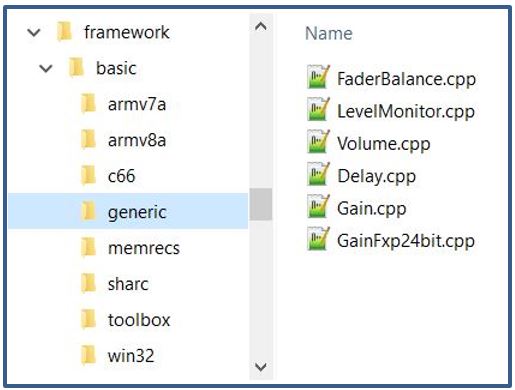
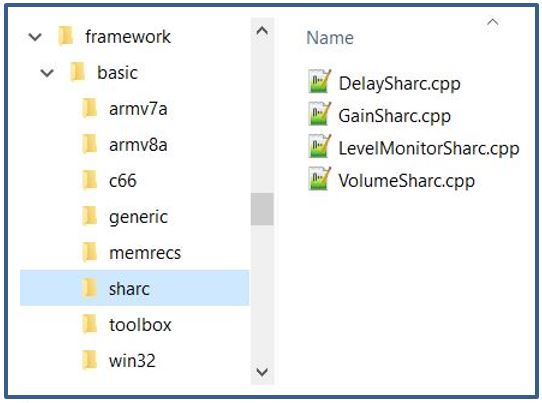
Override Defines
Each object will also have an “OBJECT”_OVERRIDE define. This define may be in the object header. However, for the xAF basic audio objects and the core objects, they have been combined into build\processor\”PLATFORM”\objectOverride”PLATFORM“.cmake file that shall be included in the build process.
For non-Sharc platforms, the API function specific defines are available in AudioFramework.h and the Biquad specific defines are available in private\src\framework\filter\CMakeLists.txt:
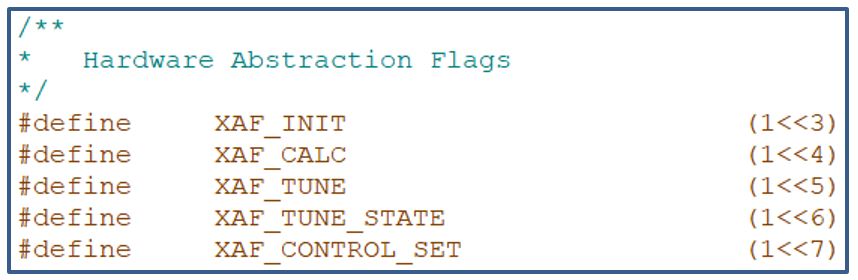
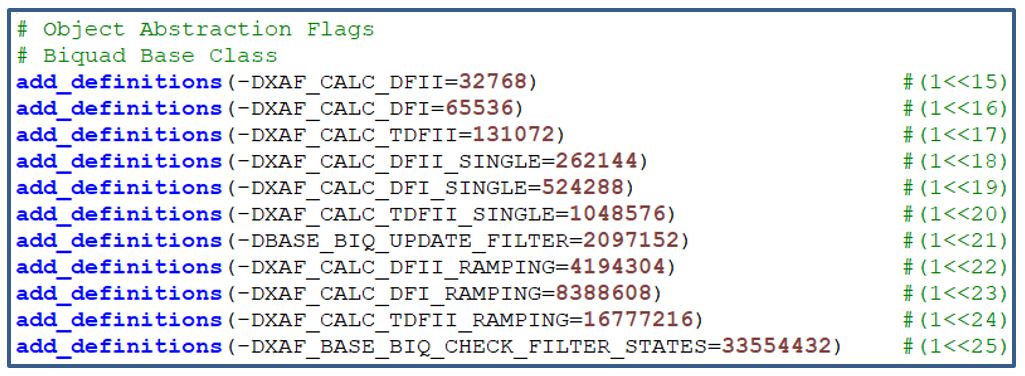
For example, build\processor\armv8a\objectOverrideArmv8a.cmake will look like the following:
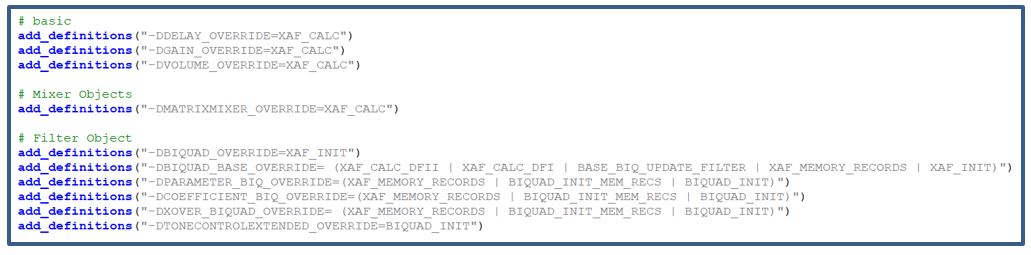
For SHARC based platforms, it is not possible to define the override macro as a logical expression of individual API macros as done above. Here the logical operation is done separately with the math directive and subsequently assigned to the overriding macro. Both the API function specific defines and the Biquad specific defines are available in this file build\processor\sharc\objectOverrideSharc.cmake:
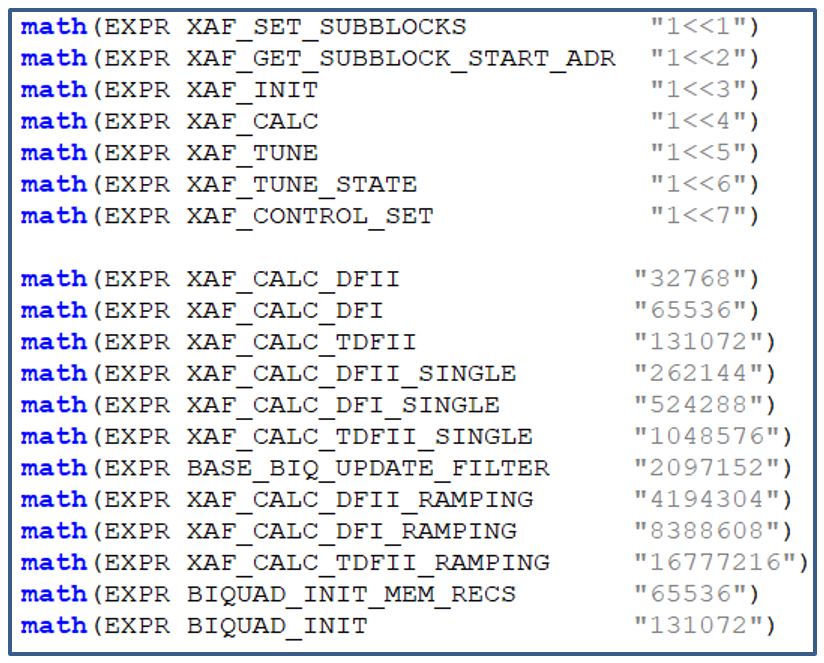
The FIR object has Sharc specific implementation for init() and calc(). The FIR_OVERRRIDE define will be the union of XAF_INIT and XAF_CALC defines as given below:

Files
In the generic implementation of the object, every function that is overridden in optimization files should be surrounded by an ifdef check. Using the example above, the generic file FIR.cpp would look like this:
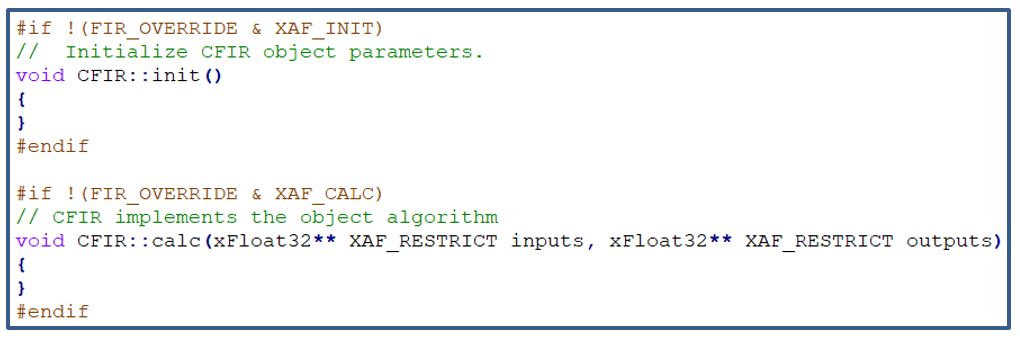
The Sharc file – FIRSharc.cpp – in this case should override both init() and calc():
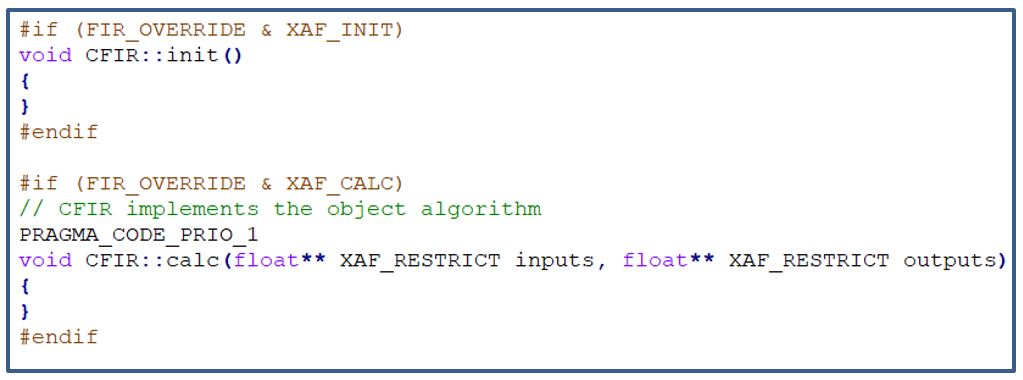
Build System
Based on the target processor, the build system should always include the generic cpp implementation and the processor specific implementation. For example, when compiling for Sharc for the xAF basic audio objects:
Generic Files
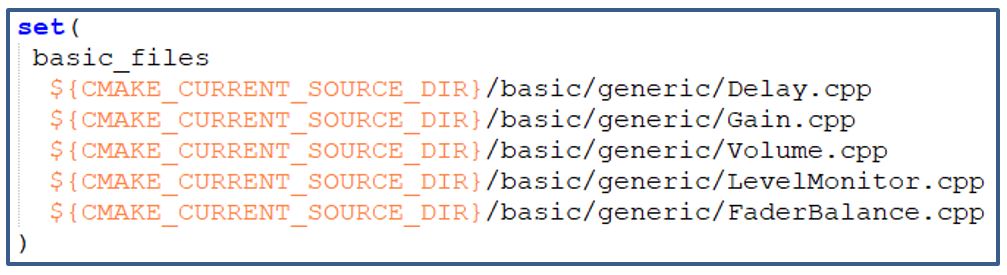
SHARC files
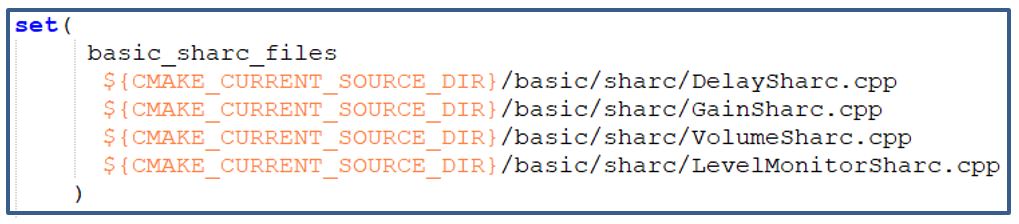
7.2.Hardware Abstraction for Header files
This hardware abstraction separates out platform specific member variables and member functions from audio object header file and keeps in hardware abstraction class. Implementation of this class is done in platform specific .cpp file. Accessing the hardware abstraction class members in audio object is done by forward declaring the class in later and instantiating this as a class member. Memory allocation and assignment is done for this instance in initMemRecord and init of the object. Sometimes, it may be needed to access audio object data members inside hardware abstraction class. This requirement is taken care by declaring a back pointer in hardware abstraction class and assigning it to audio object pointer in constructor function. Implementation for ToneControl audio object is completed and code snippets for the same is given below
Hardware Abstraction Class
Below is the implementation example of hardware abstraction class for ToneControl C66 implementation. Here m_ToneCtrlInst is the back pointer to access ToneControl data members in Tone Control hardware abstraction class which is initialized in constructor with CToneControl.
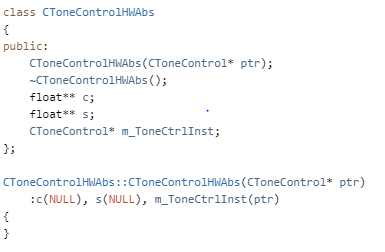
Instance of Hardware Abstraction class in Audio Object
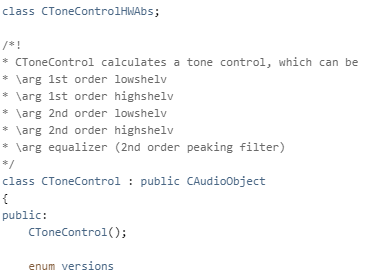
7.3.Memory Enums
Memory Enums shall be used for clarity and to avoid errors when allocating the memory required by the object. For example, the AudioToControl AO enum and getMemRecords() method are presented below.
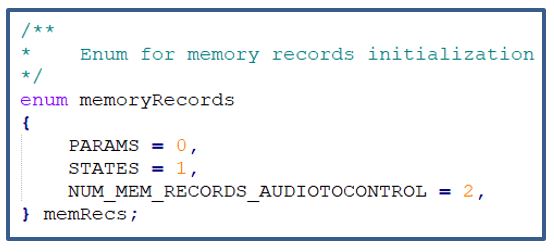
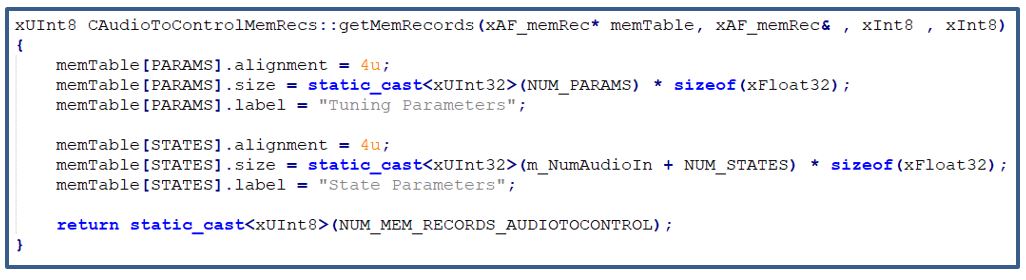
7.4.Overlays
Instead of dereferencing parameter and state memory as m_Params[0] and m_States[0], overlays can be used where applicable. The same concept can be applied to coefficient memory if needed. The example below is presented for the gain object that contains three tunable parameters: gain value, invert, and mute.
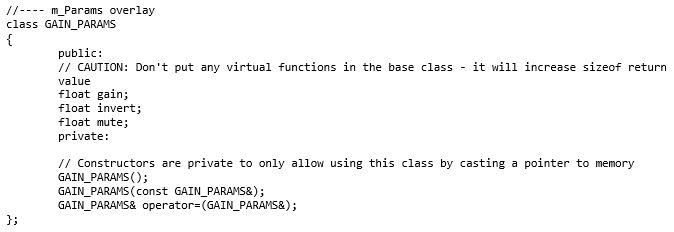
Below is an example of how the parameters above can be used during tuning:
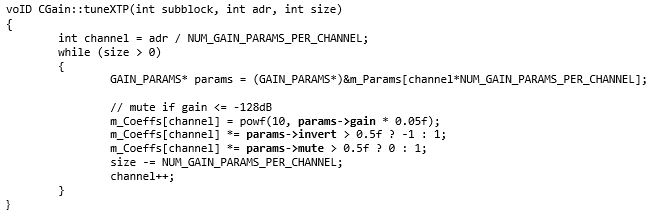
8.Adding external audio object into AudioworX package
External audio objects can be added to the framework without re-compiling the libraries provided by AudioworX. There are following use cases to be supported:
- Third party audio object code to be compiled and linked (Source and headers placed in specific folder)
- Third party audio object is already pre-compiled and libraries needs to be linked (header + library)
General assumption is that each use case can be satisfied for multiple 3rd party objects which are added to the extAudioObject.lib which itself needs to be linked to the application code on the target or to the xAFVirtualamp.dll based on one of the 3 mentioned use cases. It must be ensured all use cases can be used in parallel for different objects which means, every 3rd party object can be integrated individually by following one of the 3 proposed solutions or a combination of them. After a successful compilation and linking process a post-build step shall be applied to validate that all mandatory APIs for all added objects have been implemented correctly.
Common pre-requisites for all use cases
- Define unique audio object id
- #define OBJ_TEMPLATE 9001
- extendable-audio-framework\external\inc\ExternalObjAudioIds.h or project specific path and name
- make sure the defined id is in the range of 9002 and 9999 and not used by any other object ID
- object name, c++ class name and header file names are matching the name used in the #define. E.g. user is creating MyObject ->
- #define OBJ_MYOBJECT 9002;
- C++ class name CMyObject (C is mandatory, camel case is optional)
- MyObject.h
- MyObjectMemRecs.h
- MyObjectToolbox.h
- Tell the build script which files to be picked up
- Directly in cmake by adding cpp files and libraries to be compiled and linked
- Path to a CmakeLists.txt file containing all required information
Third party code to be compiled and linked (Source and headers placed in specific folder)
The external 3rd party build solution allows the developer to add source files, header files and libraries into a predefined folder structure. The Template audio object shall be used as a reference example on how to implement the third party code the for the external object. The CMakeLists.txt in the external folder must be modified accordingly to include the newly added cpp file(s) and library(s).
Folder structure for external audio object.
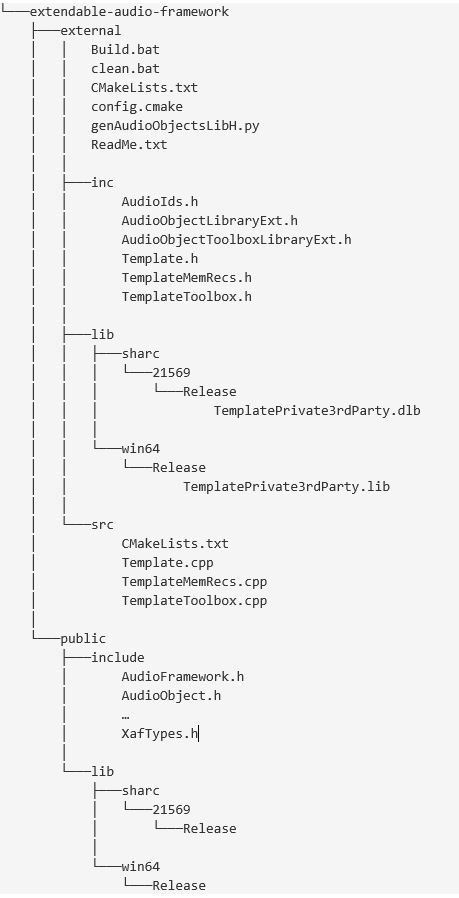
Third party object is pre-compiled and needs to be linked only (header + library)
This use case assumes that external object(s) has been build according to AWX specifications and the result of this build is supposed to be linked to other audio objects in the xAFVirtualAmp.dll. To achieve this, the developer must add the following files into the external sub folders:
- Inc
- Myobject.h
- MyobjectMemRecs.h
- MyobjectToolbox.h
- Lib
- xafMyObject-lib_release.ext (.ext ==.lib, .dlb, etc. based on the target)
- MyObjectPrivate.ext
The folder structure and naming inside the lib folder must match the ones which are released within the xaf\public\lib\. The developer must ensure, that libraries are available for all supported targets (WIN64, Sharc, etc.) and placed properly in the correct sub-folders. In addition to that, the CMakeLists.txt must be changed to link the additionally added libraries. The Release cmake file will have a section with proper comments on how to do so. There will be additional .bat file will be provided to make it convenient for the end user for linking and creating .dll
8.1.Building External AO
Prerequisites
1. Developer should generate the corresponding libraries before starting the build process execution. Otherwise, there will be errors when executing the batch file Build.bat:
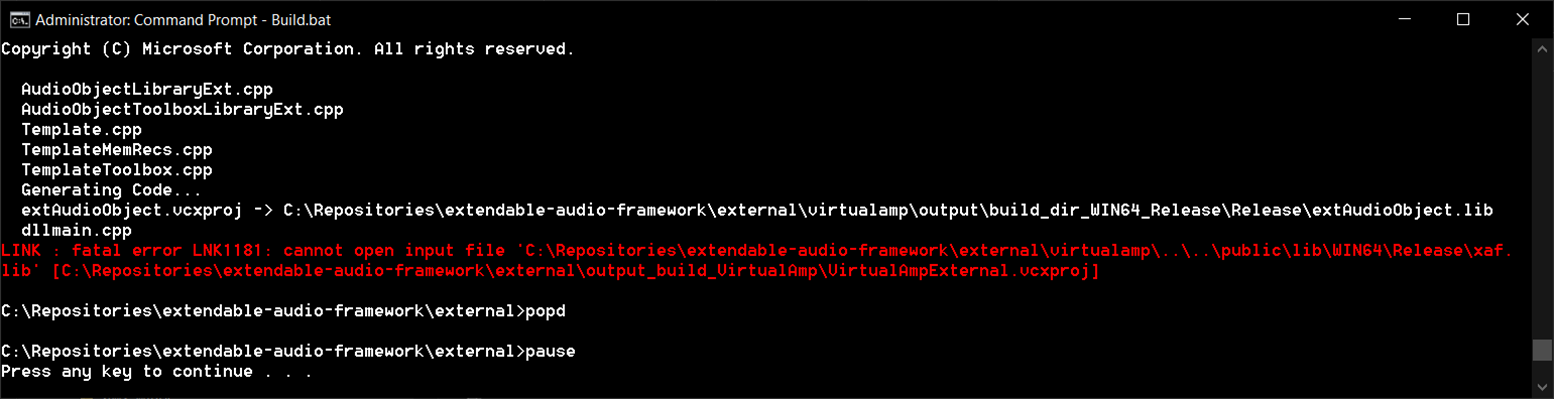
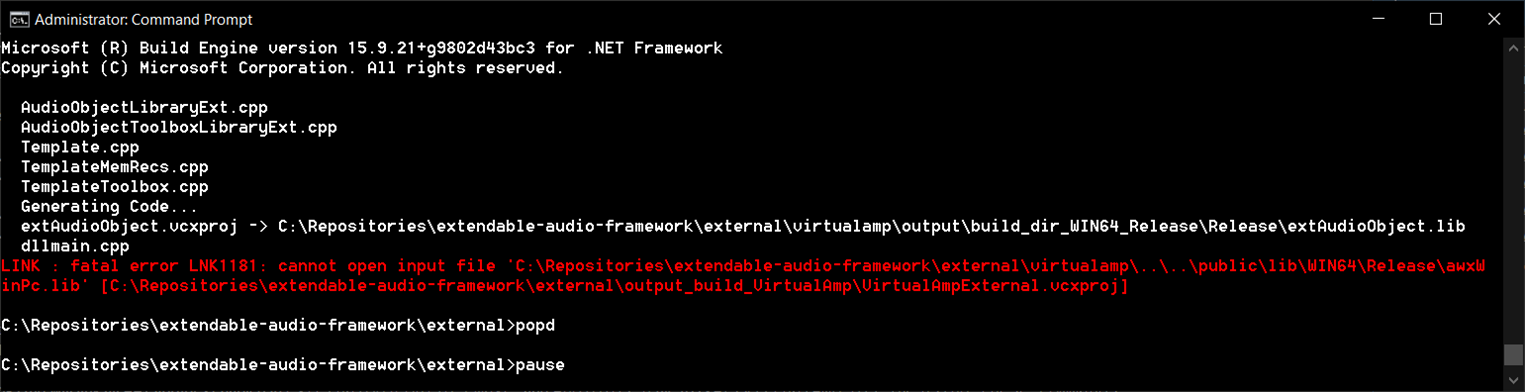
For generating xAF libraries:
python build.py --platform=WinPc --target=Win64 --program=allExtObjects --profile=Release
For generating AWX VirtualAmp:
python build.py --target=Win64 --program=virtualAmp --profile=Release --group=all
2. Place the the external audio object’s source code under external\src\
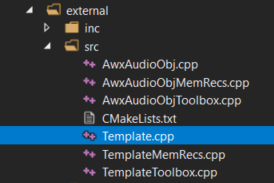
3. Place the external audio object header file under external\inc\ . The header file name should be equal to the external audio object class name. For example, if the audio object name is CTemplate, the header file name should be Template.h.
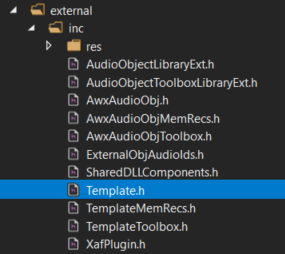
4. Make sure the external audio object’s pre-processor macro is defined in file external\inc\ExternalObjAudioIds.h. The name should be OBJ_”header file name” and the value should be in the range between 9002 and 9999.
E.g. Audio Object Template ID:
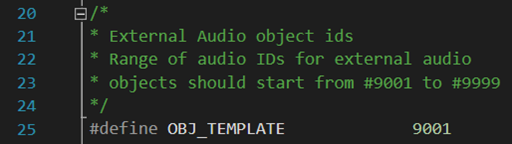
5. If additional libraries need to be linked, add them in the file CmakeLists.txt located in:
extendable-audio-framework\external\src\

Steps for building Audio Object Template
1. Open a command prompt window in Admin mode.
2. Execute the batch file Build.bat
3. After the build process is complete, the corresponding VirtualAmpExternal.dll file will be available at the path \external\virtualamp\output\build_dir_WIN64_Release\Release.
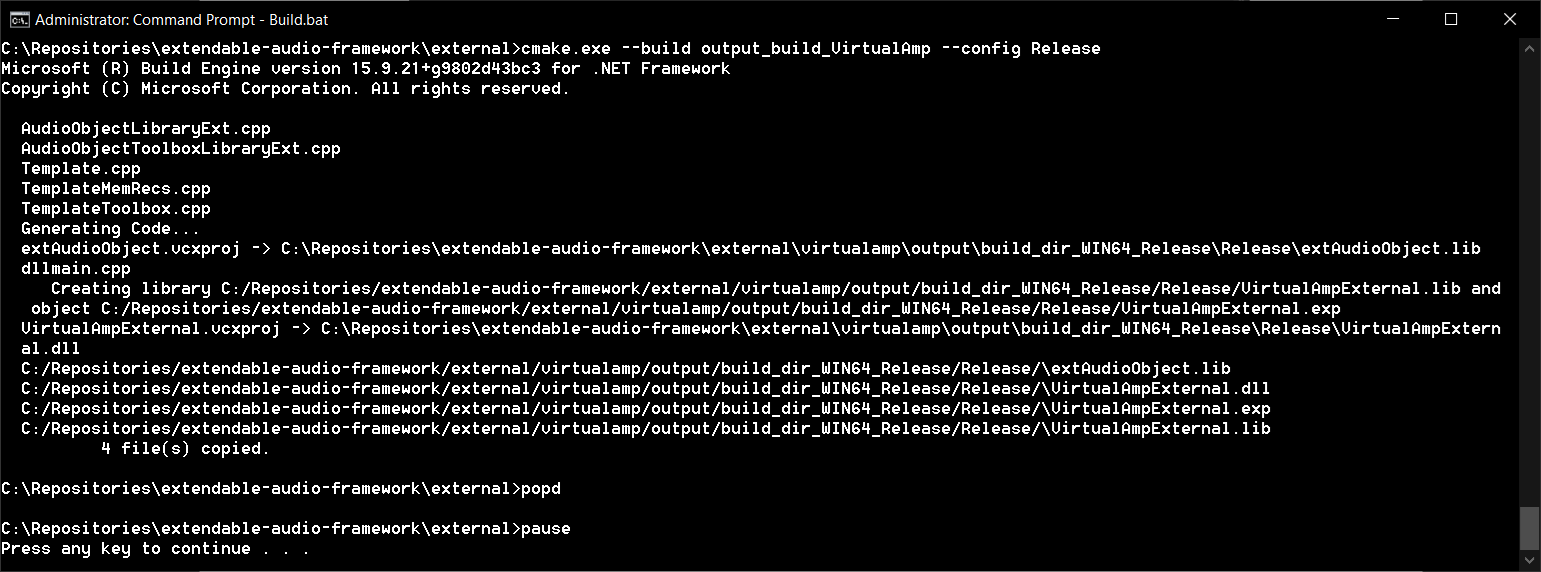
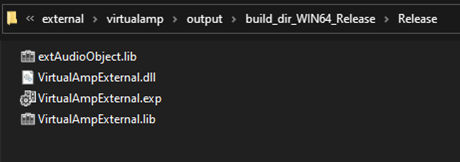
4. The generated .dll file can be imported as an audio library into GTT to update the toolbox with the newly added audio object(s).
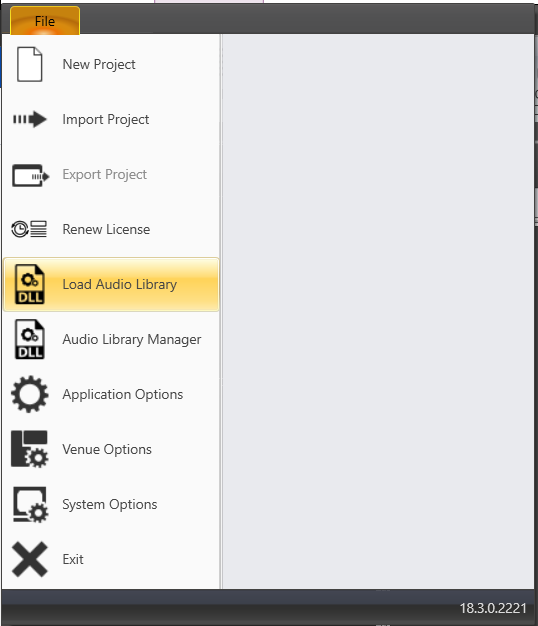
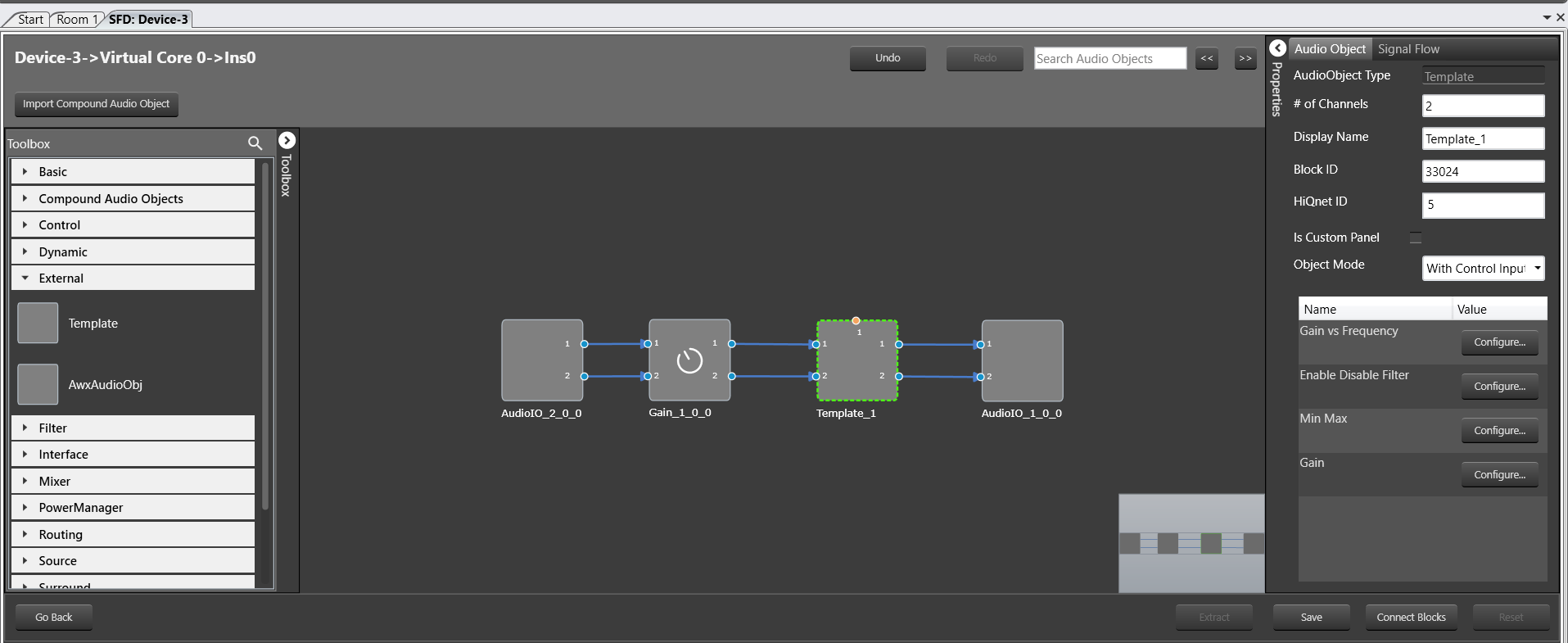
If the developer needs to use debug build mode to make sure everything is working as expected, the file Build.bat can be modified accordingly by changing -DCMAKE_BUILD_TYPE=”Release” to -DCMAKE_BUILD_TYPE=”Debug” and –config Release to –config Debug.
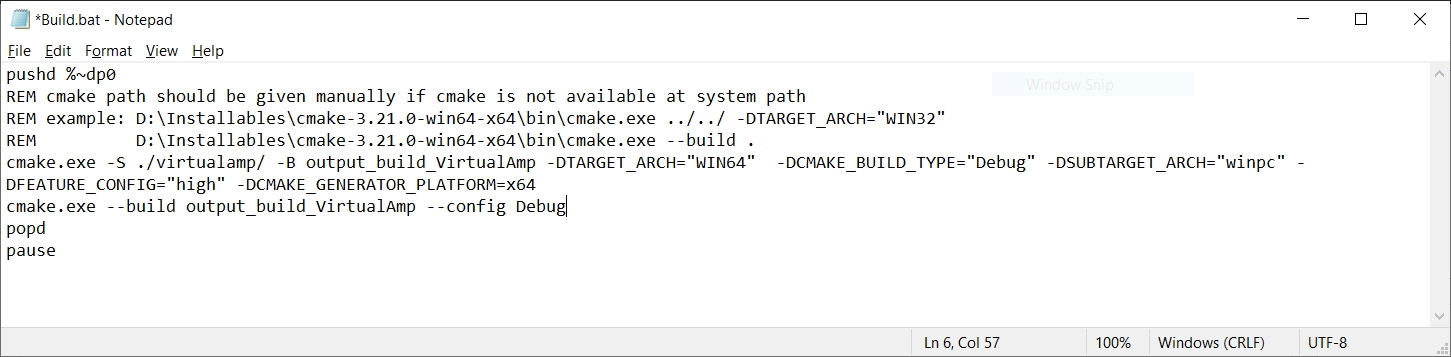
To debug the audio object in Visual Studio, the developer has to select the option Debug->Attach to Process… Then, select Attach to: Native code. Finally, filter out the desired process:
– Toolbox:
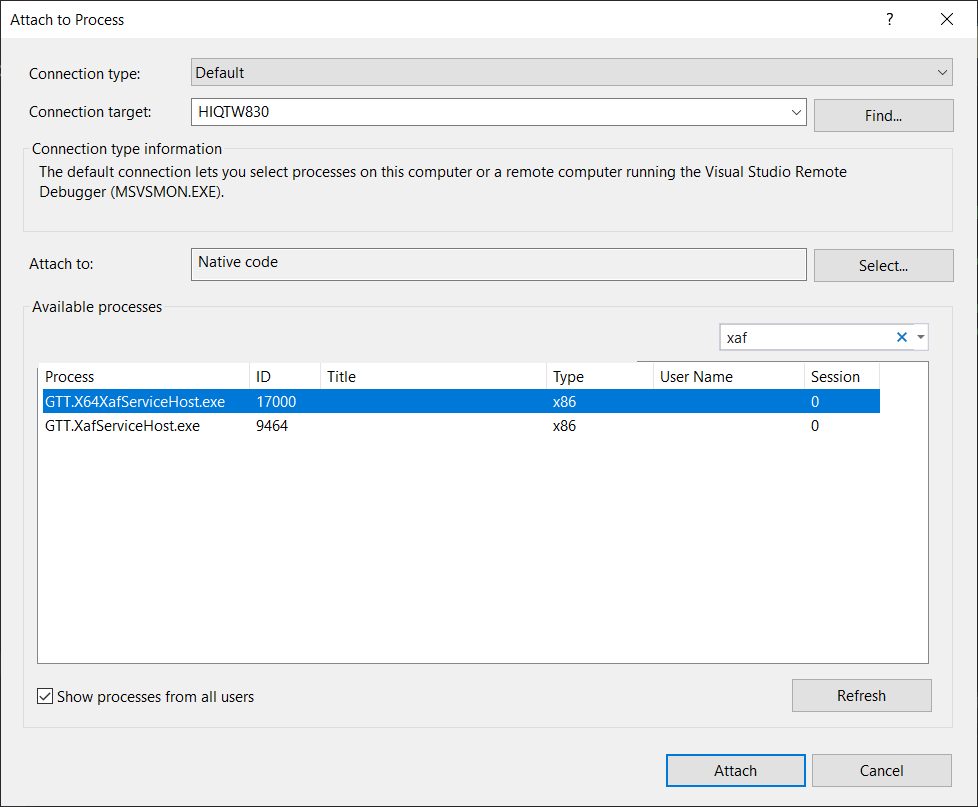
– Calc function and tuning: