1.Introduction
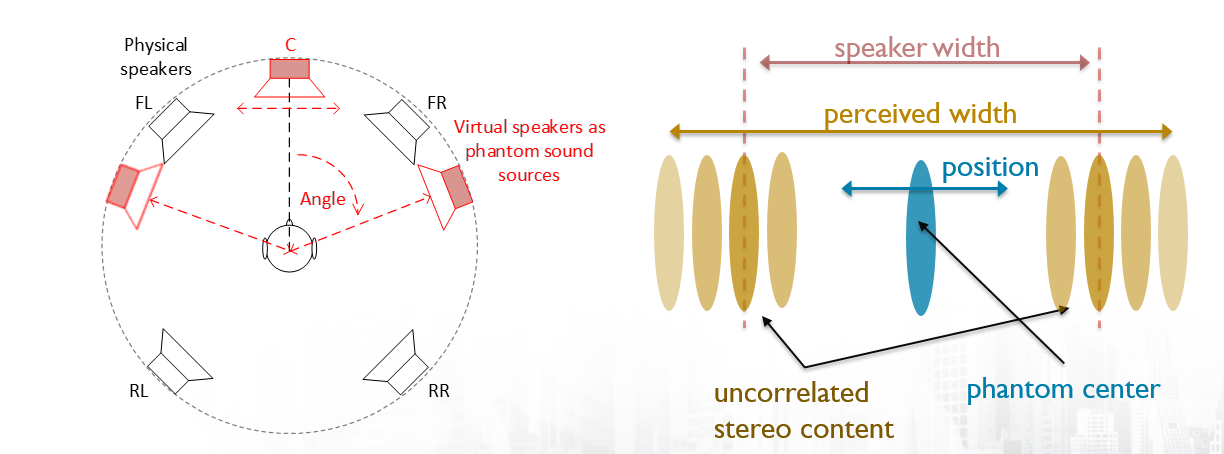
The stereo widening CAO is mainly used to extend stereo width and proper stage image. It helps to extend stereo image beyond the front speaker locations towards side and Rear. It also helps to place phantom centre between front speakers.
Stereo Widening 2.0 is a technology that utilizes amplitude panning to realize a stable and tunable phantom center image as well as tunable stereo side content for the perceived width. It has small MIPS/MEM footprint, and is suitable for larger speaker systems with minimum 4 channels.
In implementation, amplitude panning is used to shift side (de-correlated) content to rear speakers while mono part is panned to (phantom) center. The widening effect is applied to outer signal parts, possibly to emphasize reverberation, side-panned content, etc. Position of phantom center can be modified by the user, and its stability can be controlled by level setting of the mono part.
2.Stereo Widening 2.0 Signal Flow
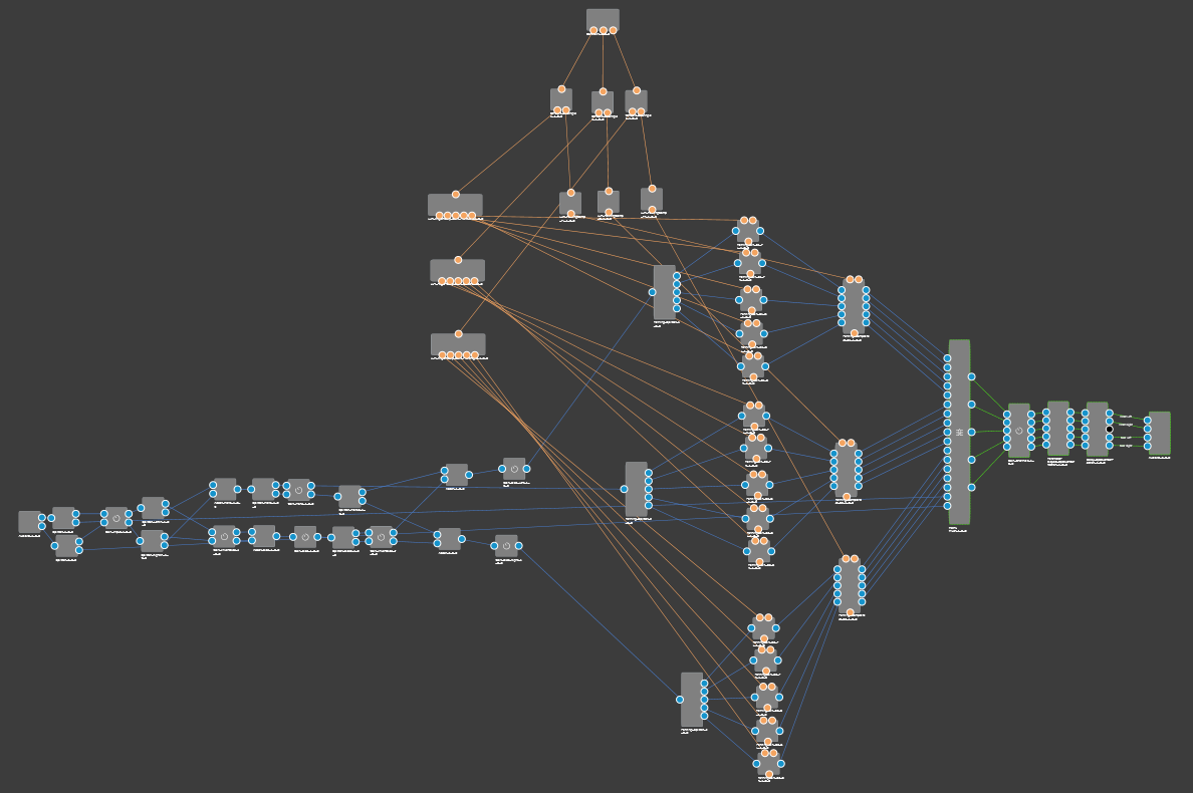
Stereo widening CAO has following inputs and outputs
Audio input: Stereo widening 2.0 has 2 audio inputs for standard stereo audio.
Audio output: Stereo widening 2.0 has 4 outputs for a 4-speaker system (minimum) setup.
- Speaker channel Left Front
- Speaker channel Right Front
- Speaker channel Rear Left
- Speaker channel Rear Right
Control Input
There are 3 control inputs
- Angle of the Left
- Angle of Center
- Angle of Right
SFD of stereo widening 2.0
3.Stereo Widening 2.0 Panel
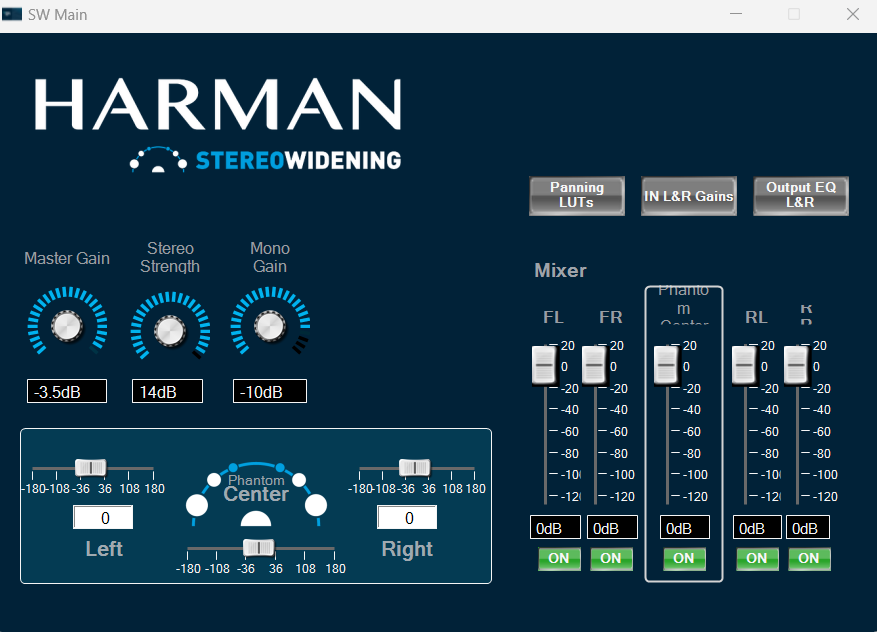
On the main panel, tuning and control parameters are accessible as follows:
- Left: panning of left M/S encoded signal (limited to -90…0 deg.)
- Right: panning of right M/S encoded signal (limited to 0…+90 deg.)
- Phantom
- Center: shift of phantom center (limited to +/-20 deg.)
- Mater Gain: controls the stereo input gain (SW processing only)
- Stereo Strength: gain of side (de-correlated) content
- Mono Gain: gain of mono (correlated) content
- Mixer: output gain of physical speakers and phantom center
- Panning
- LUTs: opens the LUTs containing amplitude vectors
- IN L/R Gains: controls gains for left and right input channels
- Output EQ L&R: biquad EQs to adapt frequency response of output channels
4.Stereo widening 2.0 Integration
4.1.Preset Files
Stereo widening 2.0CAO has three preset files. These preset files have different gains and Equalization settings for inputs/output channels.
|
Preset File Name
|
Description
|
|
Surround
|
Large streo width. Perceptually sounds more surround. |
|
Medium
|
Stereo width is less compared to Surround preset. |
|
Bypass
|
Bypasses the stereo widening CAO |
5.Stereo Widening - .cao format and panel linking
From S+2 release CAOs are released in .cao file format, below section provides overview on panel linking for external control inputs to CAO.
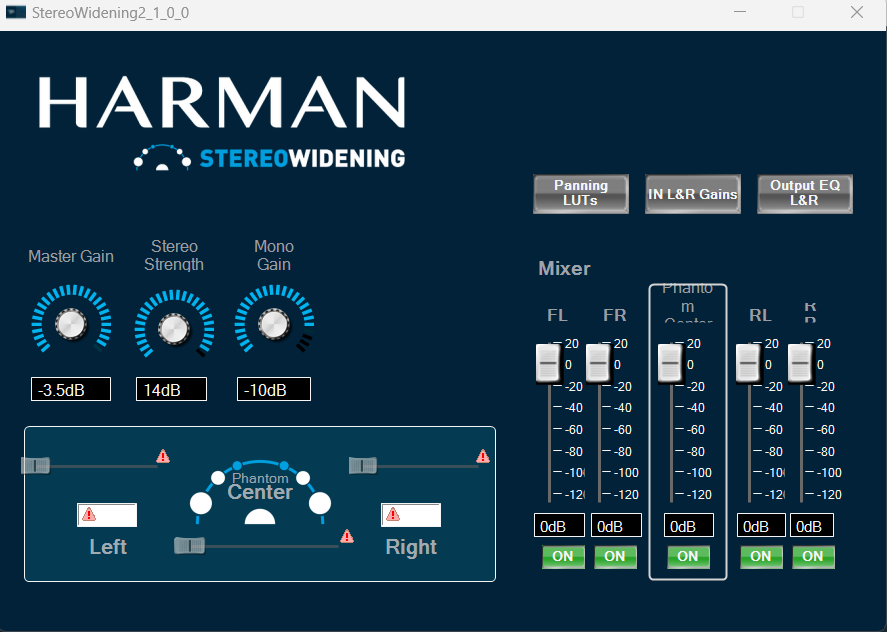
- After importing the CAO, do double clicking on it, Panel will appears like this which is in below fig. Some of parameters are highlighted warning symbol in red mark, user need to link the panel elements with control inputs
- User need to take the corresponding control inputs pins as same as in mentioned figure and connect the signal to Panel from “Custom Panel to edit gallery”
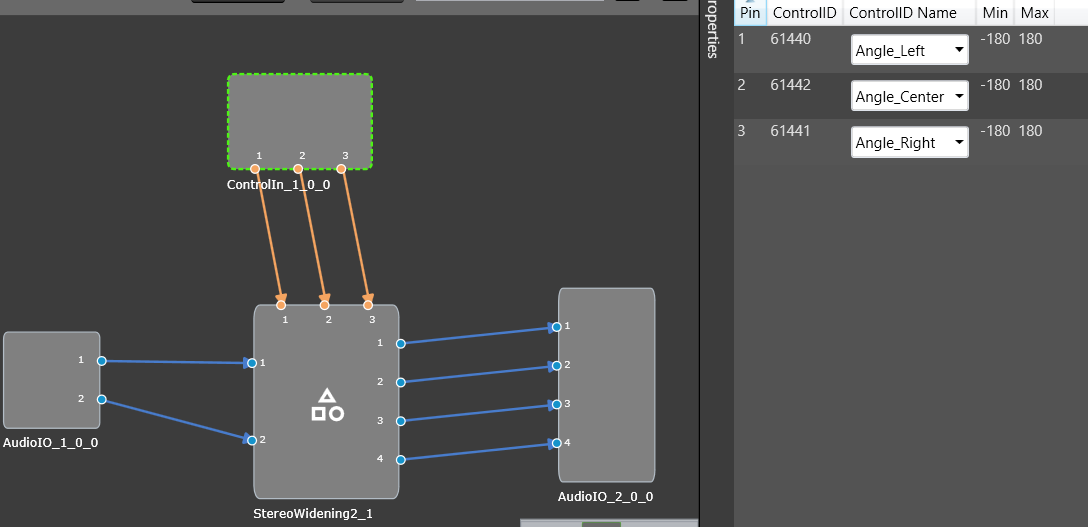
- Once all the control inputs pins are correctly linked, the warning symbols on the panel elements should no longer appear.