
1.Overview
Modulated Waveform Generator contains up to 64 Modulated Generators. It means it can produce signal being the sum of up to 64 periodic waves of selectable shapes (sine, triangle, rectangular, sawtooth or custom). Each wave can be independently modulated with frequency or amplitude modulation. Outputs of all Modulated Generators are added together producing one signal. Each Modulated Generator can be controlled independently.
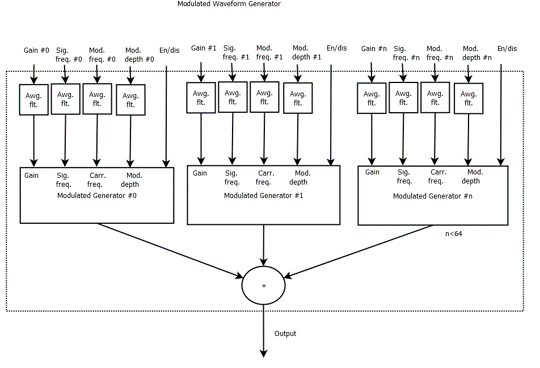
Modulated waveform generator supports 8 custom waves of independent lengths. Each custom wave length can be shortened via tuning interface. Custom wave samples are linearly interpolated.
2.Build time parameters
At build time maximum lengths of custom waves can be specified within the range from 2 up to 4096 samples. The number of oscillators used is also set.
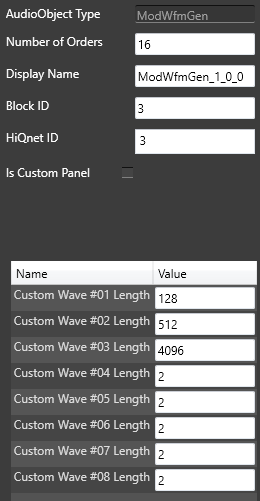
- NumOfOrders – number of used modulated oscillators
- Custom Wave (#01 … #08) Length – Maximum length of the waveform
3.Common parameters tab
These parameters are common for all generator’s orders.
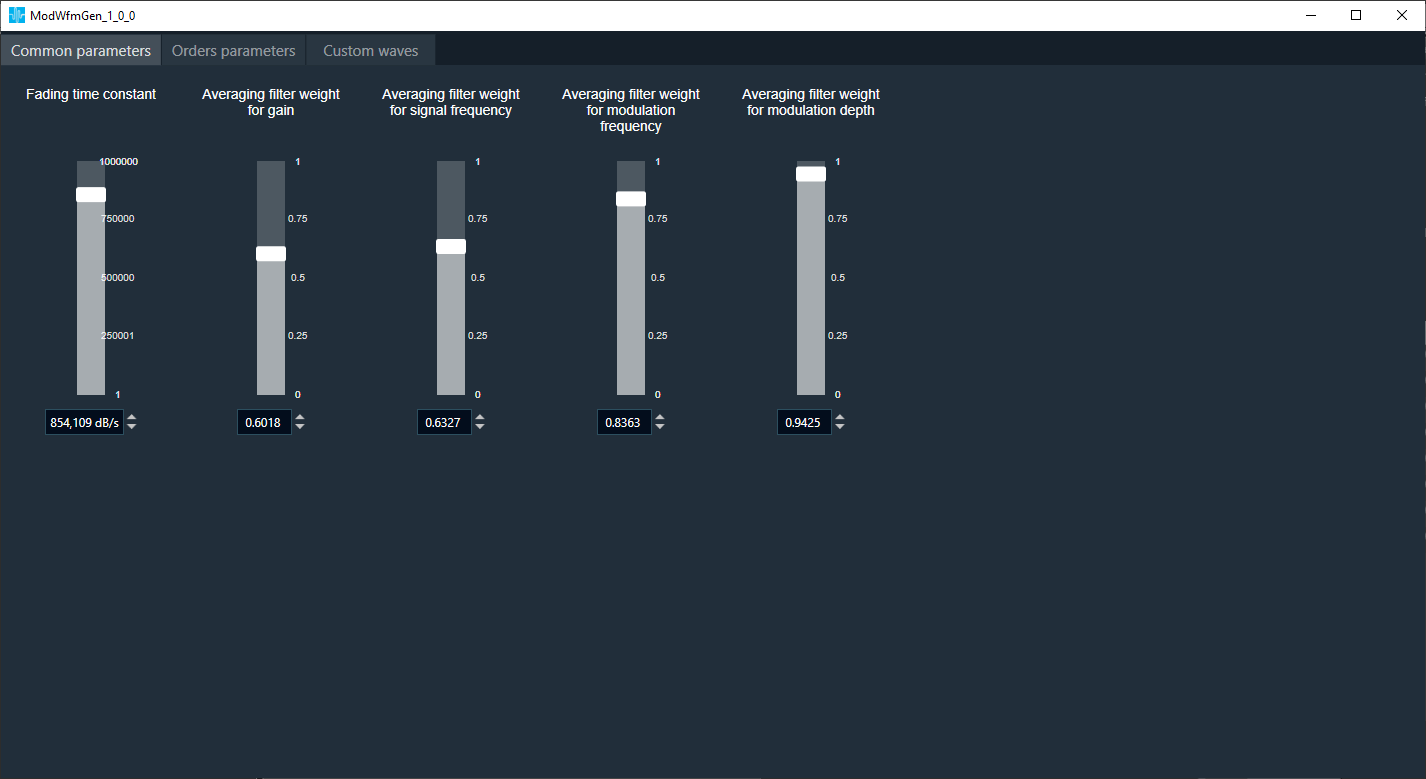
- Fading time constant used when the order is enabled/disabled through control interface.
- Average filtering weight for gain control inputs.
- Average filtering weight for signal frequency control inputs.
- Average filtering weight for modulation frequency control inputs.
- Average filtering weight for modulation depth control inputs.
4.Orders parameters
These parameters are individual for each generator.
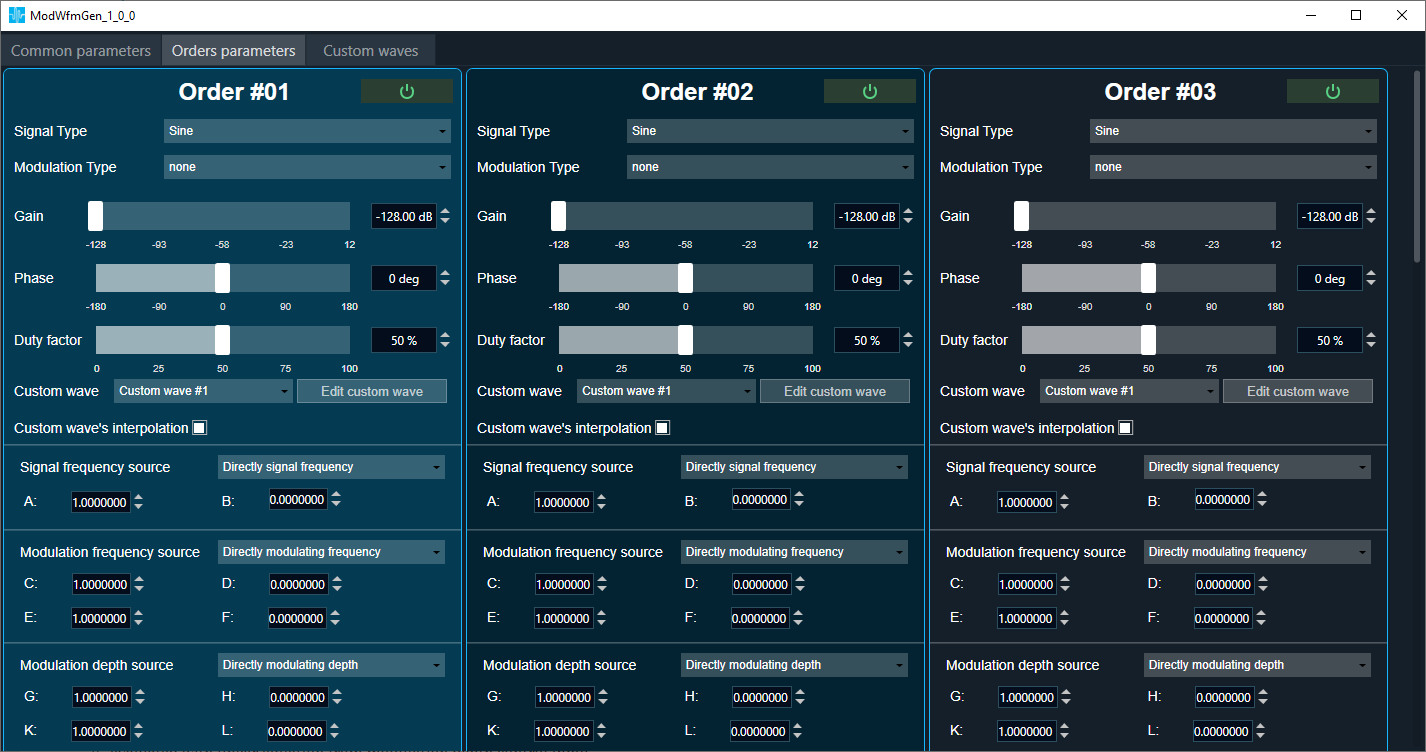
- On/Off button. Disabled order generator cannot be enabled through control interface.
- After select Order all section will be highlighted
- Signal type. Output signal type: sine, triangle, saw-tooth, rectangular or custom.
- Modulation type: AM, FM or none.
- Gain. Final gain is the sum of tuning and control gains. Tuning gain changes are not smoothed.
- Phase. Initial order’s phase is preserved. In other words, generated order’s phase in time t0 do not depend on changes of signal frequency, modulation frequency or modulation depth made before t0.
- Duty factor. Duty cycle for rectangular wave.
- Custom wave. Id of custom wave used for custom signal generation when Signal Type is Custom.
- Edit custom wave. Fast skip to the editor of wave.
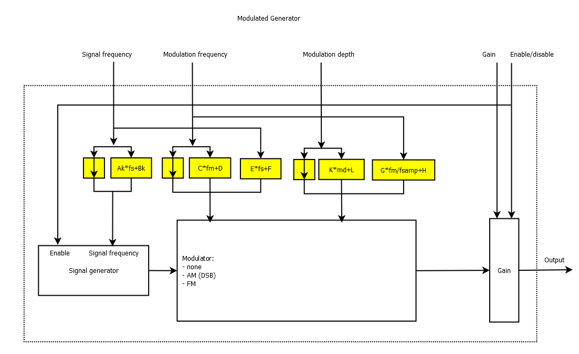
- Signal frequency source. Order’s signal frequency can be:
- taken from signal frequency control input directly
- evaluated with linear equation from signal frequency control input
- Source of modulation frequency. Order’s modulation frequency can be:
- taken from modulation frequency control input directly
- evaluated with linear equation from modulation frequency control input
- evaluated with linear equation from signal frequency control input
- Source of modulation depth. Order’s modulation depth can be:
- taken from modulation depth control input directly
- evaluated with linear equation from modulation depth control input
- evaluated with linear equation from signal frequency control input
5.Custom waves
Samples editor for 8 waves. Gray graph / values indicate samples not used in the oscillator.
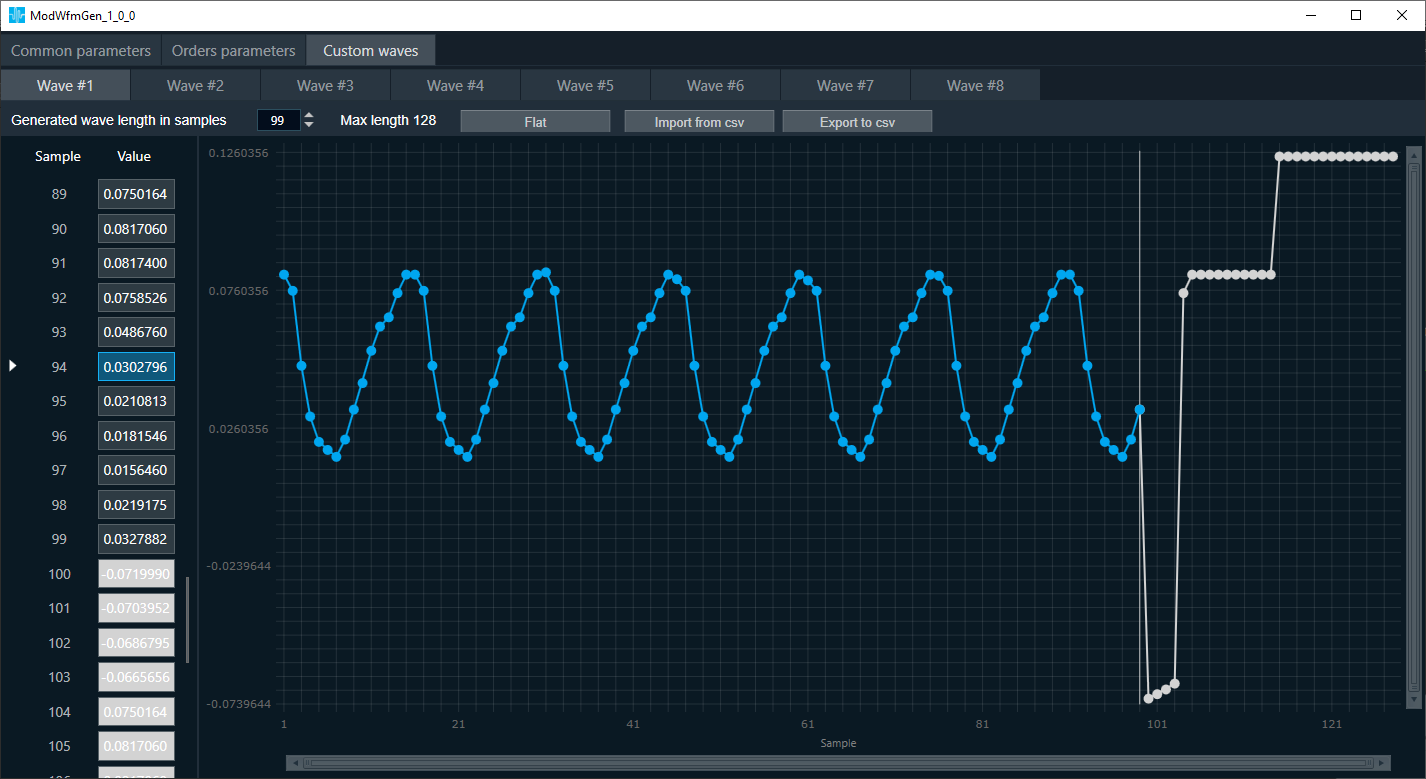
- Generated wave length in samples. Number of wave samples used for signal generation. Can be lower or equal to the value specified at build time.
- Max length. The length specified at build time.
- Flat. Sets all values to 0.
- Import from csv. Import exported data.
- Export to csv. Export all samples to the csv file.
Working with chart:
- Scroll to zoom in.
- Hold down left Alt and use left mouse button to select the area you want to zoom in.
- Hold down left Ctrl and use left mouse button to move the graph.
- Use the drag&drop to move the graph points.
Working with table:
- Use left mouse button to select values.
- Use Shift/Ctrl to manipulate of selected values.
- Select the title of column/s to select whole values in the column/s. Tab as column separator.
- Ctrl + C to copy selected values to the clipboard.
- Ctrl+V to paste values from clipboard. The decimal separator will adjust automatically.