Engineers use Bass Enhancer audio object when they require bass enhancing effect in their audio pipeline. To be able to tune Bass Enhancer audio object parameters present custom native panel is used. User interface for every Bass Enhancer is the same and looks like on the screenshot below:
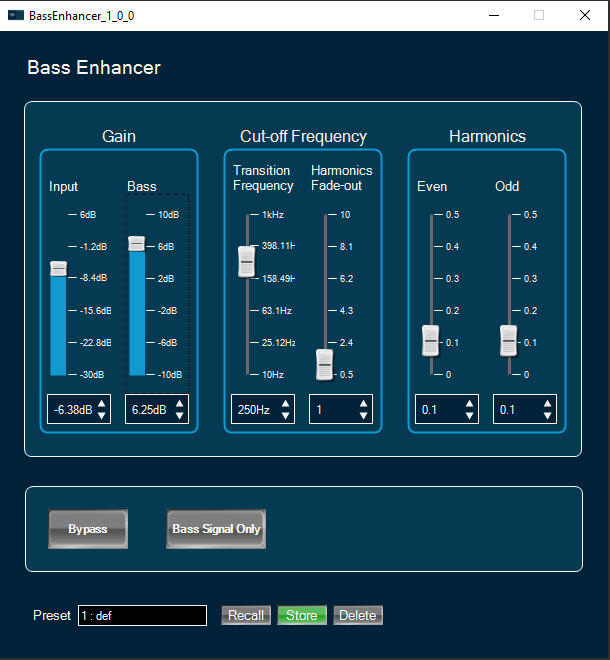
Activate bypass feature by clicking on “Bypass” button. If active the button has red background.
Reduce output to enhanced signal only if normal output is not required by clicking on “Bass Signal Only” button. If active the button has red background.
Apply gain to input or bass signals using vertical faders or spinners under “Gain” widget.
Change transition frequency and octave factor using vertical faders or spinners under “Cut-off Frequency” widget.
Change even and odd distortion factors using vertical faders or spinners under “harmonics” widget.
This panel is disabled from R release xaf library onwards