DC Blocker Panel is used to change the corner frequency of the filter. This is a dynamic native panel and it automatically resizes based on the number of channels configured. For more than 16 channels, the panel will add a scroll bar, in order to ensure that the width and the height of the panel’s window will remain relatively small.
This is a beta version of the panel and works only for a 1 channel use case in M release. Higher number of channels will be available in future releases
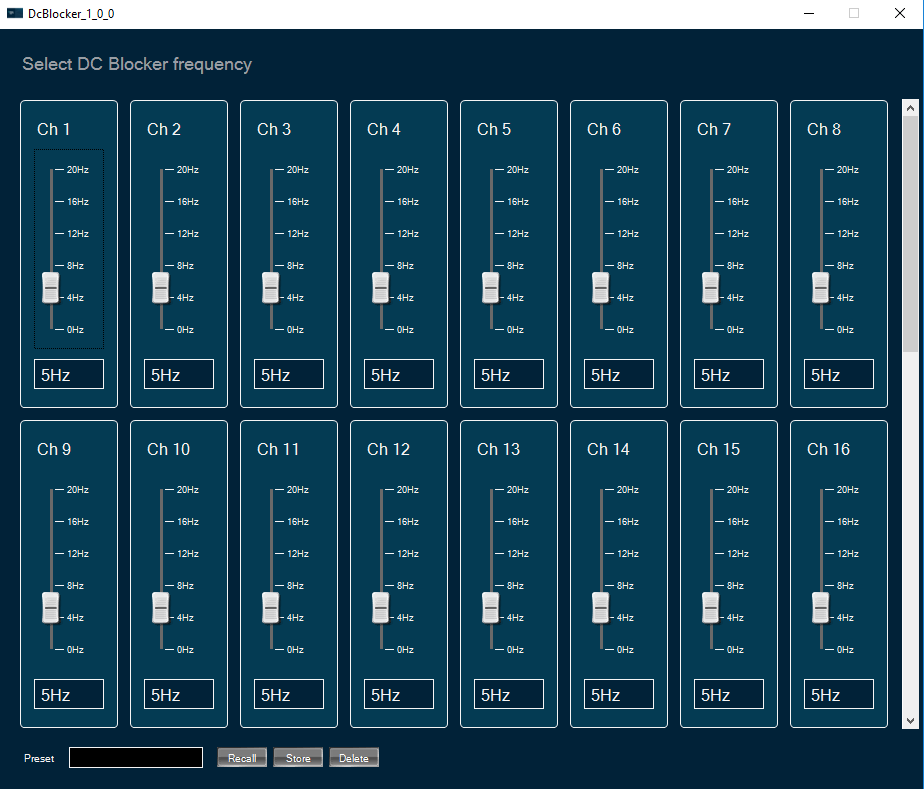
Changing DC Blocker frequency
You can change the channel frequency by three ways:
Use the mouse to change the slider’s position.
Hover over the slider and use the mouse wheel.
Enter an exact value into the text box below the slider.
Changes will take place after hitting “Enter” key or by moving the focus away from the text box.