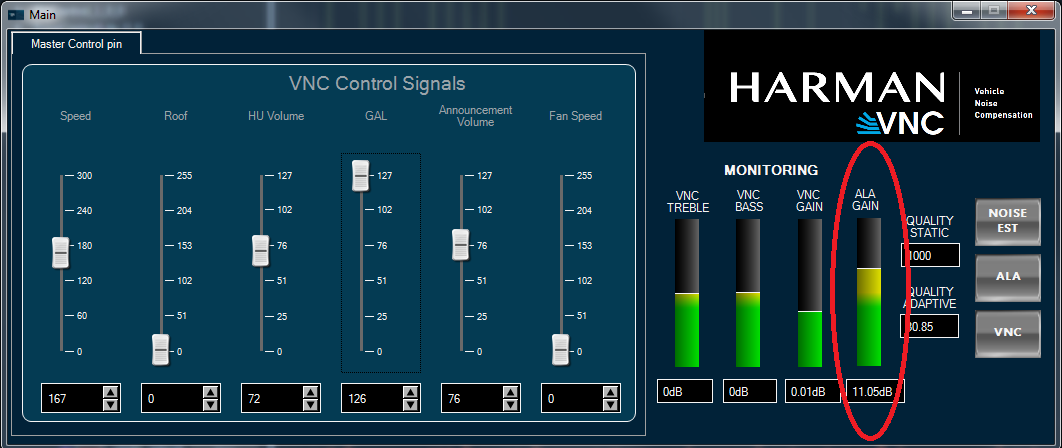
To operate the ALA section of the project:
Play a music track using the MainAudio file track provided
Play the noise track provided using the CabinNoise
Music (entertainment) inputs will be fed to inputs 1-2, whereas noise (normally fed from a microphone) will be fed to input 3
Stream the CompanderLevel object level value using the streaming window in GTT
Open the Main custom panel
Set the Speed, HU Volume and GAL (intensity) controls to non-zero values
Observe that the ALA GAIN LED in the Monitoring section of the Main panel will respond based on the conditions (control values, signal noise). In general, it follows these principles:
If HU volume is higher, gain will be lower
If input signal level is lower, gain will be higher
If cabin noise, GAL (intensity) and/or speed is higher, gain will be higher
Gain regulation can be fined-tuned using the ALA tuning custom panel, which can be launched with a button on the right side of the Main panel. Please consult the ALA tuning manual for further information.