To Export Compound Audio Object,
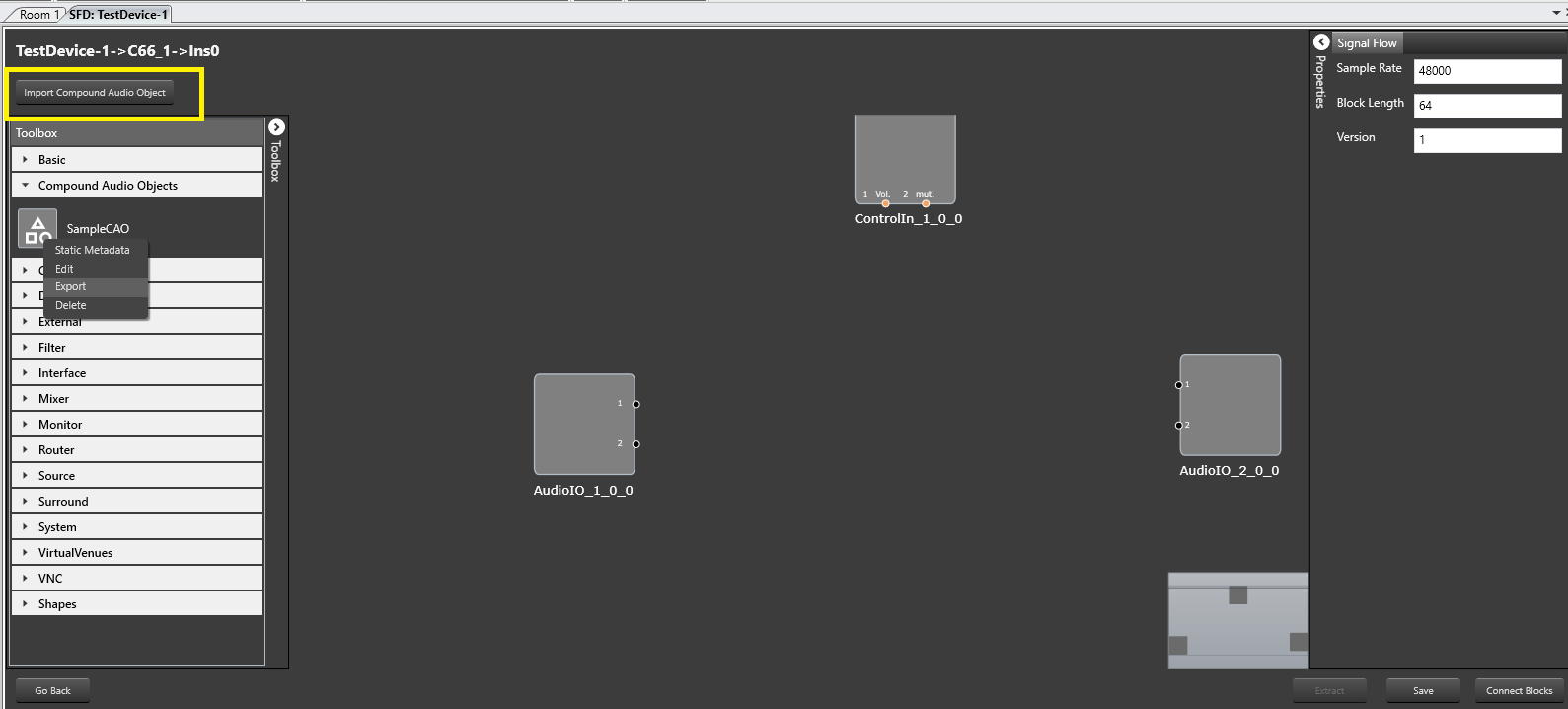
Select the Compound Audio Object to be exported in the toolbox. Click on Export through the context menu to export Compound Audio Object
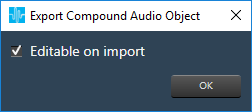
A pop up dialog appears through which user can give access to edit the Compound Audio Object on import
If the check box is checked, it allow editing the Compound Audio Object on import.
If the check box is unchecked, a new Compound Audio Object will be created while Editing the Compound Audio Object, on import
The exported file will be in .CAO format
To Import Compound Audio Object,
Click on Import Compound Audio Object button which is present above the toolbox,
After successful import, the Compound Audio Object will be present in the toolbox
If same Compound Audio Object already exists in the toolbox, you can either overwrite or import as a new Compound Audio Object