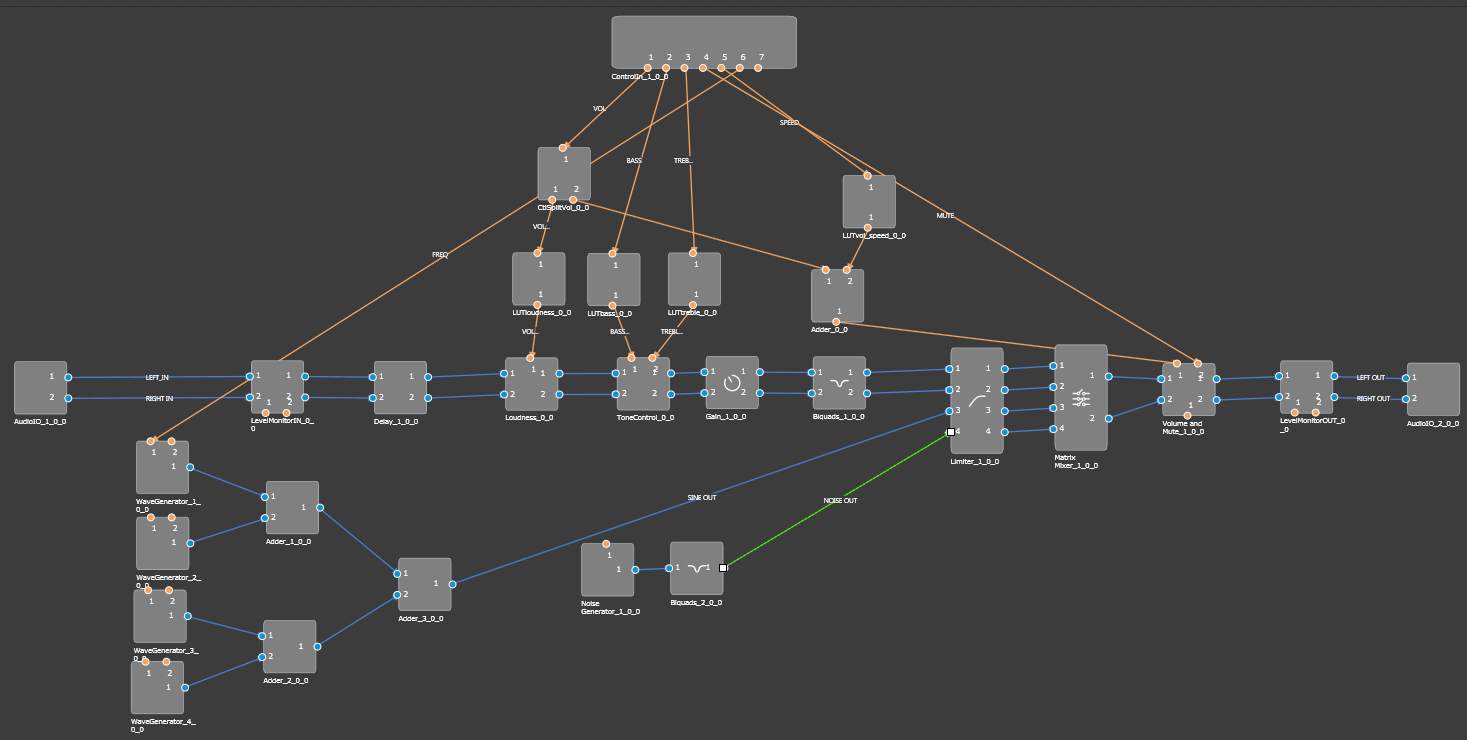
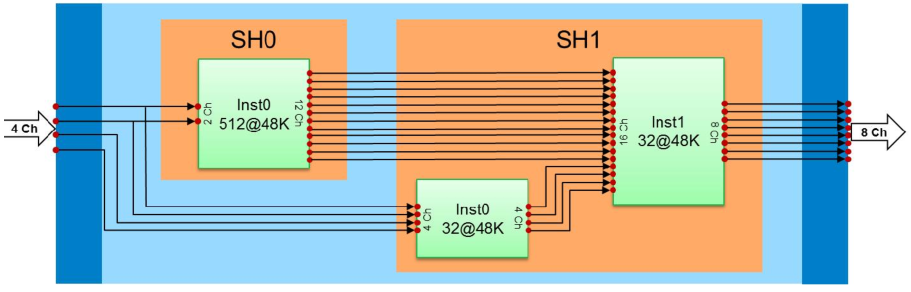
The Dual Device reference project implements two similar signal flows in slightly different ways for each device – IVP and Griffin. The IVP signal flow is concentrated into one instance, shown below, whereas the Griffin signal flow implements the same basic functions over 3 separate instances of xAF. The core/instance diagram for the Griffin signal flow is shown below.
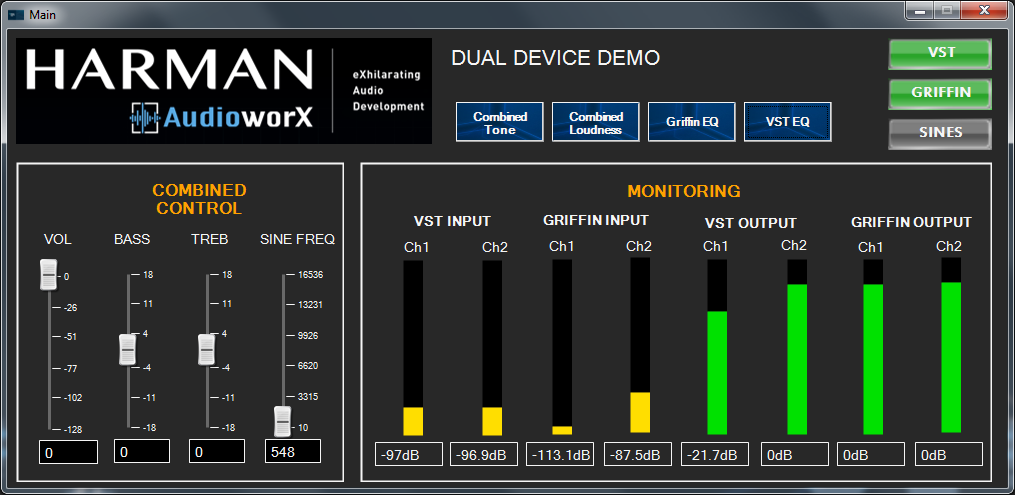
The highlight of the project is to demonstrate the capability of GTT to control two target devices in one instance of GTT. The Main control panel is laid out to enable several common controls, for which GTT will send tuning messages to both devices simultaneously to implement the same changes, as well as buttons to launch separate control panels for each device.
The Combined Control section at the left side of the panel will send control messages to both devices simultaneously. The effect should be the same on both devices.
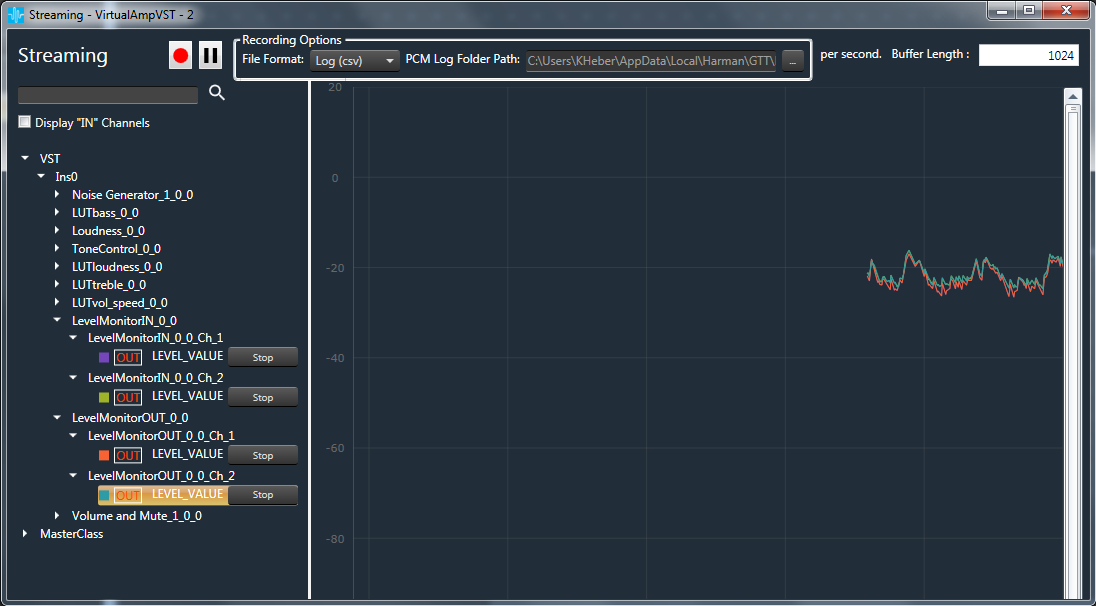
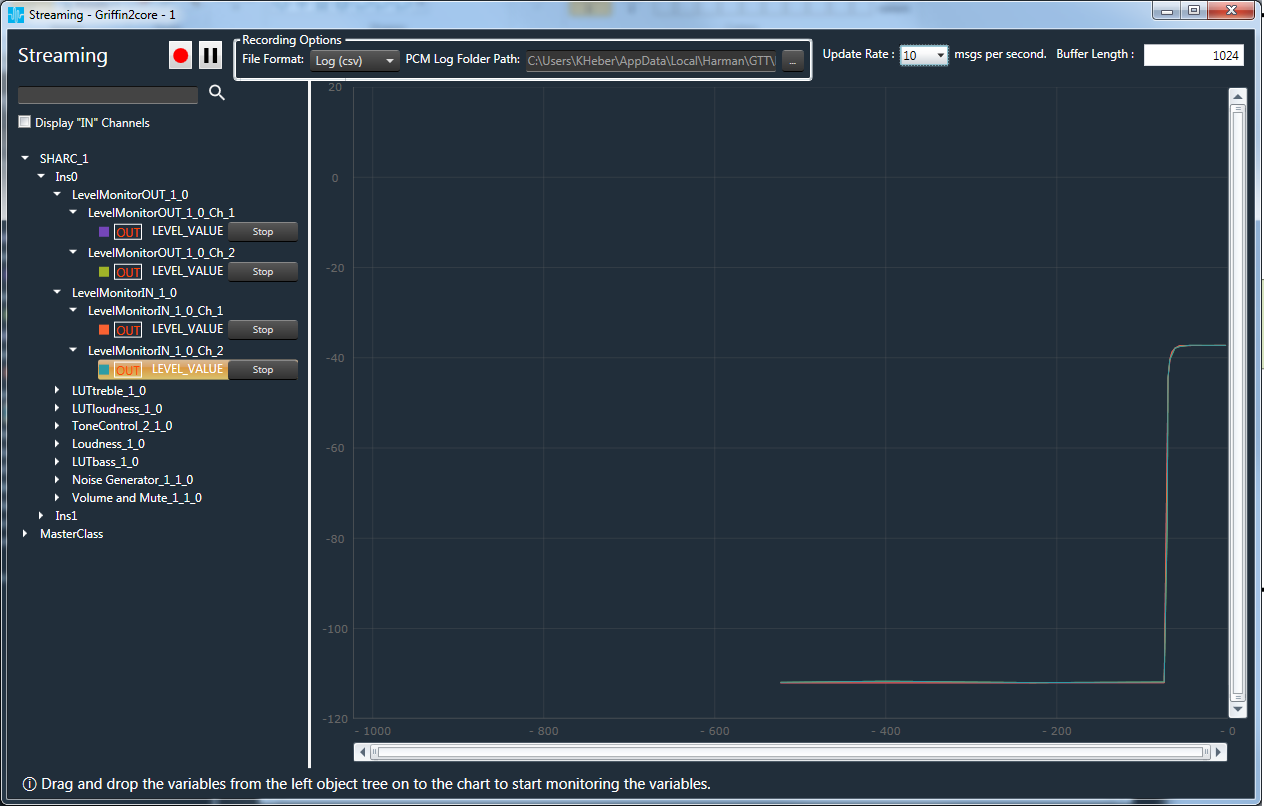
The Monitoring section at the right side of the panel allows separate monitoring of the main audio I/O on the targets. Streaming must be activated to enable the panel LED’s to work. Please refer to the IVP and Griffin streaming window figures below to see which variables to enable for streaming.
The blue patterned buttons at the top middle of the panel launch either combined device control panels (Tone, Loudness) or separate device control panels (EQ for each device).
The green/grey on-off IVP and Griffin buttons at the top right of the panel will turn on/off the main audio I/O path for the respective devices.
The green/grey on-off Sines button will turn on/off the sine wave generators for both devices.
When activated, the sine waves for the IVP should appear at the right channel output, whereas the sine waves for the Griffin should appear at the left channel output.
The Sine Freq combined control is set up to control only one sine wave frequency