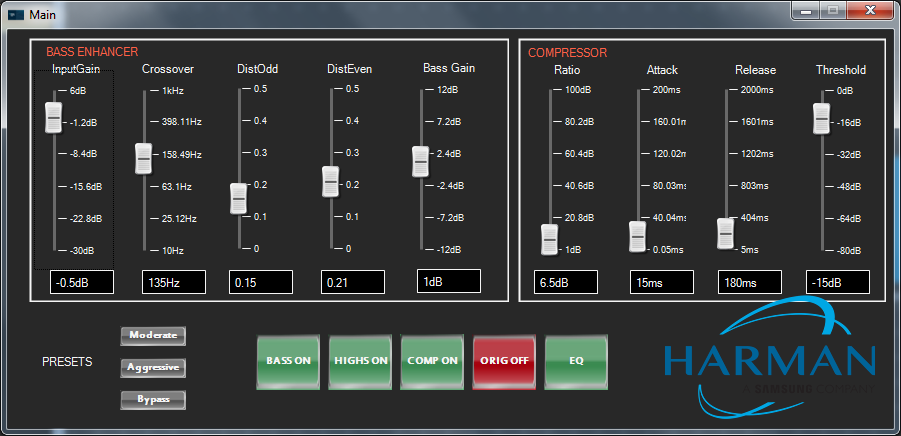
The Main custom panel is used to easily tune the most relevant Bass Enhancer and Compressor parameters.
Please refer to audio object documentation for information regarding tuning parameter descriptions and AO usage.
The grey Presets buttons are used to recall one of three parameter sets:
The Moderate preset is intended for larger speakers and applies a relatively moderate effect to accentuate low end and punch.
The Aggressive preset is intended for smaller speakers and applies an aggressive effect with a higher highpass frequency and more artificial distortion.
The Bypass preset bypasses the effect and the original signal is passed through.
Using the Preset buttons will undo any previous user changes to the controls.
The green and red buttons at the middle bottom of the panel will allow the user to turn on/off components of the processed output, enable/disable compression, or audition the original signal. The EQ button will launch the biquad panel for the highpass/lowpass filters applied to the bass enhancement signal.
Use caution when tuning the EQ filters for the bass enhancement signal, as phase alignment is very important.