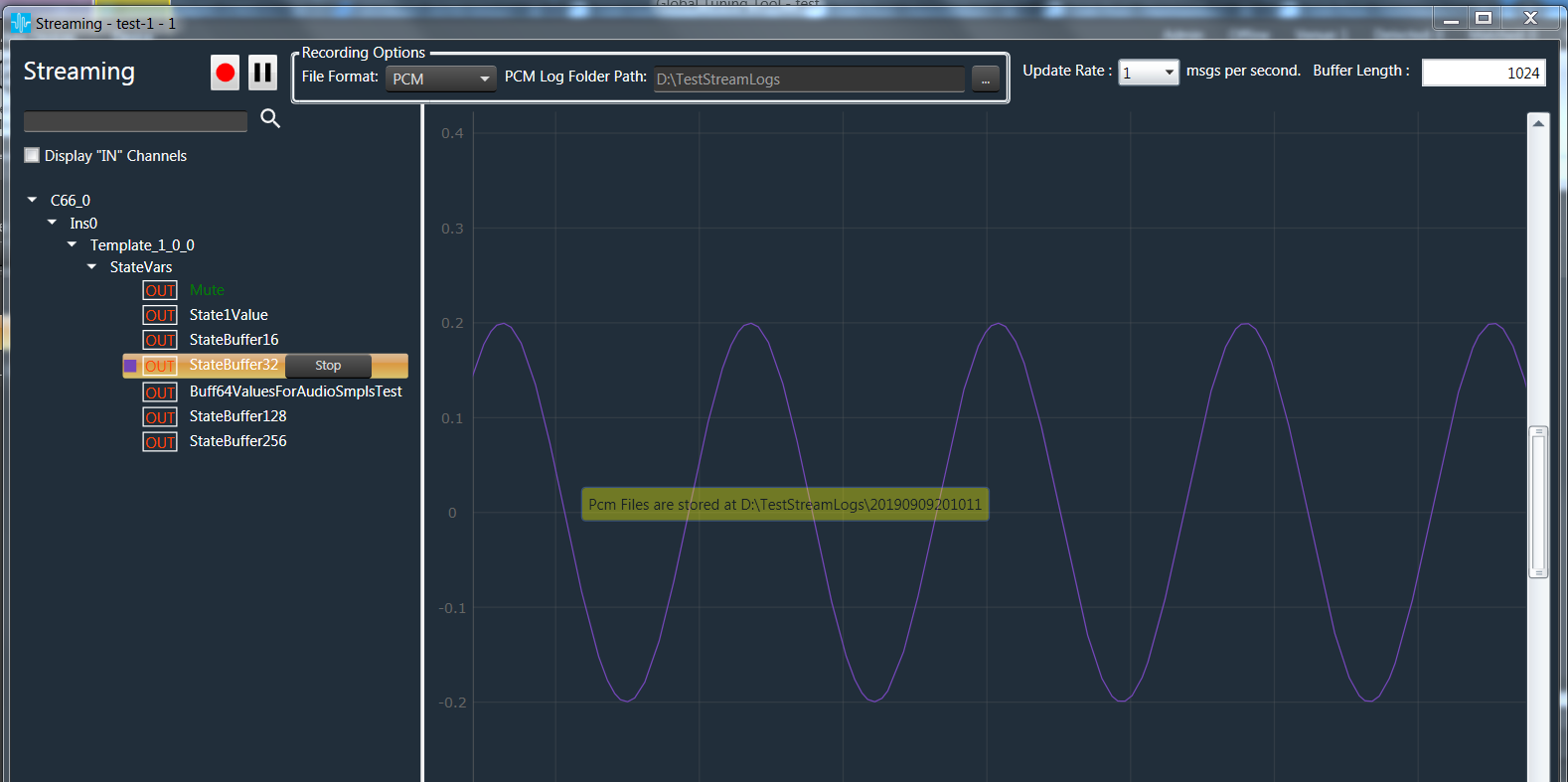
PCM format recording is only supported by streaming state variable
To Start Recording in PCM format, before starting recording user should make sure the following:
- State Variable used for streaming is streamable type.
- PCM is selected as file format.

By default Root Folder to create recording folder will be in users AppData.
To Change the Root Folder for recording, user has to click on “…” button.
Once this setup is ready, The streaming data can be recorded and stored in a file using record button available on the top of object tree.
Once record button is clicked, the button will be continuously blinking to indicate that streaming is recording and recording can be stopped using same button.
While recording adding or stopping streaming is not allowed.
The streaming data stored in file per state variable. File contains raw data. This data can be imported in tools like Audacity.
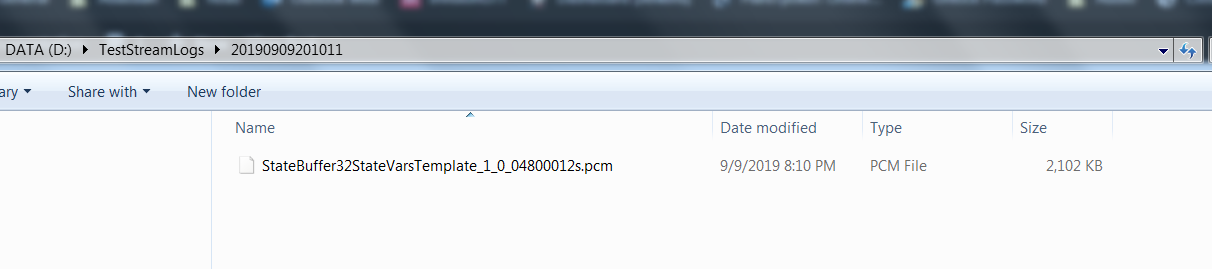
For Every recording under root folder, a date time stamp Folder is created.
Inside date time stamp folder, a file each for state variable being streamed is created.
FileName format is {state variable Name}{Channel Name}{Audio Object Name}{sample rate}{duration in seconds}.pcm
Sample Recorded file will look like: