GTT provides an option to also use file based device. A file is create with .deviceInfo and placed in Devices folder as shown in the below picture.
It also needs a .ddf file for it to be used as shown in the picture with highlights.
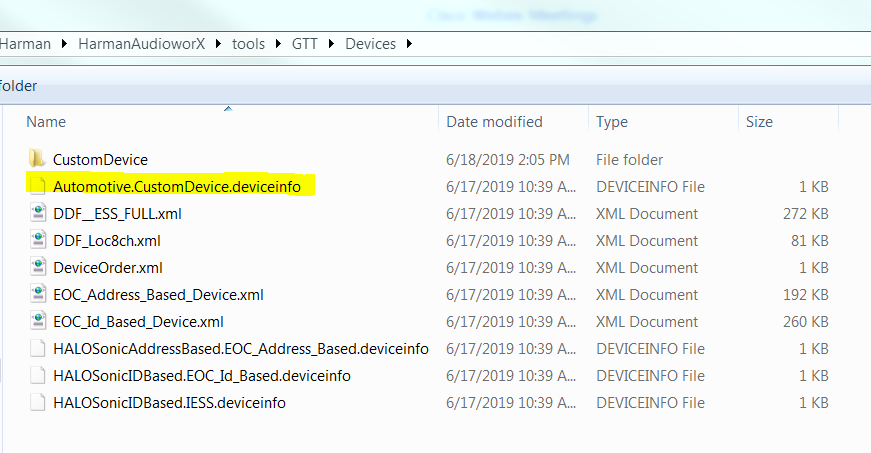
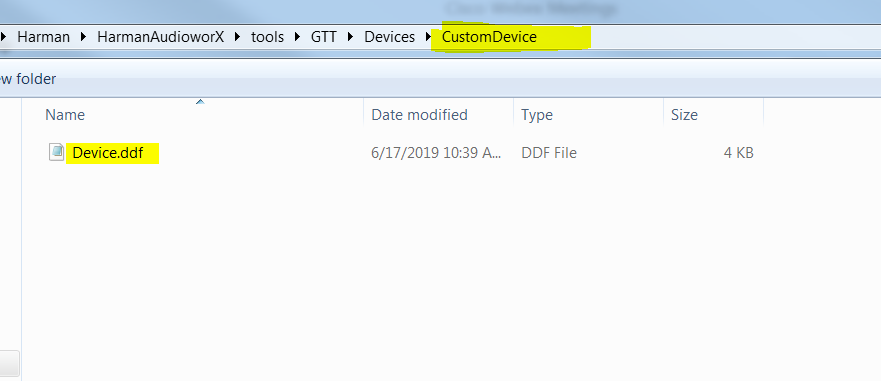
Once the above files are in place. The same will be shown in the devices tab in GTT. See image below.
User can drag this device into the venue as shown by arrow. This is like any other device created inside GTT.
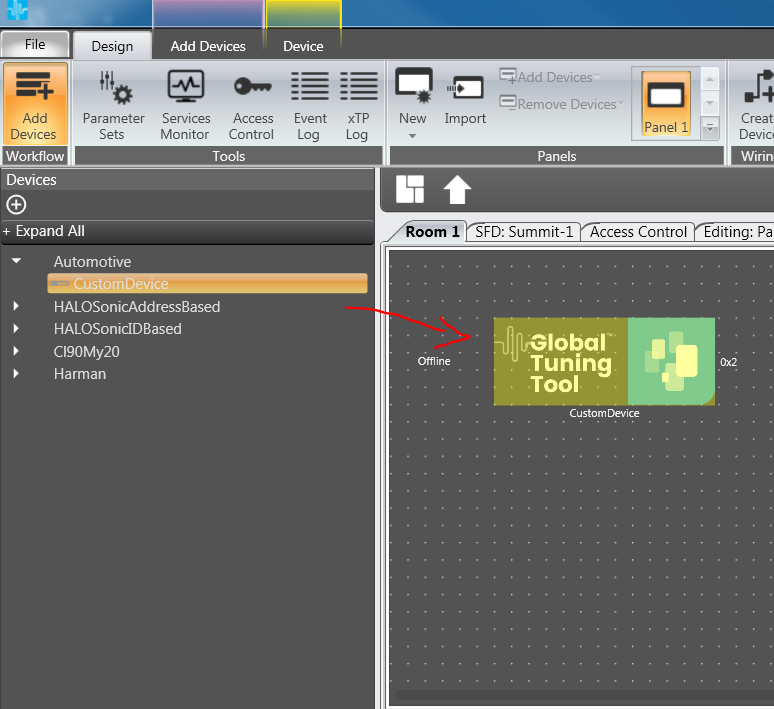
Note: This file based device has some limitations. In the normal device (created inside GTT), double click will open the signal flow designer. But this is not the case of custom devices. This device is not stored in database. So, SFD will not be opened.
Users can create a custom panel and use the device. These devices are not persisted in database as it is file based device. If the project has to be reused, it has to be exported to a file. When ever user wants to use this, he has to import the project and use it. The previously existing project will not have the device as devices shown in the venue are retrieved from database. But the custom devices are not stored in database.