Where user can find Measurement Session Raw data location?
GTT has an option to chose directory to store Measurement Session Raw data as shown in below picture :
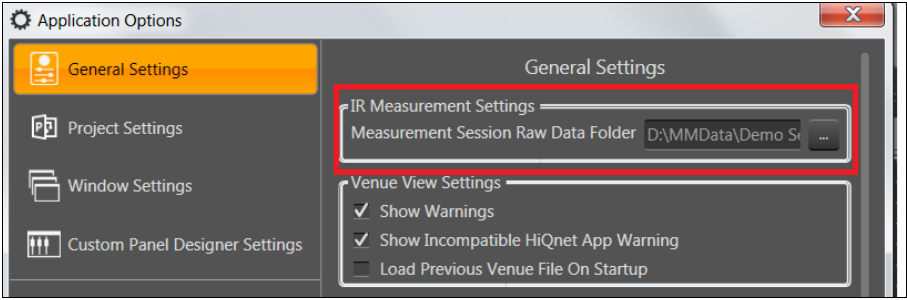
By default directory path is “C:\Users\{CurrentUser}\AppData\Local\Harman\GTT\MeasurementData” and user can change this path by clicking on “…”(Folder Selection Button).
Problem:
User has created lot of Measurement Sessions and his chosen drive is completely filled now and no more it’s possible to create new Measurement session as there is no room/disk space in chosen drive.
Now user want to move/backup already created Measurement Session data in some other drive.
Solution :
- Move the raw data root folder or content of folder to some other drive .
For example:a) User has chosen default path to store Measurement Session data , here the root folder will be “MeasurementData”. In this case move the entire “MeasurementData” folder to other drive or move the contents(full or selected folders) of “MeasurementData” folder to other drive (assume “D:\\Measurement _New_Location”)or b) User has chosen the other than default path (C:\\Measurement Session data”) , here root folder is “Measurement Session data”. In this case move the entire “Measurement Session data” folder to other drive or move the contents(full or selected folders) of “Measurement Session data” folder to other drive (assume “D:\\Measurement _New_Location”) - Now user is succeeded in freeing up space , but GTT is not aware of new raw data location of Session. Hence when user opens Measurement Module the sessions with raw data folder moved to some other location will be marked with “Warning” icon. (Means here the new raw data location needs to be provided).
- To Re-Link session with it’s new raw data location, user has to provide new path(“D:\\Measurement _New_Location”) unsing the Link Measurement Session Data button (number 1).