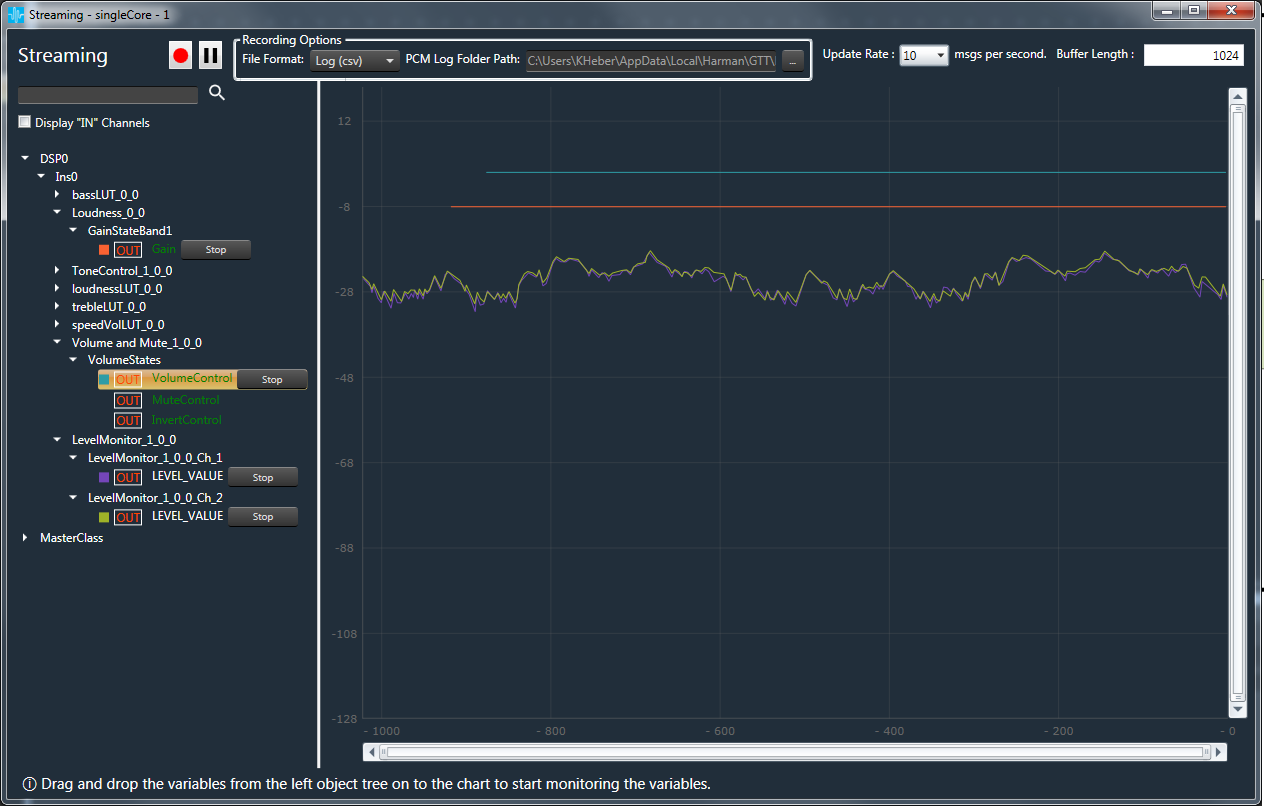
Engaging the Streaming window in the project will allow you to monitor several variables in real-time operation, including the final volume values being sent to the Volume object, which are being affected by both speed and and volume control. Here we will observe this volume value as well as the gain being sent to the loudness filter, which is also based on the current volume control setting.
Connect to the target device or virtual amp.
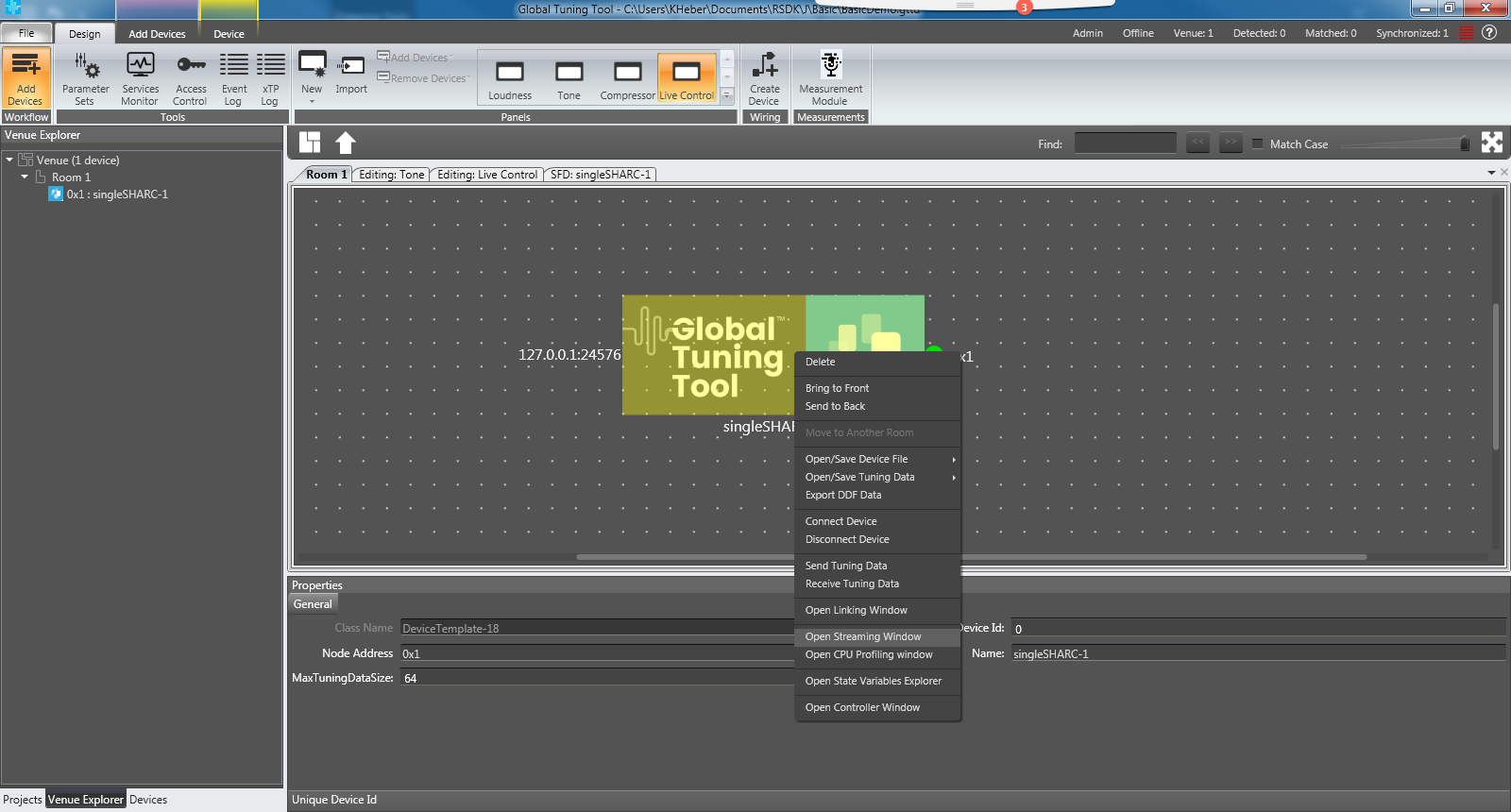
Right-click on the device in the Room view for which you want to start streaming and choose Open Streaming Window.
Expand the state variable tree to the left of the streaming panel until all the streamable variables are shown (in green).
Drag the variables shown below into the streaming window.
Change the Update Rate in the drop list a the top of the panel to 10 msgs per second.
Click and drag on a small portion of the trace to zoom in.
Launch the Main custom panel
The Current Loudness Gain and Current Volume should now be updating in real-time.