In order to be able to use dynamic signal flow, a flash/file I/O scheme needs to be implemented on the desired target device. Please refer to Section “Tuning Sets (SETi) implemented” of this document. The way dynamic signal flow works is explained in the sections below.

Signal Design
The signal flow is designed in the GTT. Once completed, it is sent through an xTP message to the xAF. Refer to the GTT documentation for more information regarding how to design the signal flow in the SFD.
Saving the signal flow on target device
On the target device, the xTP layer should have a way to use an instance of InitializationMsgParser class. This class is available in the interface library that is delivered with xAF. Below is an example of instantiating an instance:
Note: initializationParser is initialized in platform code.
When an instance command is received, the reference below should be used to parse the xTP message and store it in flash or where the target device choses. In the file where the xTP message parsing takes place, you should see the following:

Instantiating the Signal Flow from the signal flow stored on the device
Once the step above is complete, the signal flow can be instantiated by rebooting the system. To do this, the following code should be implemented along with the initialization of the framework. You can use the DSFDParser class, which is also included in the xAF interface library. Below is a brief example of how to load one instance onto a given core.
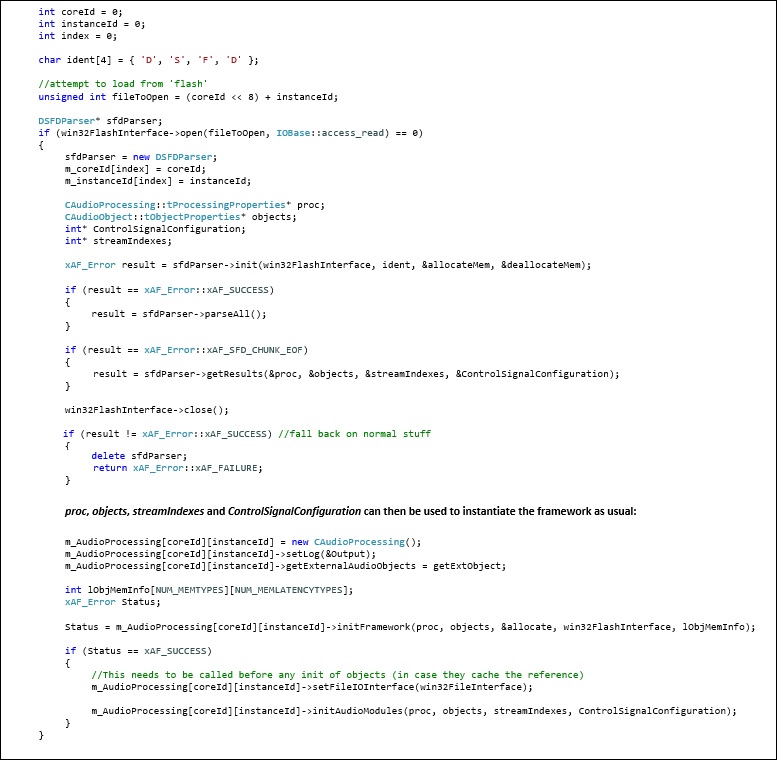
Example Implementation
In current release, examples are available for IVP and Summit. For IVP, the signal flow file, sectXX.flash, is stored in the IVP Plugins folder indicated by user settings. You can find a reference implementation on the xAF repo in the VirtualAmpEffect file at the following location:
On Summit, the SD card is used as a storage medium. You can find a reference implementation on the Summit repo on the xAF_examples branch. The projects that have implemented this are:
- reference/xaf_reference_app/a15_app
- reference/xaf_reference_app/c66_app
- reference/xaf_reference_app/multicore_app
You need to be concerned about the src/audiorouter.cpp file.
Example Link: https://bitbucket.harman.com/projects/GST/repos/car-audio-global-repository/browse?at=release%2FAwx_Journey_10.0.19.25