The AudioIO audio object acts as the interface object between the xAF instance and other audio objects in the SFD.
This AudioIO object can be configured to either receive audio data (AudioIn) from framework or pass the processed audio (AudioOut) back to the framework. When configured as AudioIn, this object copies the audio data from the input audio buffers of the framework to the output buffers of this audio object that is accessible to other audio objects in the pipeline. On the other side, when configured as AudioOut, this object copies the audio data from its input buffer to the output buffers of the xAF instance.
For any xAF instance, the SFD can have only one input AudioIO object and one output AudioIO object. The number of audio channels of this object shall be same as the number of audio IO of the instance.
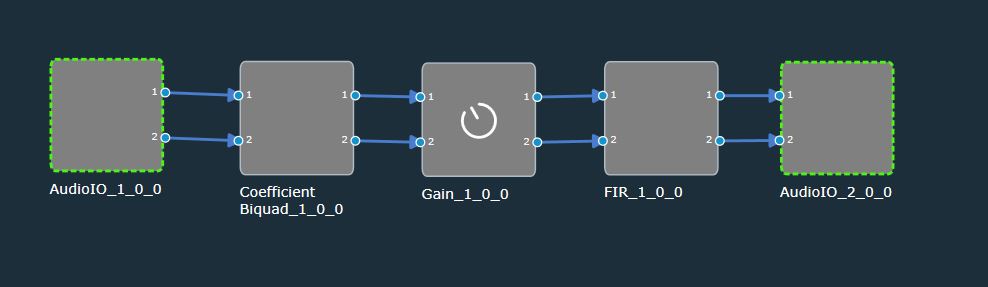
AudioIO Properties
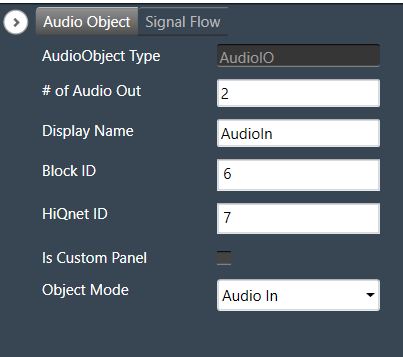
Details about object properties and functionality.
| Properties | Description |
| # of Channels |
Enter the number of channels. Range: 1 to 255 Data type: Unsigned short The default value is set to 2. |
| Display Name | Display name of the AudioIO audio object in signal flow design. It can be changed based on the intended usage of the object. |
Modes
The AudioIO audio object supports following two modes:
Audio In – AO shall be used to receive audio data from the xAF instance (source). The object will have only audio outputs in this mode to pass the audio to subsequent objects for processing.
Audio Out – AO shall be used to send audio data back to the xAF instance (sink). The object will have only audio inputs in this mode to collect the processed audio and pass it back to the xAF instance audio buffers.
Additional Parameters – None
Tuning Parameters – None
State Parameters – None
Control IO – None
Native Panel – None