Install SourceTree. (You will need to have a Bitbucket account to complete this step.)
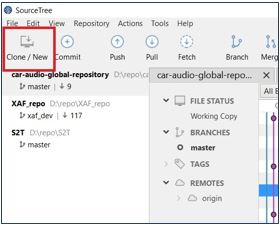
Open SourceTree and click Clone/New, as shown in the window below, to clone a new repository:
In the cloning repository pop-up menu, click Browse Hosted Projects to open it.
Select extendable-audio-framework from the list of projects.
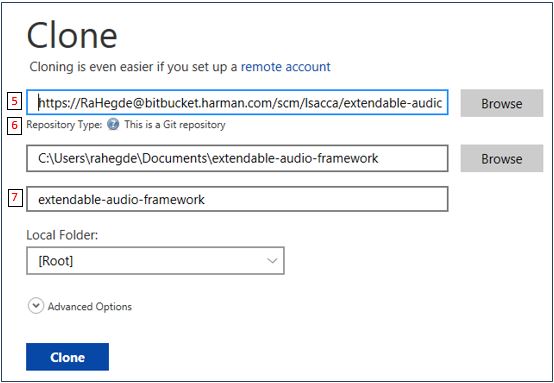
Select the proper destination path on your local PC.
Check the Repository Type: “This is a Git repository” should be displayed to avoid sync errors.
Label the folder extendable-audio-framework.
Click the Clone tab to start repo sync on your PC.