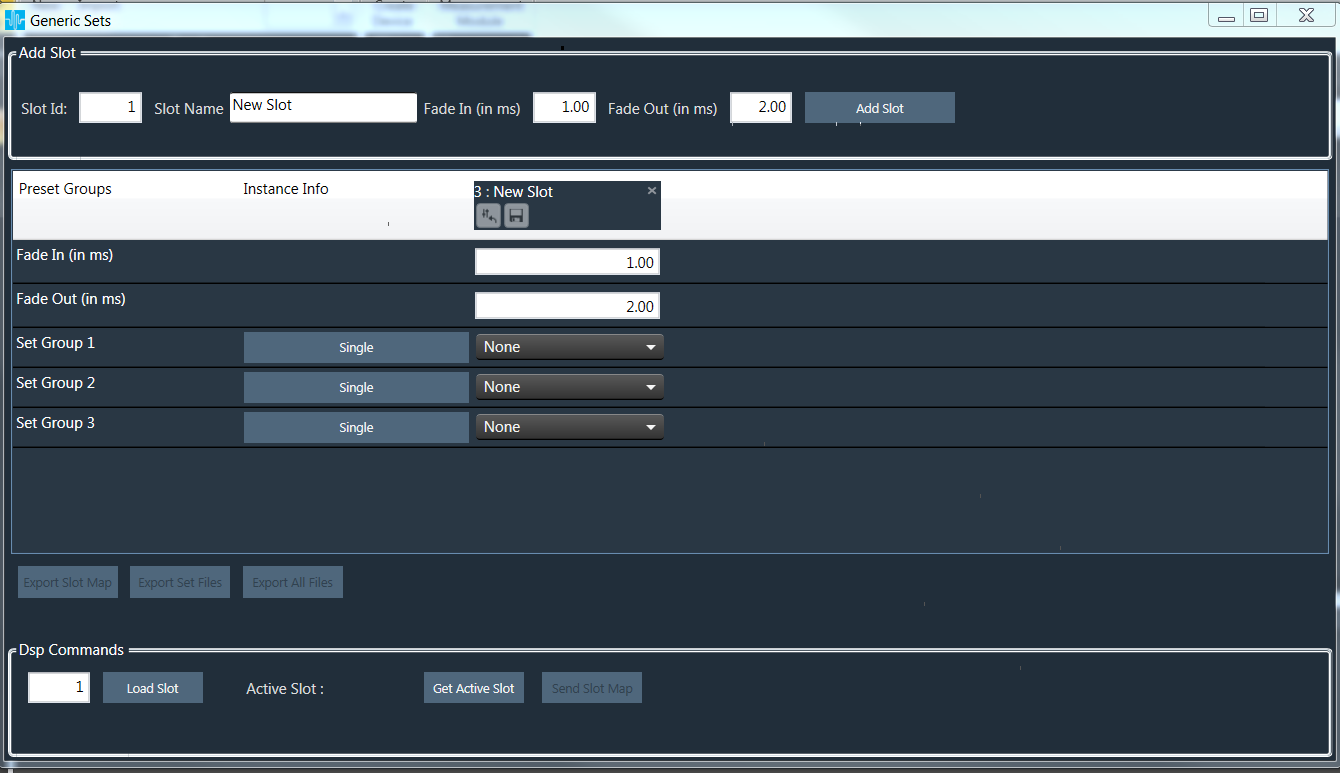
After creating set map, click on “Export Slot Map” button to create flash file.
Flash file will be created in binary format.
For virtual device use the file name as “sect262144.flash”.
Other Export options
Export Set Files : On clicking this button all the set files of the map will be saved in the path selected.
Export All Files : On clicking this button all the set files of the map along with the flash file will be saved in the path selected.
Export Slot : There is a save icon on every slot column. On clicking this set files of the selected slot will be saved in the path selected.
In order to export a slot map\set files\ All files there should be at least one valid slot in it otherwise “Export Slot Map” , “Export Set Files”, “Export All Files” and “Export Slot” options will be disabled.