Parameter Sets are automatically saved on removal of the device from the Room or exiting GTT.
Current limitation in saving the parameter sets to database:
The parameter set is not saved to the database on the fly. It is saved in the moment when the device is removed from the room. Therefore, if the signal flow is modified (for which there is an associated parameter set) when the device is not in room, the old parameter sets are retrieved from the database when the device is dragged to room next time.
Entering User Data Chunks in Parameter Sets
Select any parameter set and right click on it.
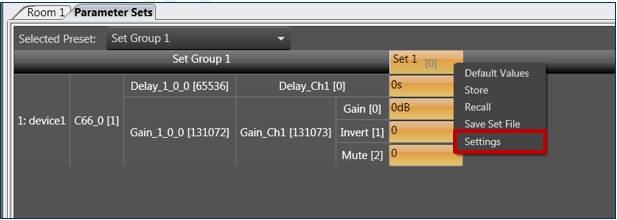
Click on Settings in the context menu.
A settings dialog will be displayed.
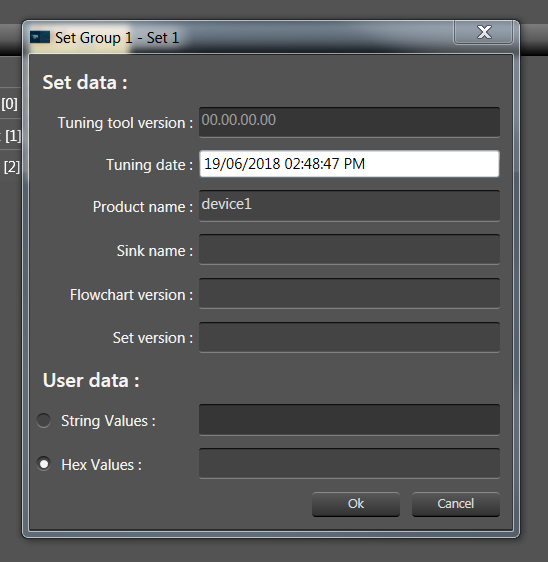
- Except tuning tool version all the other fields are editable.
- By default product name will be name of the device.
- There is no limitation on the number of characters entered.
- The user data chunks are persistent.
- You can either enter string values or hex values.
Creating .Set file through parameter sets
In the context menu of any set click on “Save set file”. This creates .set file of all the objects of the set group with the tuning values of the selected set.