Create a new panel as instructed in chapter Create New Panel.
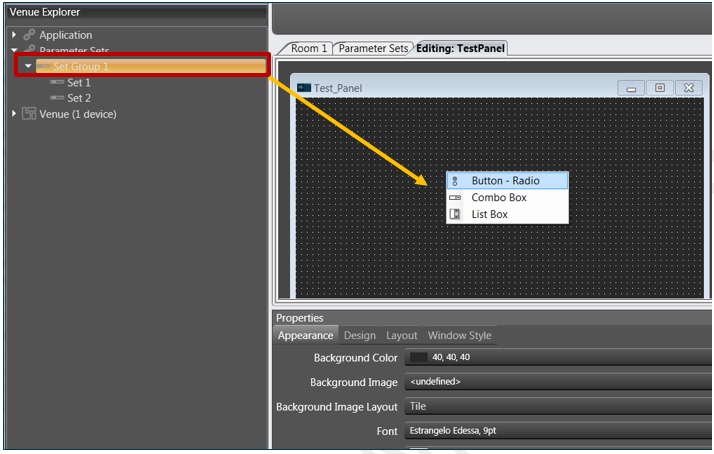
Drag and drop a set group with multiple parameter sets to the panel and select Button – Radio from the upcoming menu.
The parameter sets will be displayed in the panel.
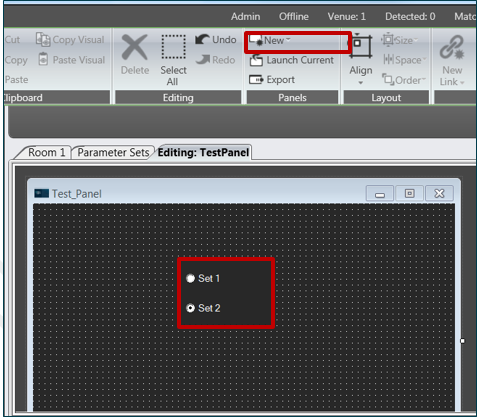
Click Launch Current.
The panel and parameter sets will be launched and appear in a new window.
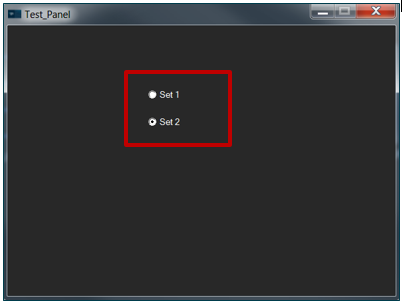
Switch between the sets by clicking on the checkboxes.
The corresponding settings will be shown in the tuning panel.