Recall Parameter Set : To make changes in the parameter set and transfer them to the tuning panel
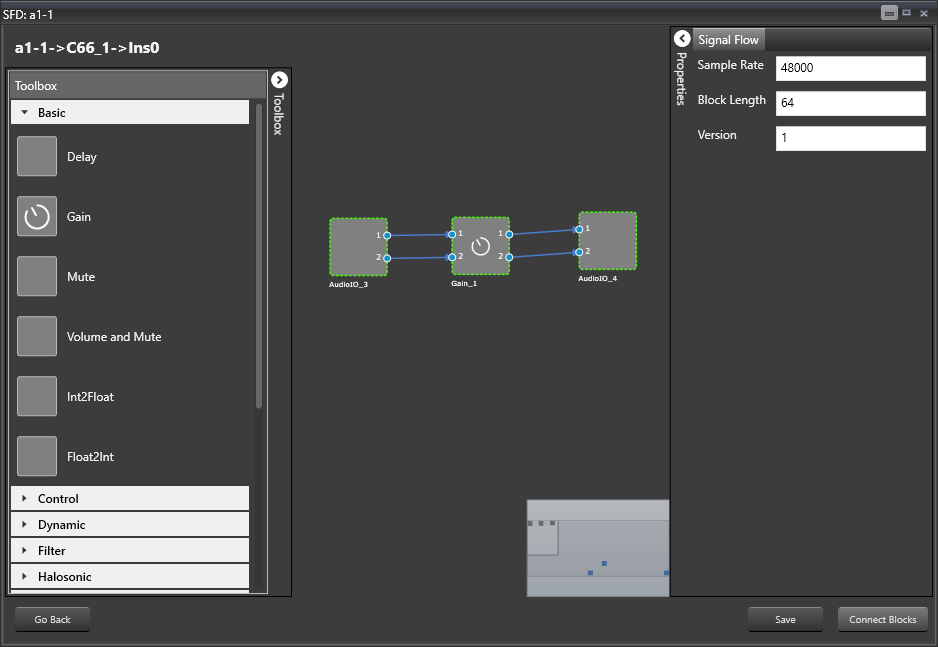
Open the Signal Flow Designer as instructed in Create a Signal Flow.
Your previously created signal flow will be displayed.
To Launch Tuning panel refer to User Guide GTT Signal Flow Designer > chapter Tune a Signal Flow >Launch Native Panels.
The Gain Window will be displayed showing gain values as set in Parameter Sets.
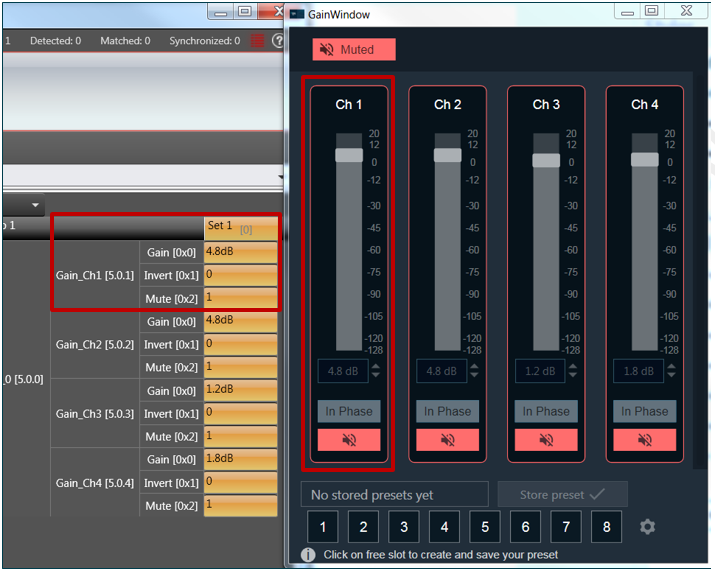
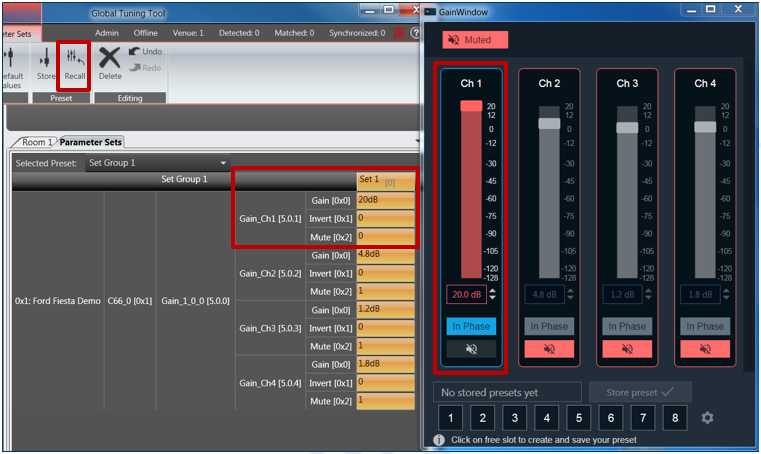
Change values in Parameter Set –> right click for “context menu” –> click Recall –> changes seen in the Tuning Panel.
Your changes will be shown as below.
Store Parameter Sets : To make changes in the tuning panel and transfer them to the parameter set
Compared to recalling parameter sets, storing parameter sets has the opposite effect. Instead of making changing in the parameter set and transfer the changes to the tuning panel, you change the set in the tuning panel and transfer the changes to the parameter set.
Change values in tuning panel –> right click for “context menu” –> click Store –> changes seen under Parameter Set (above the Recall button).