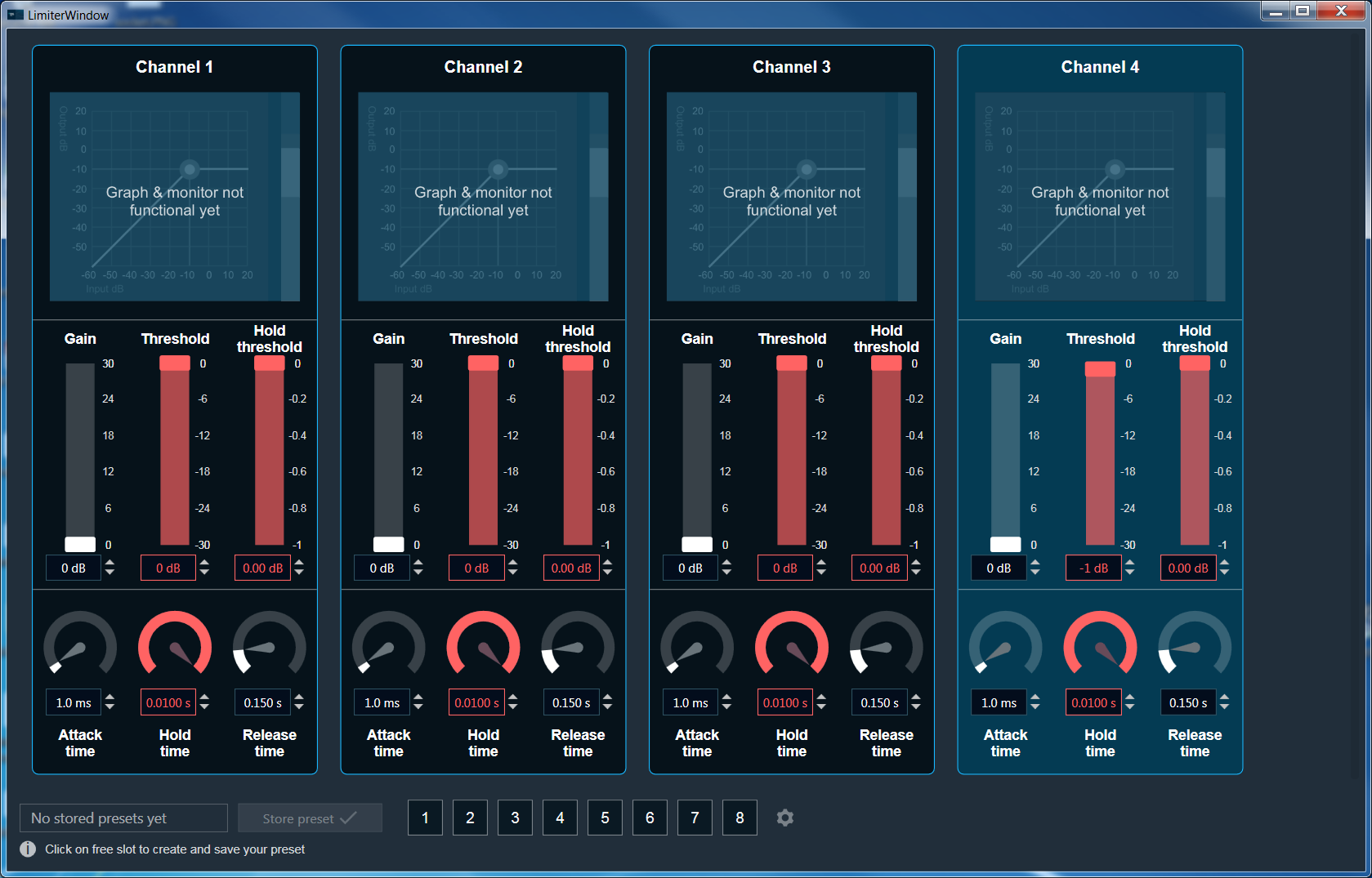
The Limiter Panel is used for changing the gain, threshold, hold threshold, attack time, hold time, and release time values for each channel.
Changing value
You can change the delay value in four ways:
- Moving the slider button.
- Using the mouse scroll button.
- Changing the dB value in the text box – value and visual representation will be updated after clicking enter or when text box will lose selection.
- Using the increase and decrease buttons

Maximum / Minimum Gain Value
Maximum and minimum gain values are default from the GTT in the SymbolDescriptor.
Threshold Values
- Maximum and minimum threshold values are derived from the GTT in the ParameterStore.
- When either of the threshold values is reached, the Gain value bar will turn into red.
Maximum threshold value: 95 %
Minimum threshold value: Not set
For further info on the Limiter audio object and it’s functional behaviour, please also refer to Limiter User Guide Supplement.