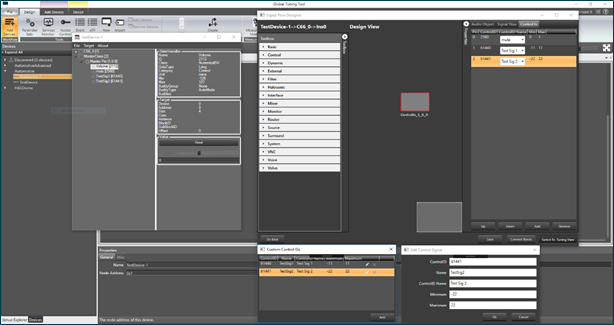
The latest version of the SIGNAL FLOW DESIGNER in GTT supports control routing from the control hub (Master Control) to xAF framework instances.
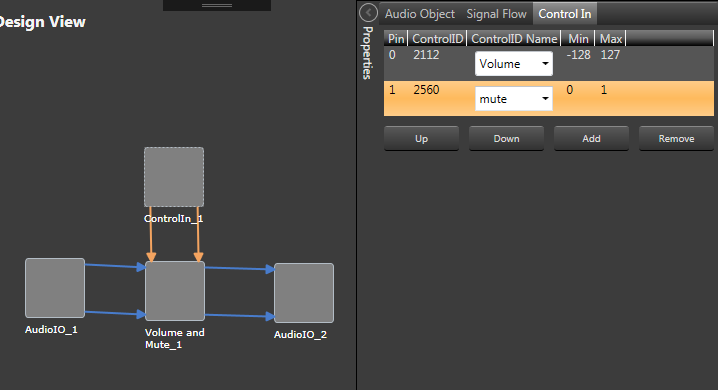
A control flow for each instance is configured via the ControlIn block. A user can choose which control signals will be routed to an instance by assigning them to output pins of a ControlIn block in that instance. A new tab has been added to the configuration fly-in to facilitate the process. Using that tab, you can choose from a wide list of available control signals and associate them with control outputs of the ControIln block. Re-ordering of the items in the control signals grid is done via the Up and Down buttons.
You can also define your own custom control signals (Control IDs) and assign them to control pins. There is a dedicated button at the bottom of the Device Designer screen which opens a window that shows a list of custom control signals defined for the device. You can create, update and remove custom control signals in that window. If any custom Control IDs are defined for a device, they are available in the Control In tab of any Control In object, similarly to the predefined Control IDs. As far as tuning is concerned, custom control signals become a part of the Master Class object, just like predefined control signals.