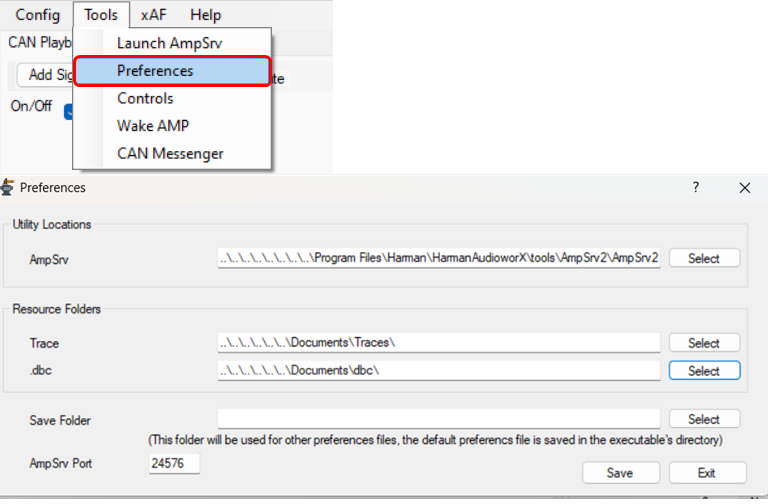
None of these are required, but they might make your use of the tool easier.
- AmpSrv: Path to AmpSrv2.exe which the tool can launch for you when connecting to an xAF virtual device. This will only be launched if the process is not currently running.
If the process is running but set to a different port, you will need to manually launch and configure another instance of AmpSrv before connection will succeed.
- Trace: Path that will be your start location when choosing a trace file for a signal (eg .asc, trc, xls).
- .dbc: Path that will be your start location when choosing a DBC file (for live CAN or a CAN trace).
- Save Folder: Not required, but if you want to save your config in a special location you can use this.
- AmpSrv Port: When we connect to a virtual device we will look for AmpSrv connections on this port.