Audio engineers use Bass Enhancer audio object when they require bass enhancing effect in their audio pipeline. To adjust the parameters of the Bass Enhancer audio object, a custom native panel is provided. This panel allows for fine-tuning and customization of the Bass Enhancer settings.
User interface for every Bass Enhancer is the same and looks like the below figure.
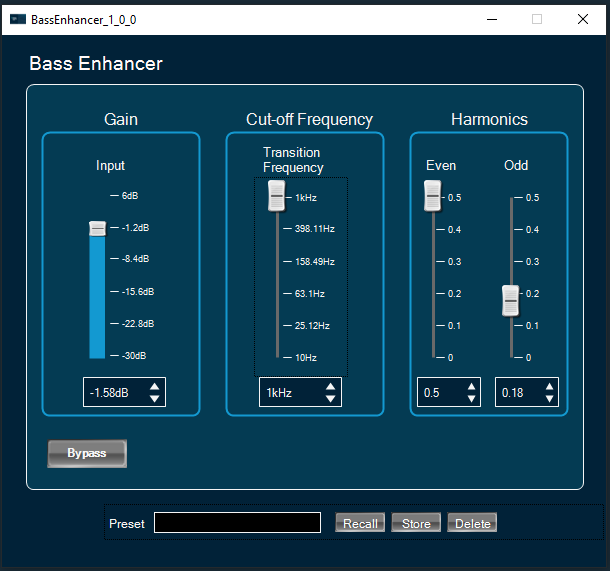
- Activate bypass feature by clicking on “Bypass” button. If active the button has a red background.
- Apply gain to input or bass signals using vertical faders or spinners under the “Gain” widget.
- Change transition frequency and octave factor using vertical faders or spinners under the “Cut-off Frequency” widget.
- Change even and odd distortion factors using vertical faders or spinners under the “harmonics” widget.