Virtual Venues audio objects native panel comprises of following components.
- Venue Verb
- Crossfader
- Autobalance
For detailed working of AOs, please refer to the Virtual Venues object user guide.
Venue Verb
The Venue Verb recreates the acoustic impression of a target room, space or concert hall.
This object processes input audio signals by applying virtual venues (virtually created acoustical environments). The result is that the perceived acoustical behavior of the listening environment is changed depending on acoustical parameters of virtual rooms which are tuned by VenueVerb audio object.
For room size can be set from 8-40 m.
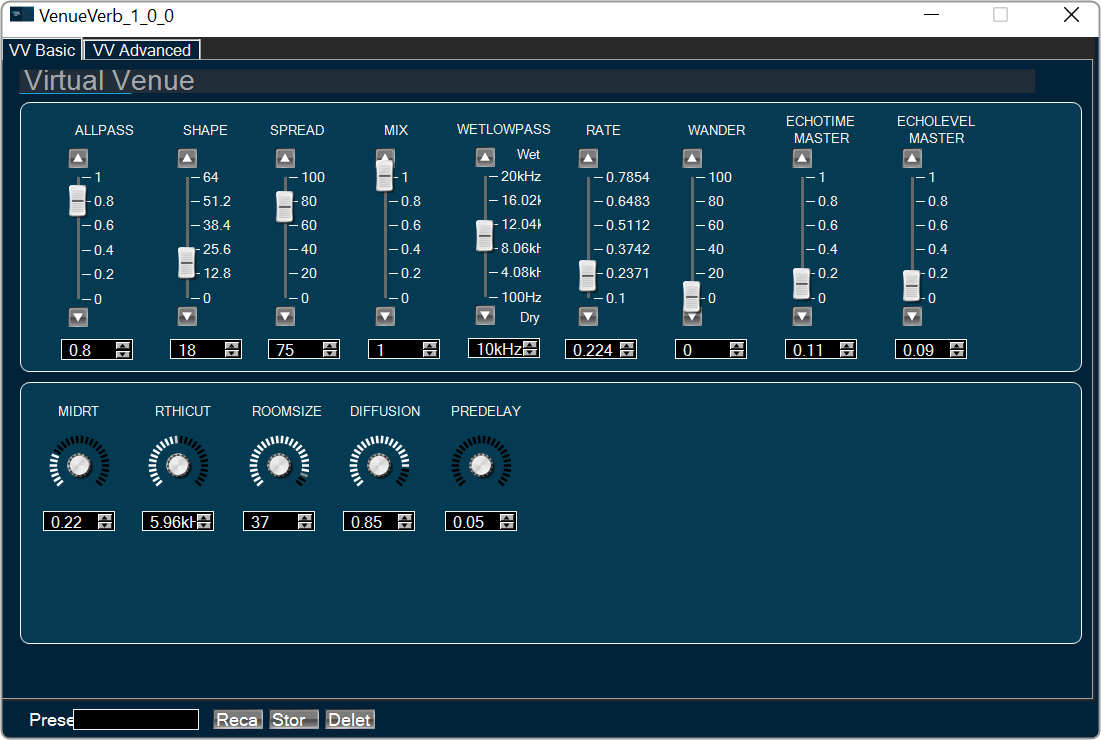
In Advanced tab , Primary Echo delay and Secondary echo delay is used to tune the delays for each output channel. Primary Echo Level and Secondary echo is used to tune the levels of early reflections for each output channel.

Crossfader
Crossfade module allows to add channel pairs with comfortably adjustable levels.
Crossfade is a common type of audio transition between two clips, in which the first clip’s audio fades down while the second clip’s audio simultaneously fades up. Crossfader AO functionality is to mix 4 inputs down to 2 outputs with a linear crossfade applied.
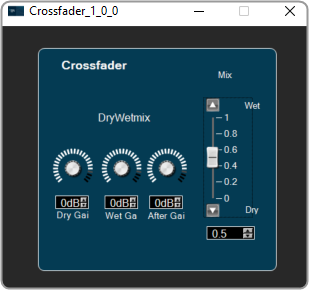
- A crossfader parameter (Mix slider) is provided to easily crossfade between the first and second input channel groups. Range is 0 to 1.
- Dry Gain is to tune gain for the first input channel groups are provided. They are applied in addition to the crossfader, to achieve an offset or to be able to adjust the volume for only one input channel group and leave the other untouched. Range is -120 db to 20 db.
- Wet Gain is to tune gain for the second input channel groups are provided. They are applied in addition to the crossfader, to achieve an offset or to be able to adjust the volume for only one input channel group and leave the other untouched. Range is -120 db to 20 db.
- After gain parameter is adjust additional control of the overall output volume. Range is -120 db to 20 db.
Autobalance
AutoBalance balances limits the levels of up to four microphone inputs. It computes the average of each input and boosts or attenuates it according to the loudness of the other inputs. This is important to avoid loud sounds, e.g., when a microphone is accidentally touched or to make gentle sounds audible.
