Before you set the “Sound In” and “Sound Out” devices, make sure you have configured sound card settings like Host API (Driver Protocol), Device, Sample Rate and Block length of the sound card. Refer to the Sound Card Configuration to know about configuration details.
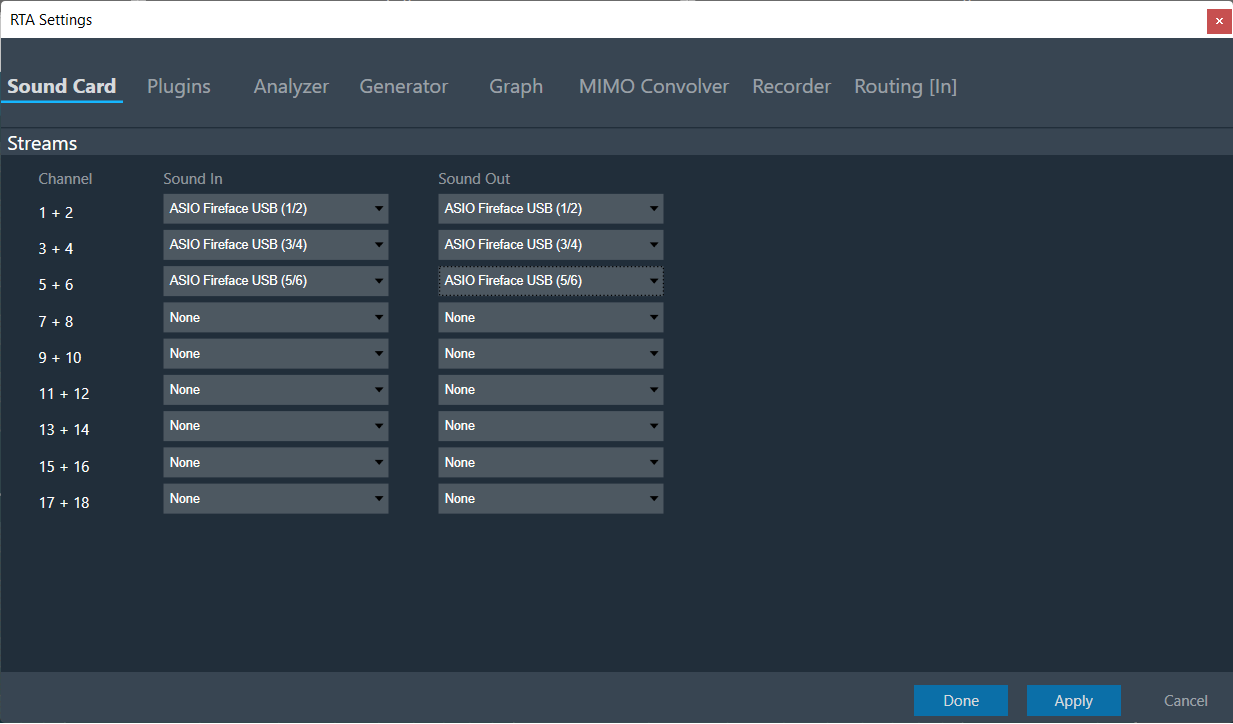
During sound card configuration, RTA channel streams should be automatically assigned with available input and output devices if the user has not already assigned any sound input or output devices to RTA Channel streams.
If the user attempts to unassign all sound card channels, a toast message should be displayed with message like “You have unassigned all sound car channels. This will disable the internal IVP processing, because no lock master available. Please assign at least one channel pair to re-enable the processing”.
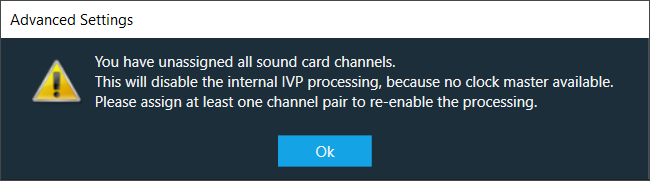
After selecting a Host API, it is necessary to choose the Sound In and Sound Out devices.
If no device is selected, RTA will operate in a silent mode, which can be useful for verifying generator modes or analyzing pre-recorded measurements from a .wav file.
All devices are available as two-channel devices. The stream area displayed the Channel column, indicating the mapping of Sound In or Sound Out devices to specific channel pairs. These channel pairs, labelled as Sound In 1 to 16 and Sound Out 1 to 16, are accessible in the analyzer and routing settings. You can select these channels from the context menu to establish connections between sound card channels and RTA processing blocks.
In the example above the mapping is configured as follows:
- SoundIn1, SoundIn2: Analog (1 + 2)
- SoundIn3, SoundIn4: Analog (3 + 4)
- SoundIn5, SoundIn6: Analog (5 + 6)
- SoundOut1, SoundOut2: Analog (7 + 8)
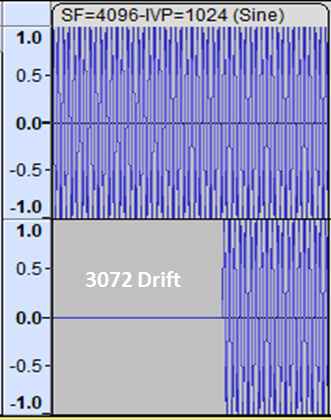
In case the device block length is higher than your sound card block length. It will introduce an additional latency in the signal chain, which will cause a shift in the start position and missing blocks at the end of the recording.
For example, if the device block length is equal to 4096 and sound card block length is equal to 1024, there will be a “drift” of 3-blocklengths or 3072 as you can see below:
If there are any modifications to the Sample Rate, Block Length, or Host API, it is necessary to reconnect the device.