The purpose of microphone calibration is to convert the soundcard input values, which are typically within the range of +/- 1 (full scale FS), to the actual sound pressure level that is captured by the connected microphone.
To achieve this, a calibration device, such as a pistonphone, is connected to the microphone. This device produces a constant sine tone with a predetermined level, such as 94 or 114 dB.
The level of the microphone signal is measured by the RTA, and the calibration level can be saved for future measurements.
Prerequisites
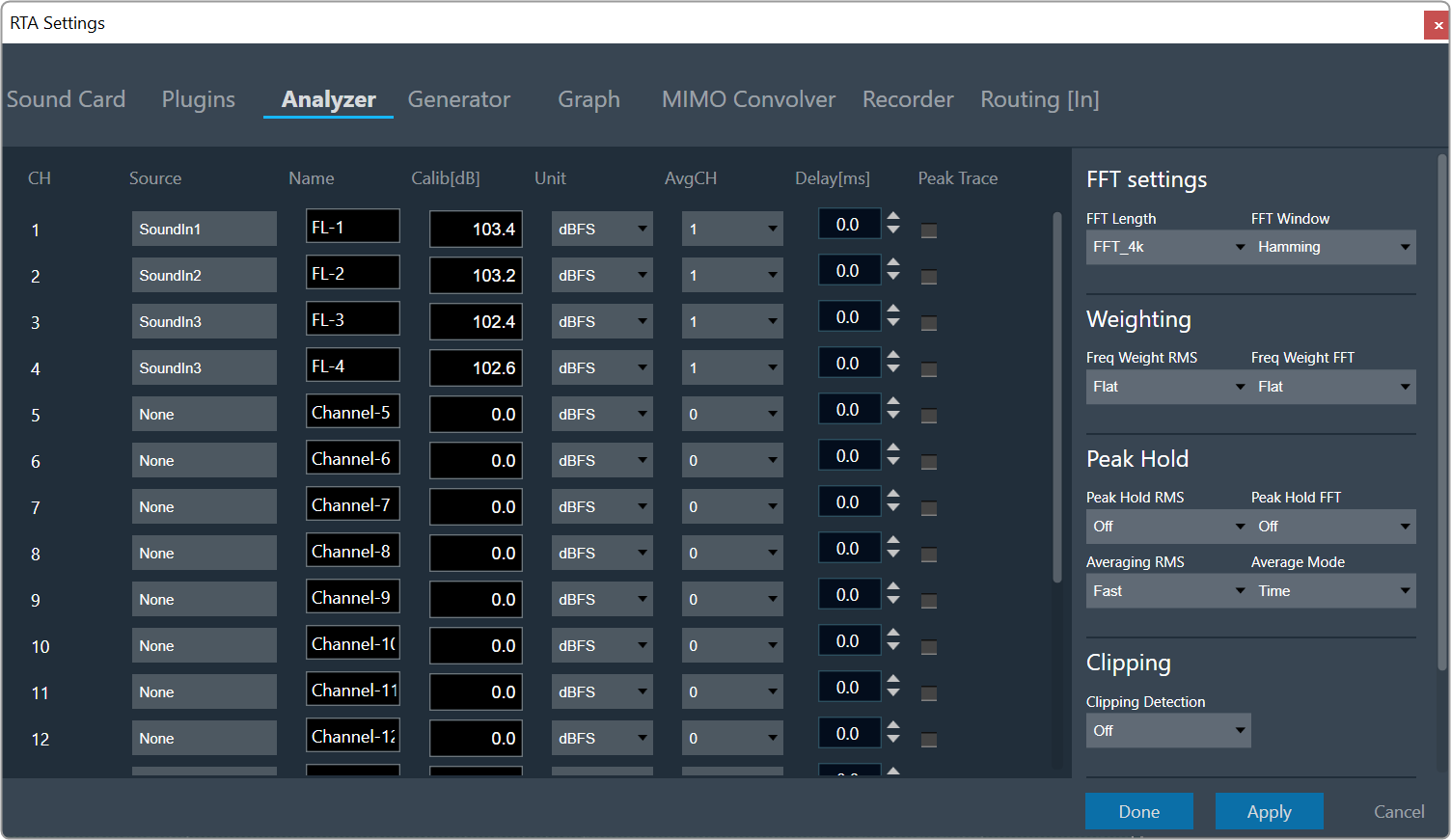
- In the Analyzer Settings connect the SoundIn channels to the Analyzer inputs.
- Set the “Peak Hold RMS” to “Off”.
- Set the “Freq Weight RMS” to flat (important if the calibration frequency is not 1 kHz).
- Set the “Sound Level Meter” to Slow.
Steps to perform microphone calibration:
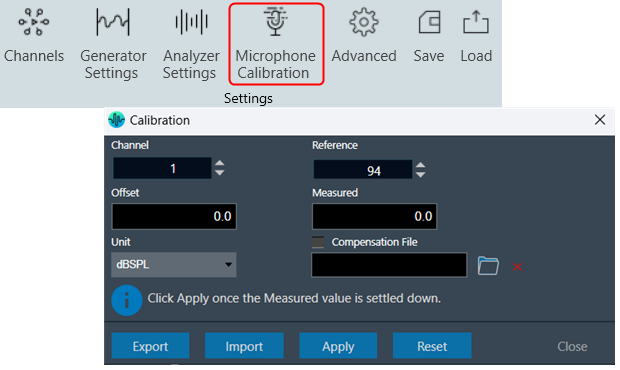
- Navigate to the IVP RTA tab and select Microphone Calibration from the ribbon bar. This opens the Calibration dialogue box.
- In the Calibration box, adjust the channel that needs to be calibrated and click Reset.
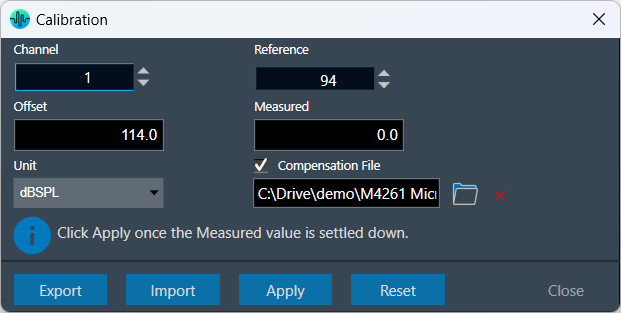
- Select the desired unit. Usually the unit of measurement is dBSPL, but for electrical measurements dBV is selected. The selected unit will be applied to all subsequent channels.
- Attach the calibration device.
- Wait until the “Measured” value has stabilized, and then click on Apply.
- (Optional) Select the Compensation File. This file is provided by the microphone manufacturer and is used to correct the microphone’s frequency response. You can On or Off this correction using the adjacent checkbox. To take the selected compensation file into effect, please restart the analyzer.
You don’t need to click on “Apply” for selecting a compensation file. “Reset” will only reset the offset; it has no impact on calibration file.
The compensation file is only considered for magnitude curve correction; it has no impact on calculated metrics such as sound pressure level (SPL) and total harmonic distortion (THD).
The calibration result is automatically stored in the analyzer settings. They can be modified manually at any time.
Additionally, you can export and import files with calibrated microphones.
- It is possible to import XML/JSON files with calibrated microphones exported from MMIR and IVP/RTA.
- It is possible to export and import JSON files with Channel Number, Offset and mic compensation file of the calibrated microphones.