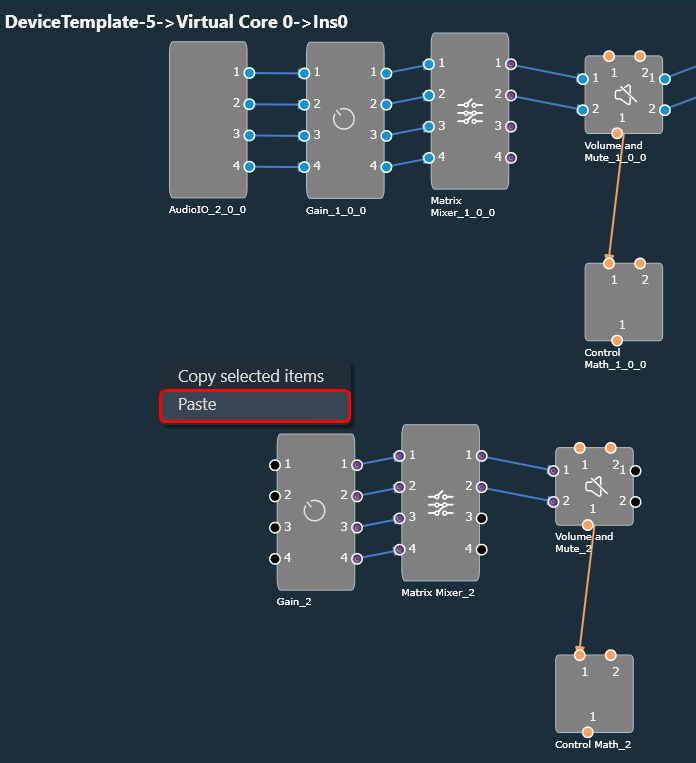
The signal flow designer offers the handy capability of copy and paste, which can accelerate the design process.
Follow the below steps to perform copy and paste operation:
- On the signal flow designer, select an object to copy or press CTRL+A to copy the entire signal flow design.
- Once the object or signal flow design is selected, you can either press CTRL+C or right-click on the designer area and choose “Copy selected objects” from the context menu.

- After the object or signal flow design is copied, you can paste it into the same or a different framework instance by pressing CTRL+V or by selecting the “Paste” context menu item.