Signal Type:
Central Viewer is capable of displaying IR or Recording data. While creating the configuration, the signal type can be chosen.
Calibrated Data:
Central Viewer is also capable of displaying uncalibrated and calibrated data (or a mix of both). Calibration can be enabled or disabled in the Add/ Edit configuration window:
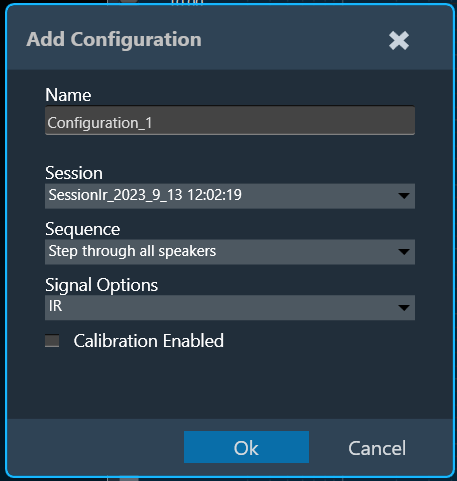
If calibration is disabled, all data will be shown without applying any calibration offset (regardless of whether calibration data is available in the Session or not).
If, however, calibration is enabled, a Y axis with calibrated ranges will be available on the right side of the plot. Each series containing calibration shall be attached to the calibrated Y axis, and each series with no calibration data available, will be attached to the default Y axis (uncalibrated, on the left).
Examples:
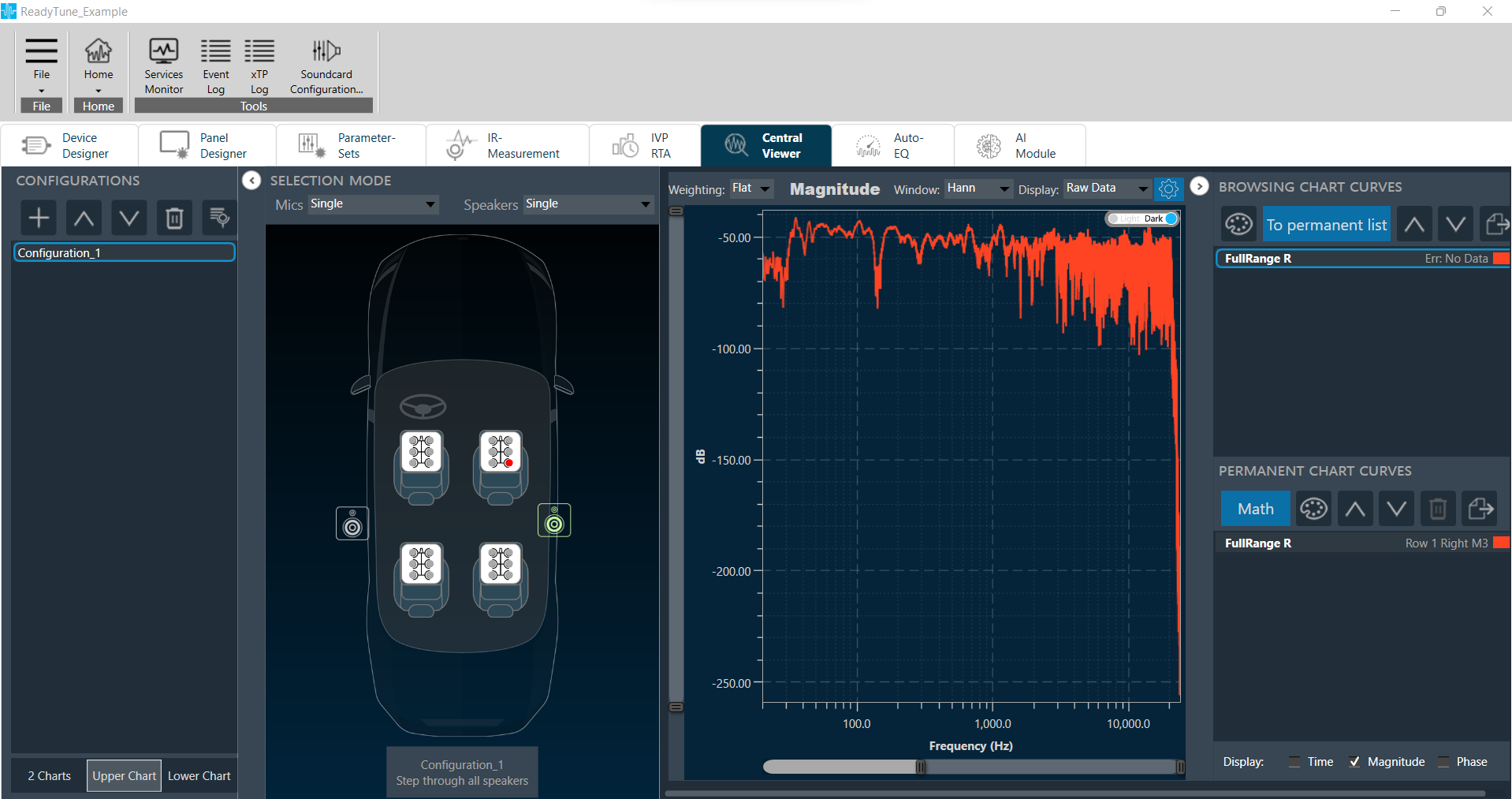
Calibrated and uncalibrated data shown on same axis (calibration disabled).
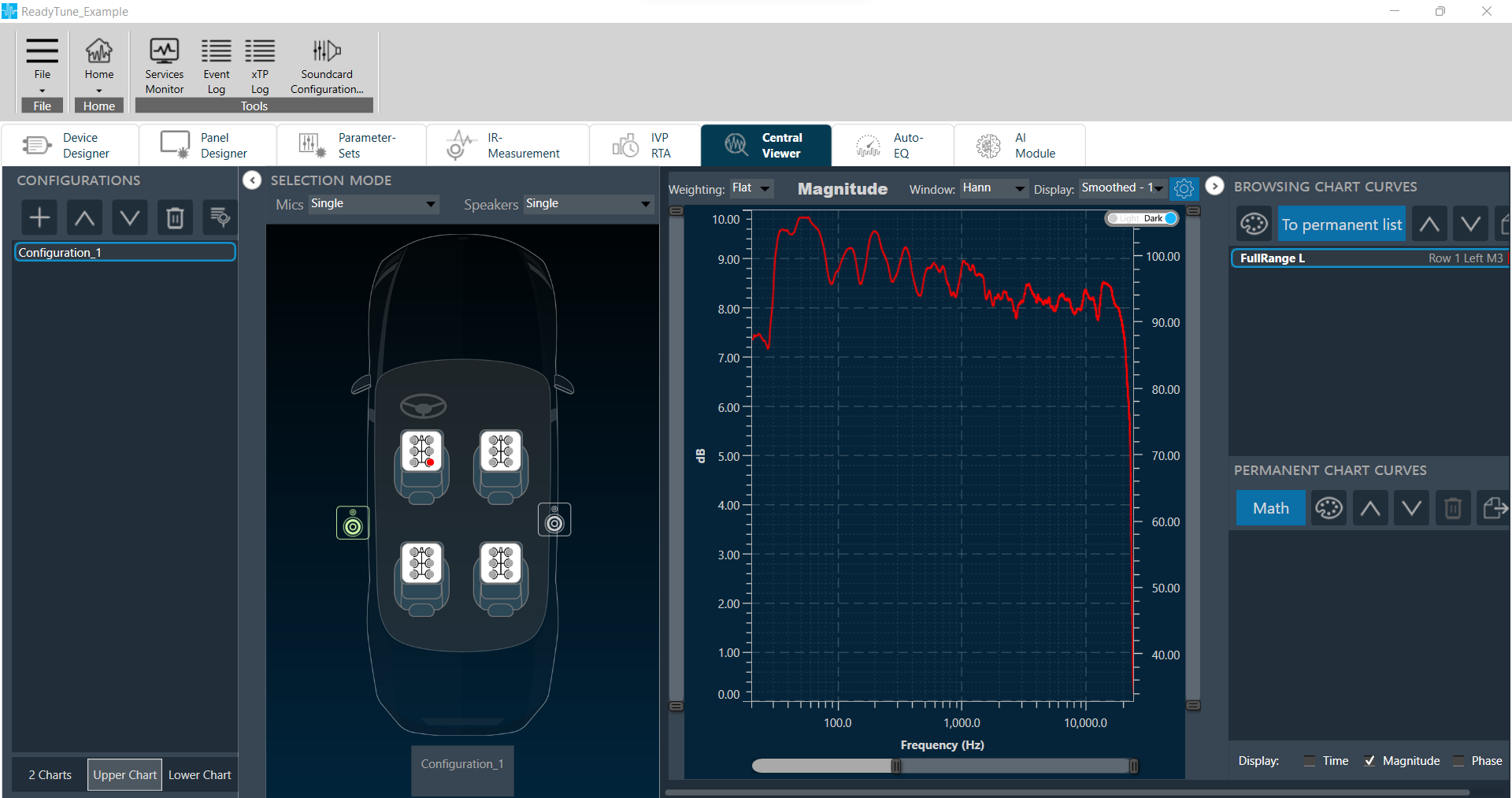 Calibrated data attached to axis on right, while uncalibrated data is attached to axis on left (calibration enabled).