Once you complete the signal flow design you can export the project.
Follow the below steps to export the project:
- Click on the File menu and select Export Project option.
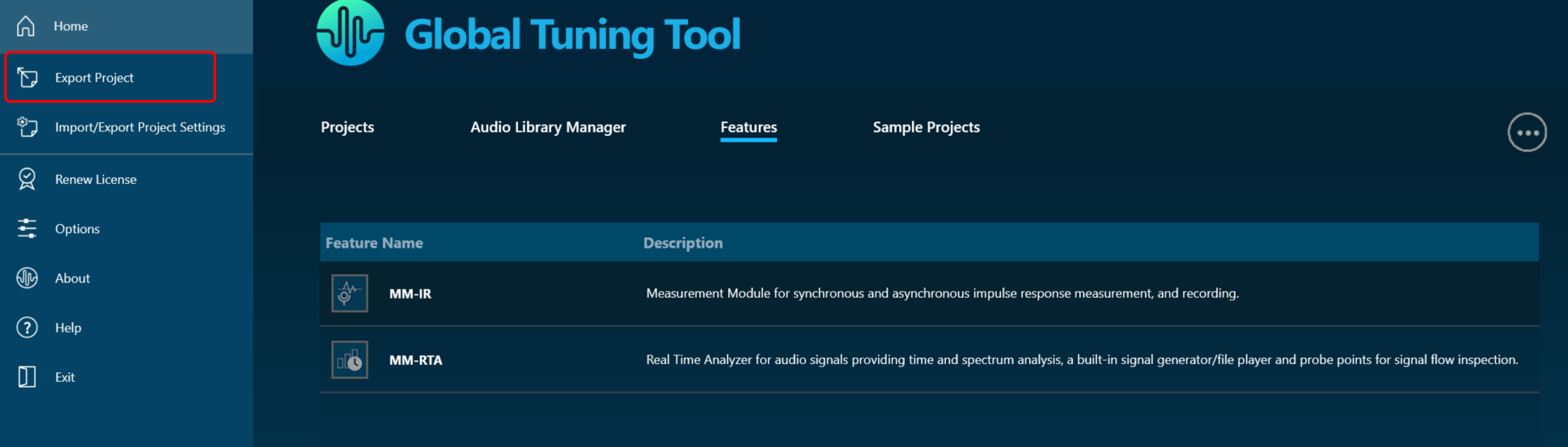
- In the Export dialog box, choose the desired destination where you would like to save the project file, and then click the Save button.
The project file is stored with file extension *.gttd.
Export Project with Measurement Sessions
When a project is exported, by default the project will be exported with measurement sessions and session associated raw data will be stored in the {projectname}.mmdata file in the same destination folder.
If you want to exclude measurement session data from the project export, make sure to configure the project settings prior to initiating the export process.
Follow the below steps to exclude measurement session from project export:
- Click on the File menu and select Options.
- In the Application Options dialog box, click on Project Settings, and uncheck Include Measurement Session in the Project export options.

- Click OK to save the change.