The Editing group is a set of edit menus. This includes Delete, Select All, Undo, and Redo.
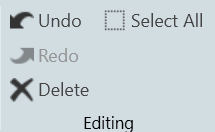
- Delete: You may delete a selected device or multiple selections of devices from the Venue using the Delete button or with the Delete keyboard key.
- Select All: Use this to select all devices within the current view, or with the standard CTRL-A Windows keyboard shortcut.
- Undo / Redo: Use these buttons to Undo or Redo all operations, or with the standard CTRL-Z (Undo), and CTRY-Y (Redo) Windows keyboard shortcuts.