Allows to add a curved line in the custom panel.
| Property Type | Options |
|
General
|
Control Info: Shows control type. Read only |
Locked: Specifies if the control is locked out so that it cannot be moved or re-sized.
|
|
|
Appearance
|
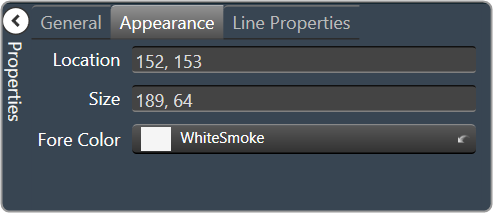
Location: Control location (in pixels) of the control on the Custom Panel. Change X (horizontal) and Y (vertical) values in relation to upper left corner. You can also drag the control to a different location |
| Size: Control size (in pixels). Change width and height values. You can also re-size the control manually. | |
|
Fore Color: The color of the line. Brings up the Select Color window. |
|
|
Line Properties
|
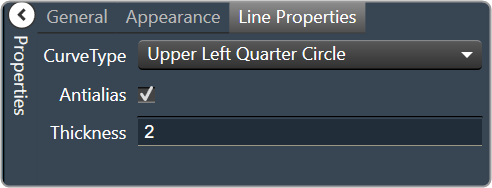
Curve Type: The quadrant that the curved line occupies.
|
| Anti-alias: When checked, turns on the anti-aliasing filter. | |
| Thickness: The thickness, in pixels of the line. |