The Panels view in Panel Designer lists all custom panels. You can use the Panel view to create a new panel, export a panel, import a panel, and delete the panel. You can access additional options like Application, Parameter Sets, and Venue in the panel menu.
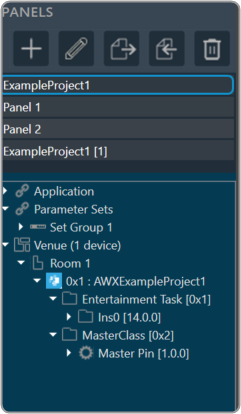
| Icon | Description |
 |
Add Panel: Click on this option to add new panel. |
 |
Rename Panel: Allows you to rename the existing panel. |
 |
Import Panel: Click on this option to import a panel. |
 |
Export Panel: Click on this option to export a panel. |
 |
Remove Devices: Click on this option to delete the panel. |