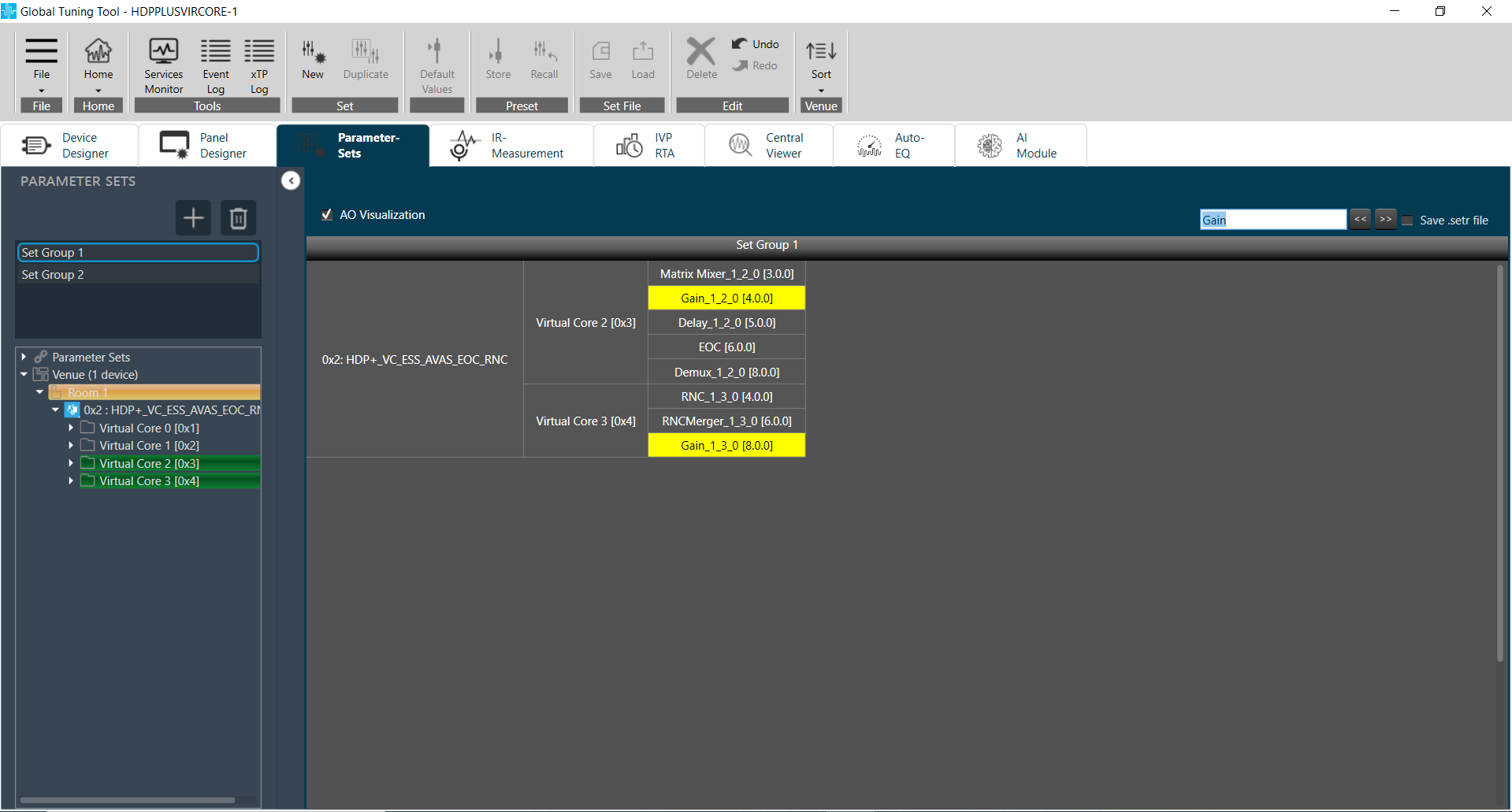
To view audio objects added in parameter sets, AO Visualization view can be used.
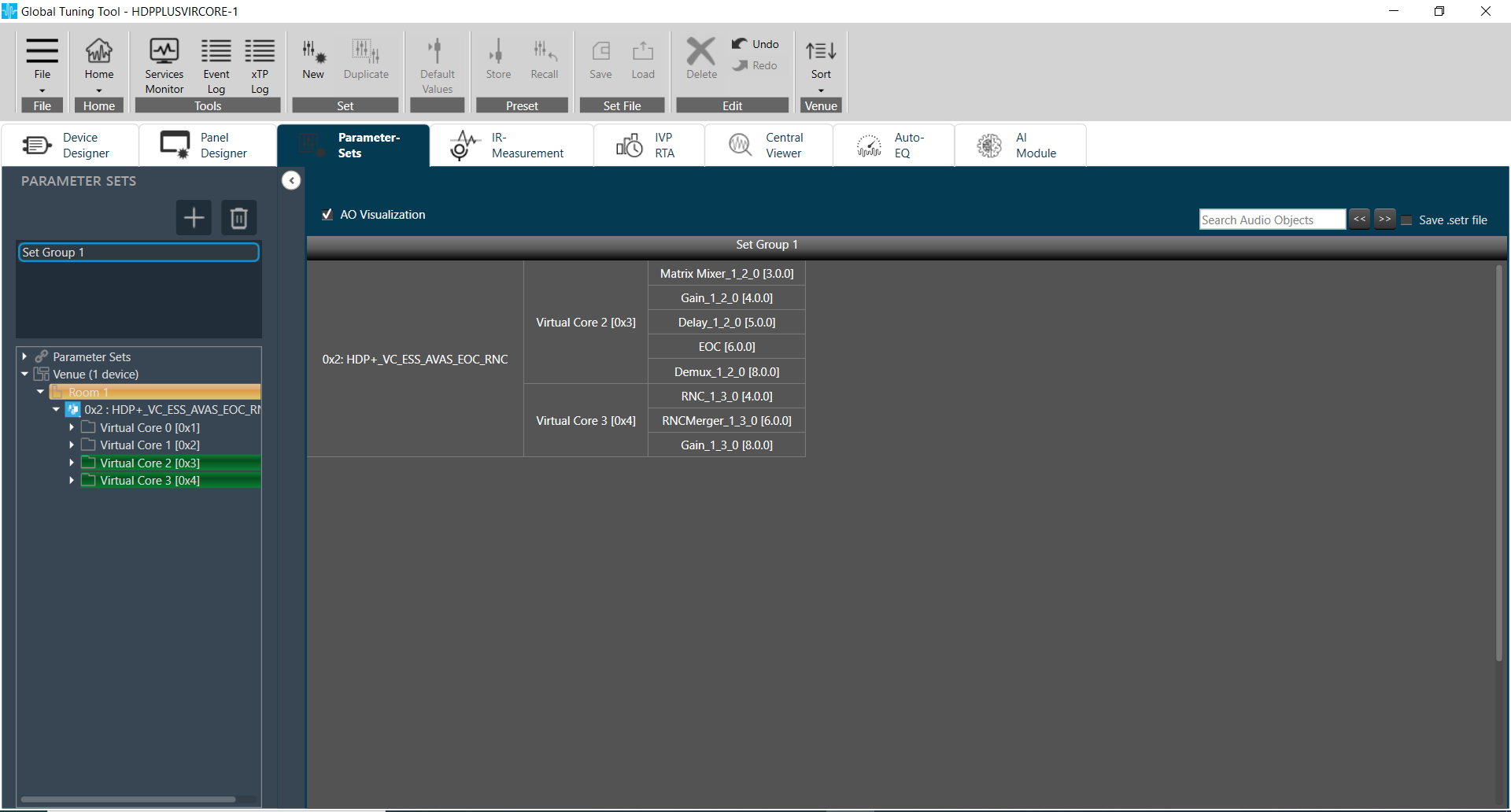
User can view the compact view of device, cores and audio objects by checking AO Visualization checkbox in header. 
On unchecking this checkbox, default view of parameter sets will be shown.
This compact view is specific to each set group, so user can enable this for one set group and view default view for another.
Operations such as add new parameter by drag & drop, delete parameter, create new set..etc are allowed in AO Visualization view, but view will be reset back to default.
AO Visualization view supports search feature and user can search audio objects by name. The matching cells will be highlighted in yellow color,