Acquiring a License
In GTT you will only have access to licensed features. If you try to use a feature for which you did not acquire a license the message Feature is not licensed will be displayed and you will not be able to use the feature. Both internal and external customers can acquire licenses as follows:
Contact Harman team to know your license renewal status. Renew your license form file menu.
10 days prior to expiration of a license, GTT will send a notification as shown below. From then on, the message will appear every time you are using a feature covered by the license.
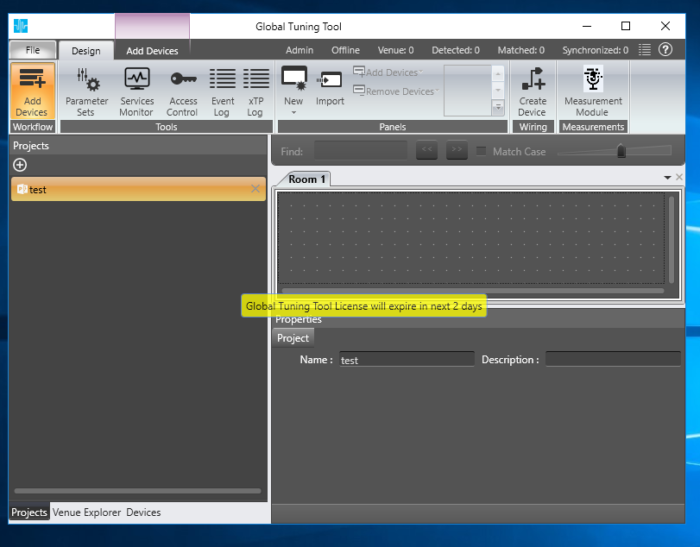
When license is added initially, if the Mac address present in the license file and system Mac address are different, then you will get the following message- “The license is not configured to be used in this system” and wrong license file is silently removed in the background
License renewal
You can always add licenses as described in the following. But you need to have a valid license upon launch of GTT > Add License dialog will open when starting GTT to submit a license.
Start the GTT application.
Make sure you have internet connection
Click File > Renew License
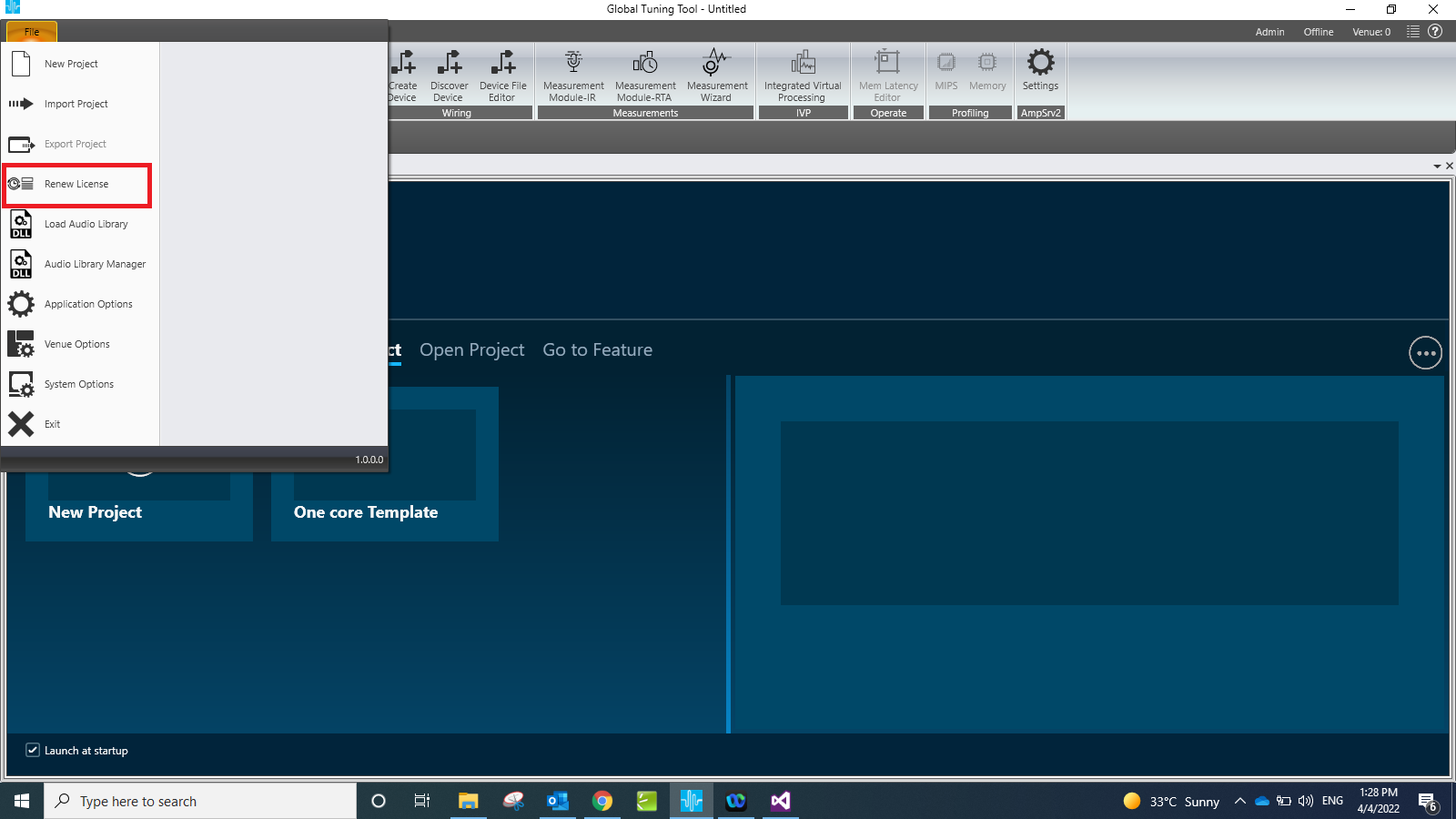
Once you click on Renew License , license gets renewed automatically and you will see a successful message
Now you are ready to use licensed features from GTT.
If the feature does not work although you have acquired a license for it, License admin would have not renewed it. Please contact AudioWorx team