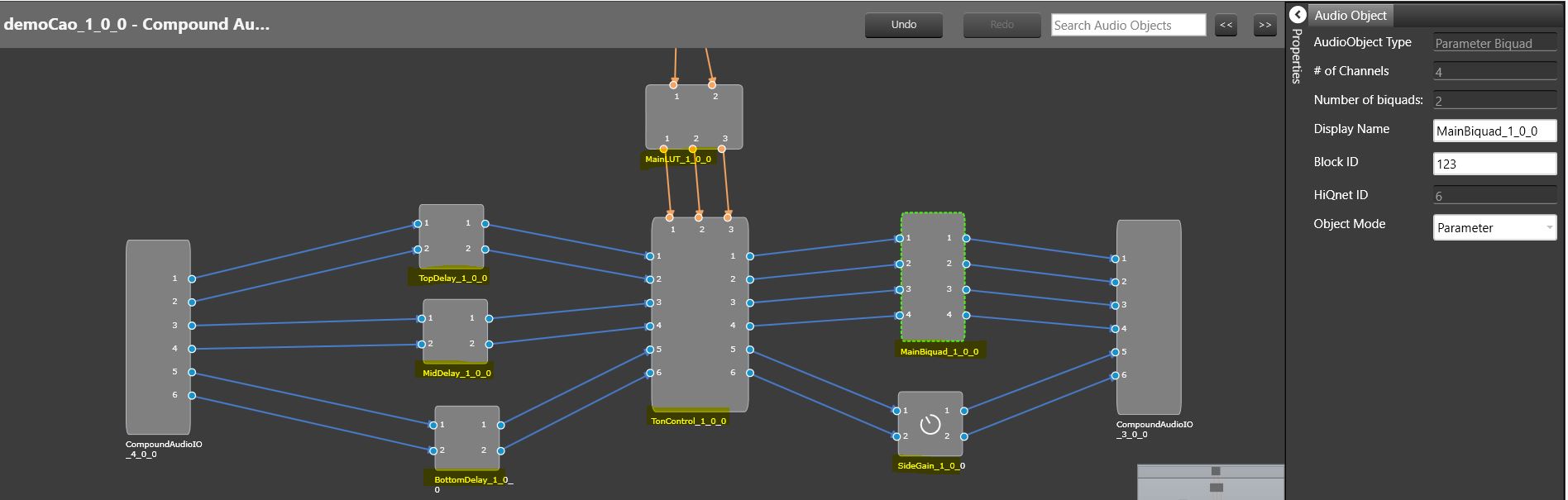
Open Signal flow option enables to view signal-flow of CAO instance that is added to Main Signal flow. Block-Id and Display-name of inner audio objects in CAO instances can be customized and saved from the view.
Open CAO instance Signal flow
Right -click on CAO instance
Select Open Signal Flow from Context menu
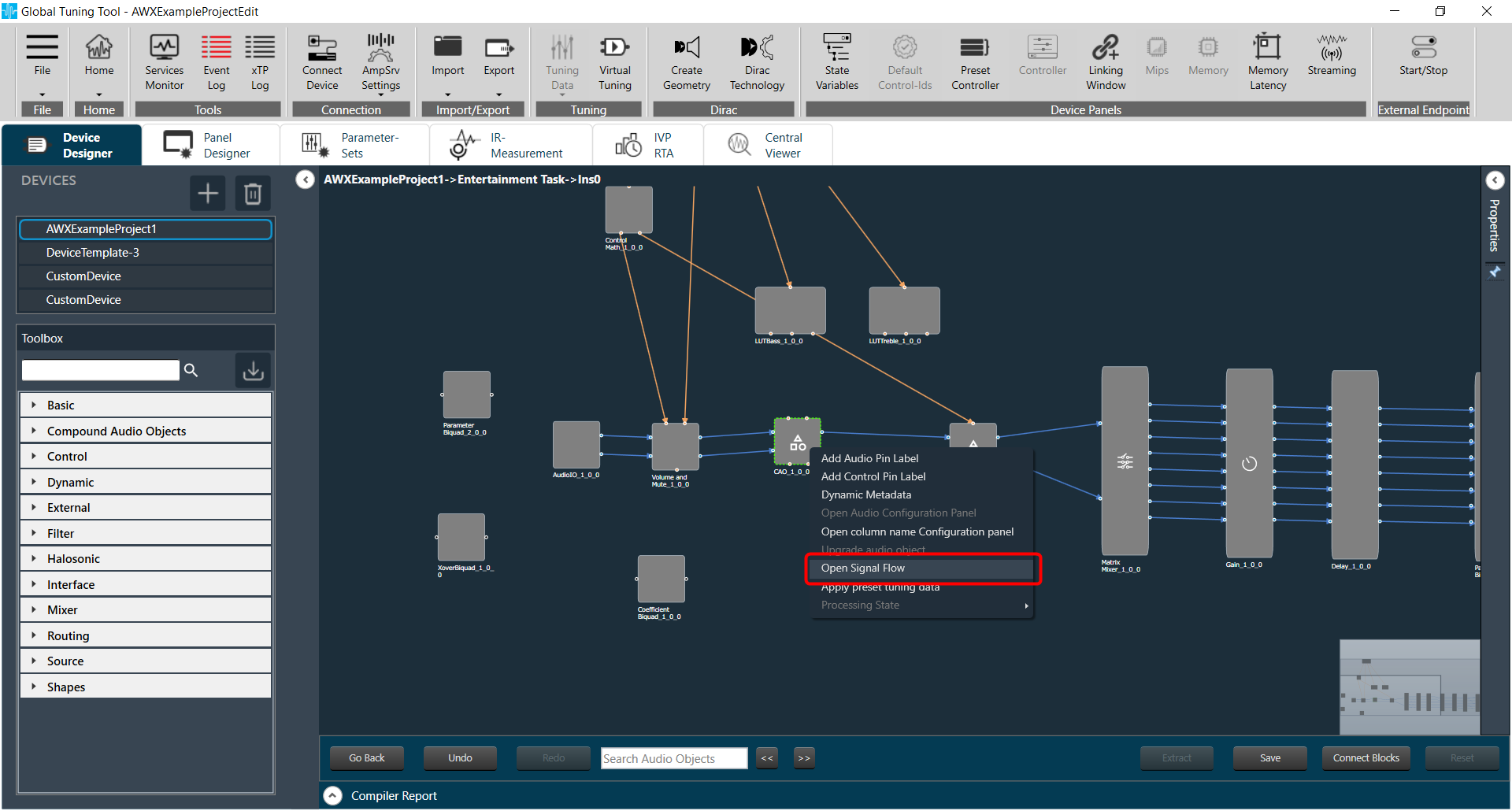
Navigates to CAO instance signal-flow
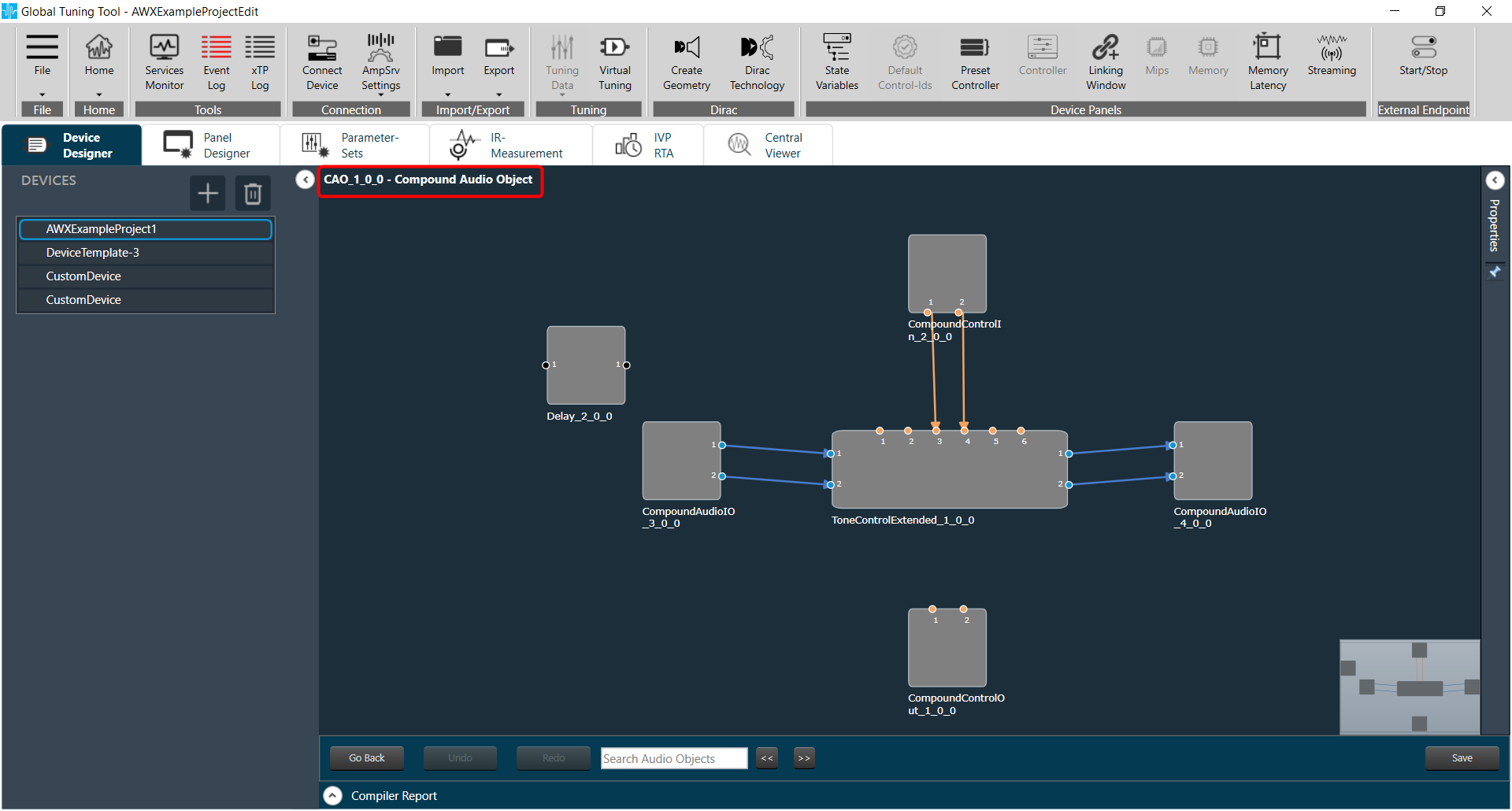
Navigation to CAO instance Signal-flow will be allowed only if password validation is successful for password protected CAO templates and if CAO template is editable.
Edit Block Id and Display Name for inner audio-objects
Select audio-object , properties tab will be opened. All properties except Display Name and Block Id , will be disabled.
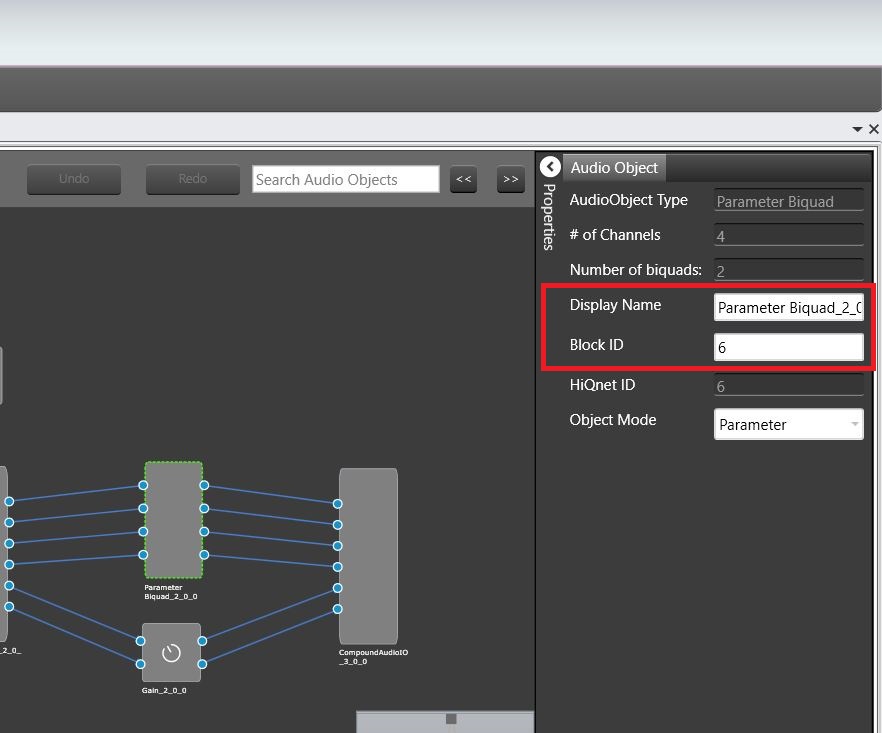
Update Display Name and Block Id , if required
Customized Display name /Block ID will be assigned only if it is unique across Main signal-flow.
Block Id cannot be assigned for Compound Interface objects – Compound Audio IO , Compound Control In , Compound Control Out
Save
Click Save button to save all Display Name and Block Id changes.
Tune inner audio-objects with Native Panels
Double click audio objects
Native panels corresponding to audio object type will be launched( if available).
Audio objects can be tuned for CAO instance without additional custom panel creation.
Go Back
Click on Go Back to navigate back to Main signal flow
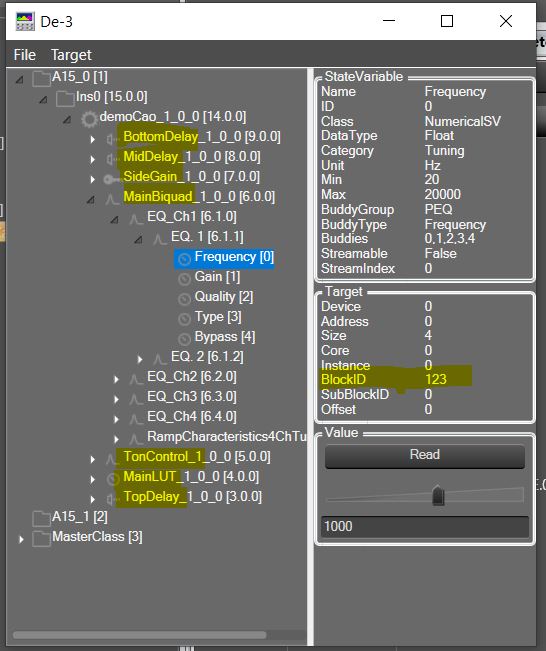
Customized Display Name and Block Id will be updated in all device associated data, making it identifiable in DDF/State Variable explorer/ Venue Explorer/ Custom Panel address editor