Close all windows of HarmanAudioworx applications.
Open Windows Control Panel > Programs > Uninstall a Program and look for HarmanAudioworX.
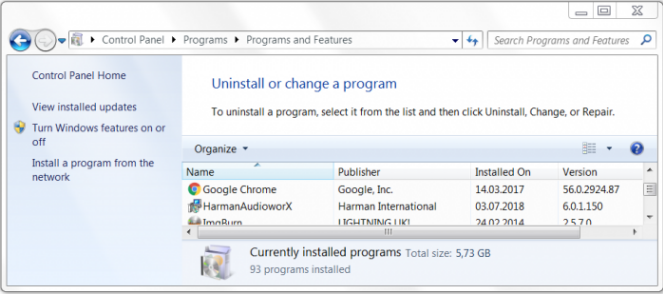 HarmanAudioworx in the Control Panel
Select HarmanAudioworX and click on Uninstall.
An uninstalling confirmation dialog will be displayed.
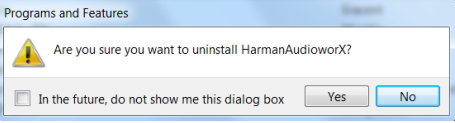 Uninstallation Confirmation Dialog
Click Yes.
The user account control dialog will be displayed.
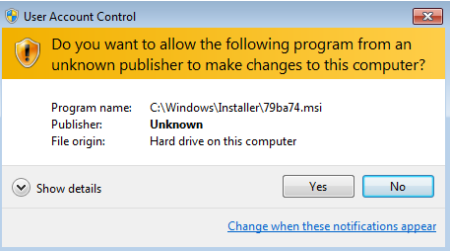 User Account Control Dialog
Click Yes.
A removal confirmation dialog will be displayed.
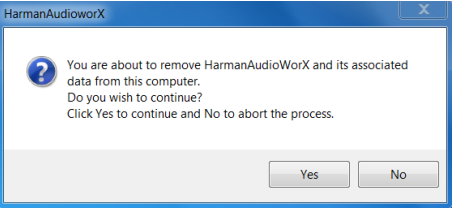 Removal Confirmation Dialog
Click Yes to remove all application data which includes file, folders, registries and the associated database.
Click No to abort the uninstallation.
If a HarmanAudioworX application process is still running: The error message dialog below will be displayed.
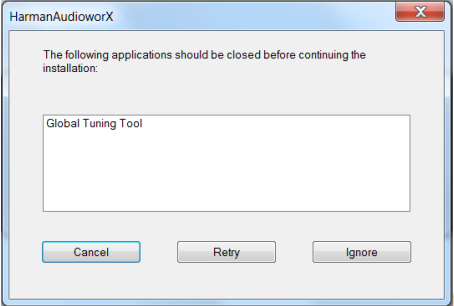 Error Message Dialog
Close the HarmanAudioworx application (or process) and click Retry.
If Retry fails to work, other application related processes might be running. Close whichever process is listed and click Retry again.