A memory layout of each device instance can be inspected in the State Variables Explorer window. It can be also used to send or receive tuning data.
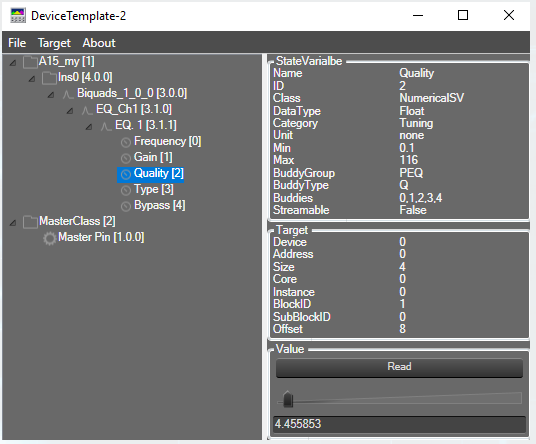

If the window is not closed and there is a change in sfd by adding/deleting audio objects, on save SFD – SV tree window is auto refreshed at same time.
All FIR coefficient of the table can be copied to windows clipboard by CTRL+C. The float value in the clipboard are localized.
Same can be achieved, by using context menu of the table: Copy all
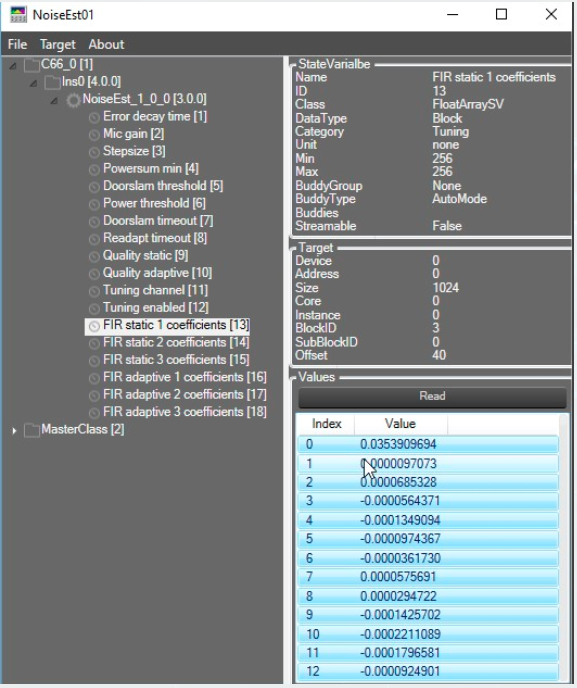
The size (Height & Width) of state variable explorer window can be adjusted as needed.