Run GTT as administrator.
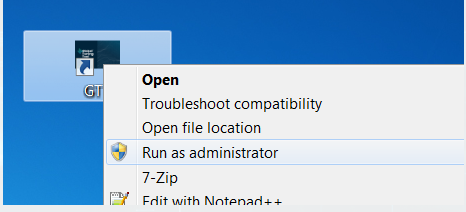 Run GTT as Administrator
The GTT user interface will be opened.
Click File > Load Audio Library.
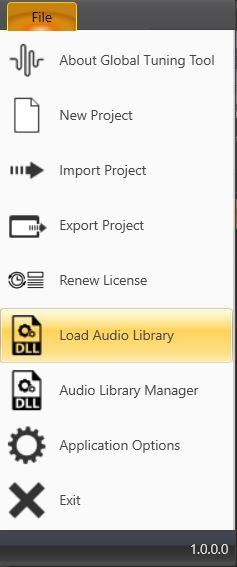 Load Audio Library
The Windows File Explorer will be opened.
Navigate to the directory containing the xAFVirtualAmp.dll and open the file.
The virtual amplifier will be added/updated.