This native panel allows you to mix ‘n’ number of channels to ‘m’ output channels.
The panel can be launched in two modes:
- Linear
- dB
For linear mode it is possible to set gain with two decimal points precision. For dB mode precision is set to 1 decimal point.
In the example below, there are two input channels and two output channels.
Examples
Example 1 – IN1 is sent to channel one, IN2 is sent to channel two:
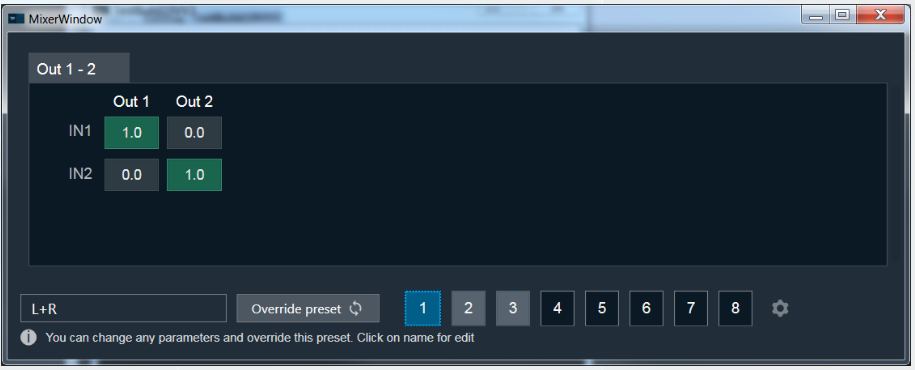 Matrix MixerExample 1
Example 2 – IN1 is sent to channel one, IN2 is muted:
 Matrix Mixer Example 2
Example 3 – IN1 is muted, IN2 is sent to channel two:
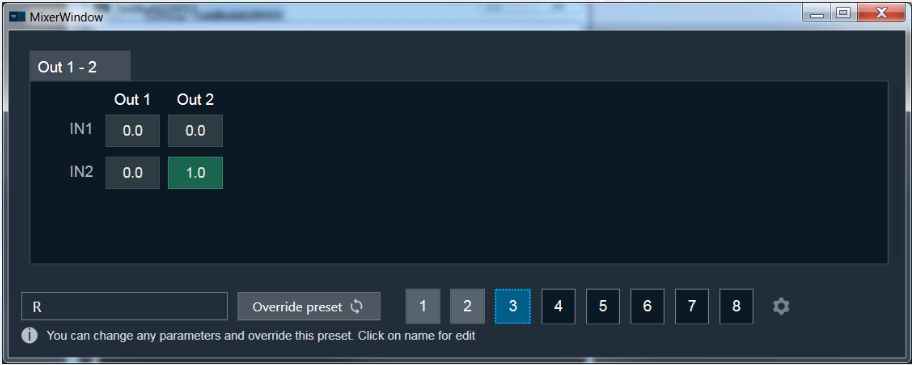 Matrix Mixer Example 3
Set Linear Gain
When you click on a cell, you can set the gain value using keyboard.
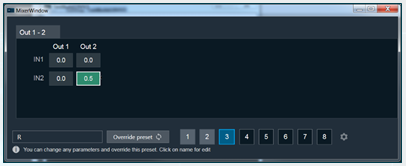 Set Linear Gain
By using the Control key simultaneously with a left mouse click, you can directly set the value to zero or one.