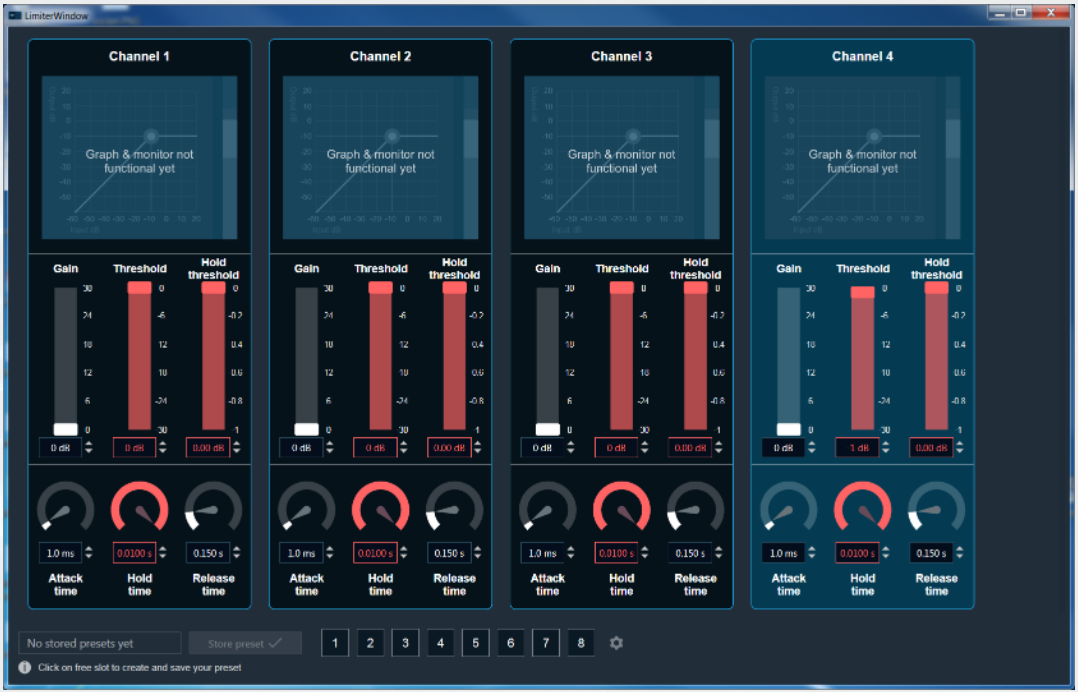
 Limter Panel
The Limiter Panel is used for changing the gain, threshold, hold threshold, attack time, hold time, and release time values for each channel.
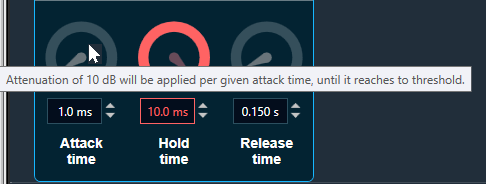
- There is a tool tip for Attack Time that describes its behavior as shown below.
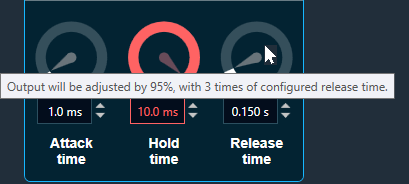
- Similarly, tool tip is available for Release Time for its behavior as show below.
Changing value
You can change the delay value in four ways:
- Moving the slider button.
- Using the mouse scroll button.
- Changing the dB value in the text box – value and visual representation will be updated after clicking enter or when text box will lose selection.
- Using the increase and decrease buttons

Maximum / Minimum Gain Value
Maximum and minimum gain values are default from the GTT in the SymbolDescriptor.
Threshold Values
- Maximum and minimum threshold values are derived from the GTT in the ParameterStore.
- When either of the threshold values is reached, the Gain value bar will turn into red.
Maximum threshold value: 95 %
Minimum threshold value: Not set
For further info on the Limiter audio object and it’s functional behaviour, please also refer to Limiter User Guide Supplement.