Right-click on the device and select Open/Save Tuning Data > Save Tuning Data.
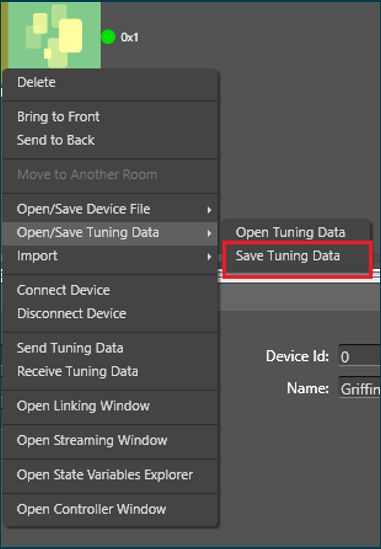
Your Windows directory will be displayed.
Choose a directory location to save your tuning data.
Type in a file name and click Save.
Note : In this method the .set file created will contain tuning data of all the objects, in turn all the state variables of the device. i.e if some objects are not tuned, default tuning values of these objects will be exported to the set file.