Overview
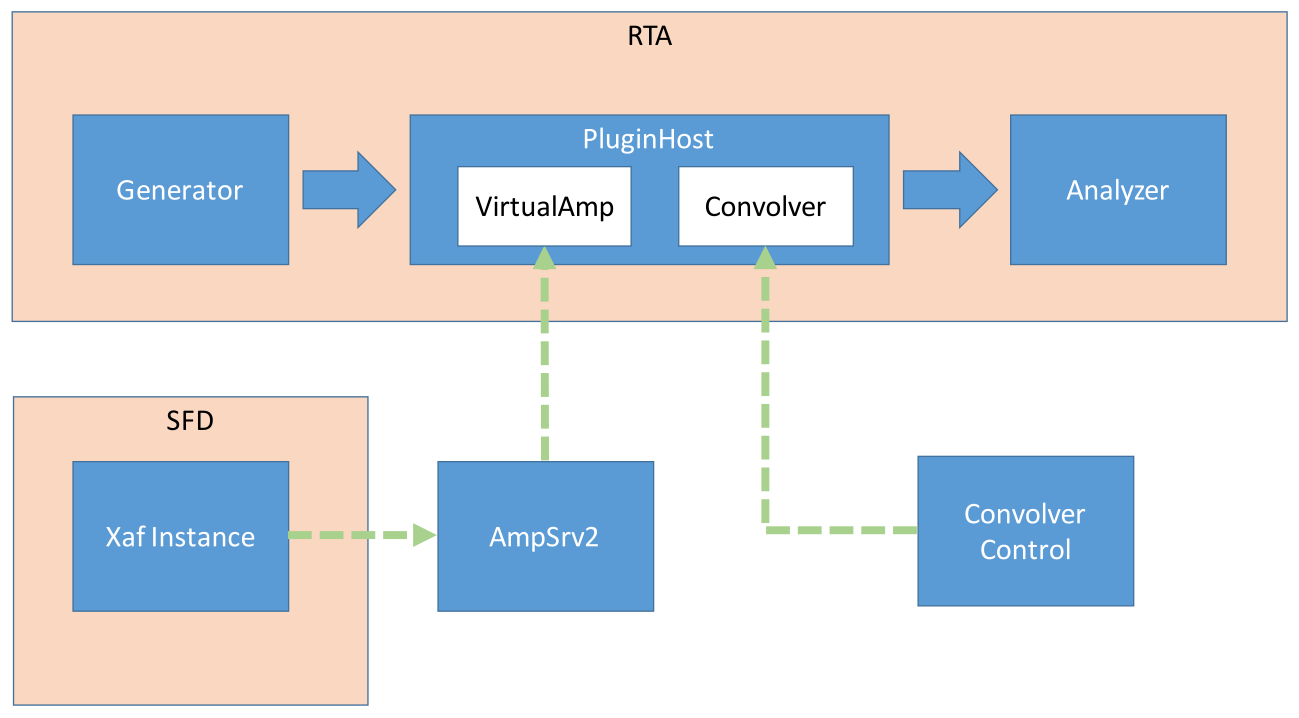
Convolution is the process of multiplying the frequency spectra of our two audio sources—the input signal and the impulse response. By doing this, frequencies that are shared between the two sources will be accentuated, while frequencies that are not shared will be attenuated. This is what causes the input signal to take on the sonic qualities of the impulse response, as characteristic frequencies from the impulse response common in the input signal are boosted.
Configure Mimo convolver with Plugins
Open RTA-> Settings-> Plugins
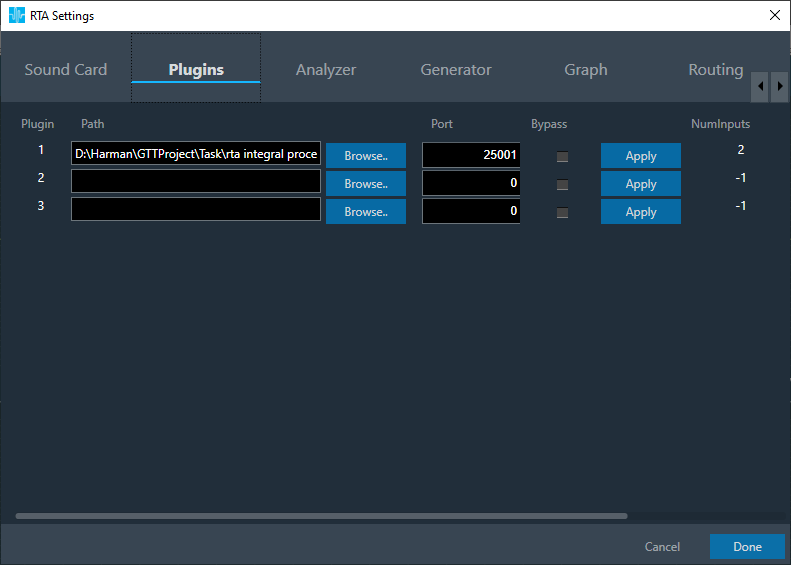
Click Browse to select the xAF library
Set Port number in the port number textbox
If Bypass is selected, then input is fed to output without processing
On click of Apply, updated no. of inputs, no. of outputs and plugin type appears
Switch to MIMO Convolver tab
Set No. of Inputs/ Outputs
Set Filter taps
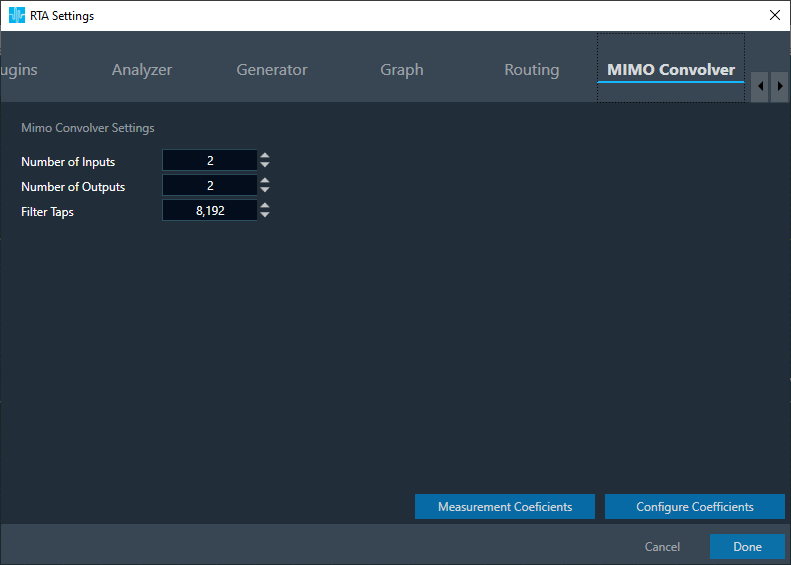
User can configure coefficients in 2 ways
- Configure coefficients in Panel
- Configure coefficients through Virtual prediction
Configure coefficients in Panel
Click on Configure Coefficients
Convolver panel launches with 2*2 filters
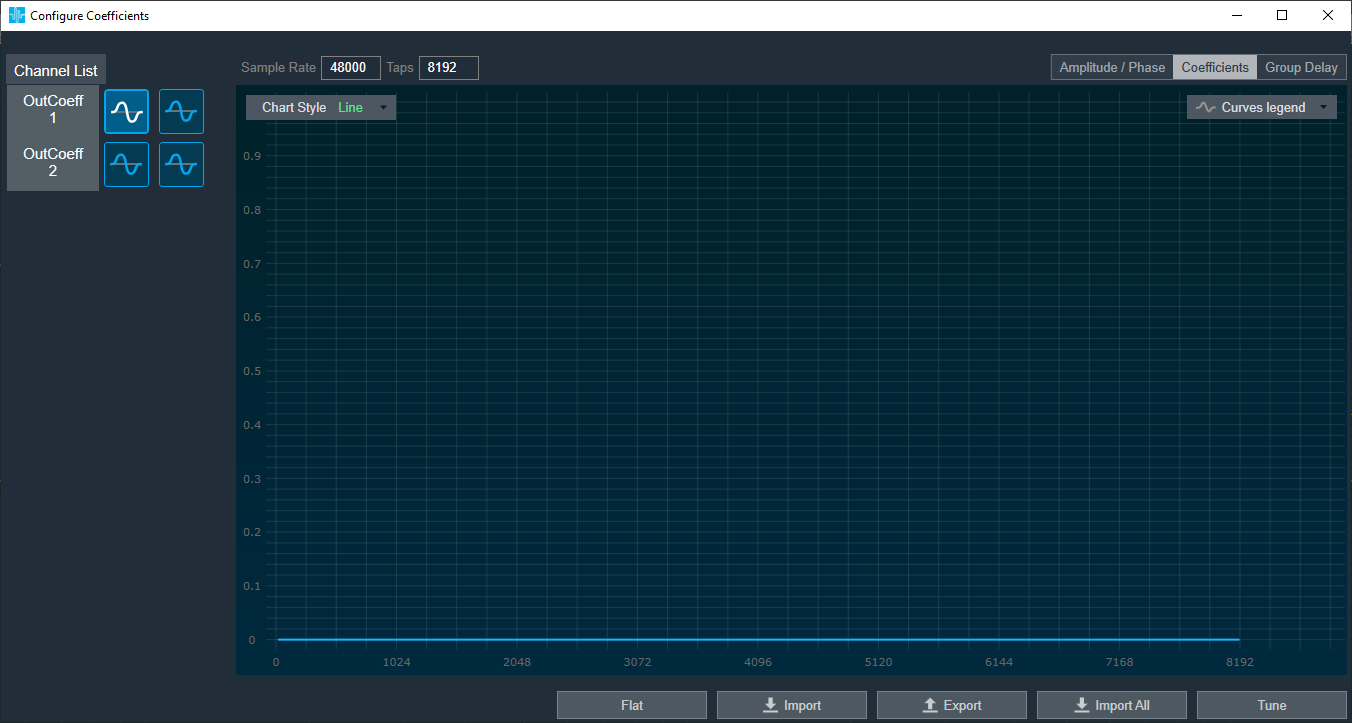
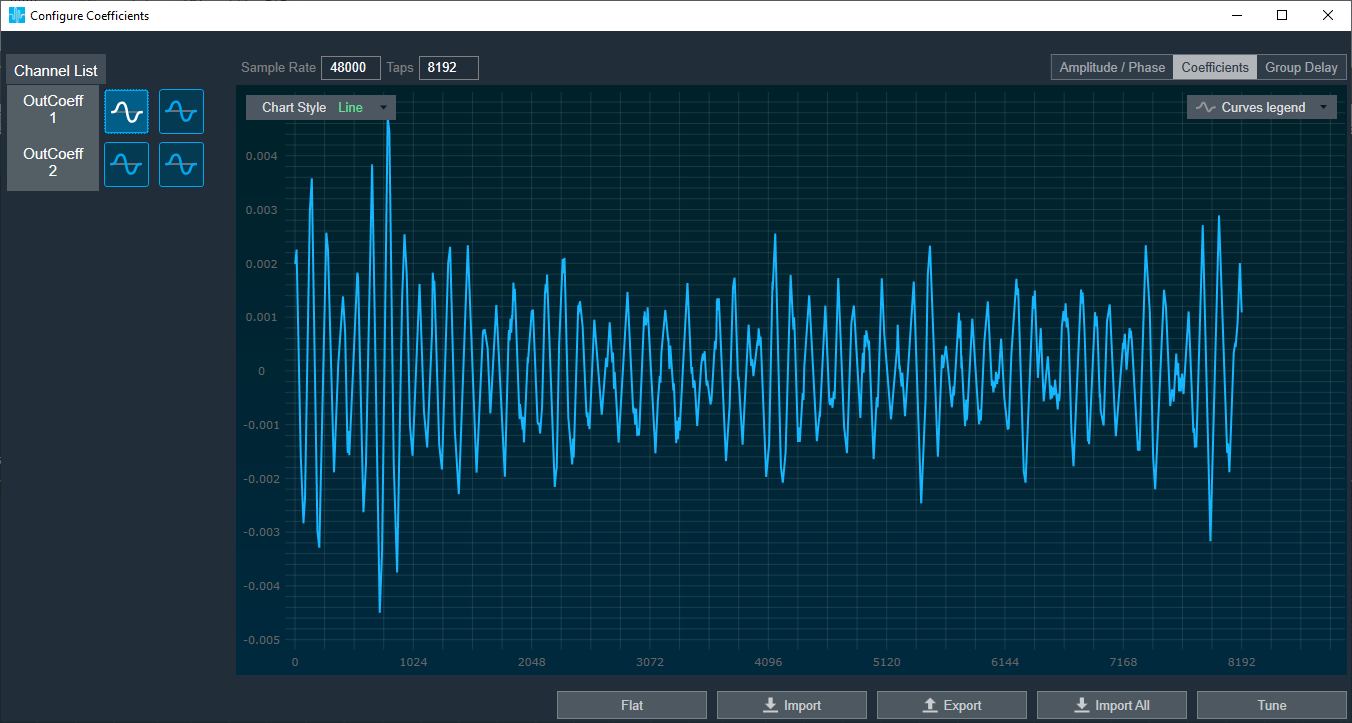
Tune coefficients by setting them to Flat or by importing via csv/xml files.
Click on Tune, after assigning coefficients
A toast message “Tuning applied” appear
Configure Coefficients through Virtual prediction
Click on Measurement Coefficients
Virtual Tuning window appears
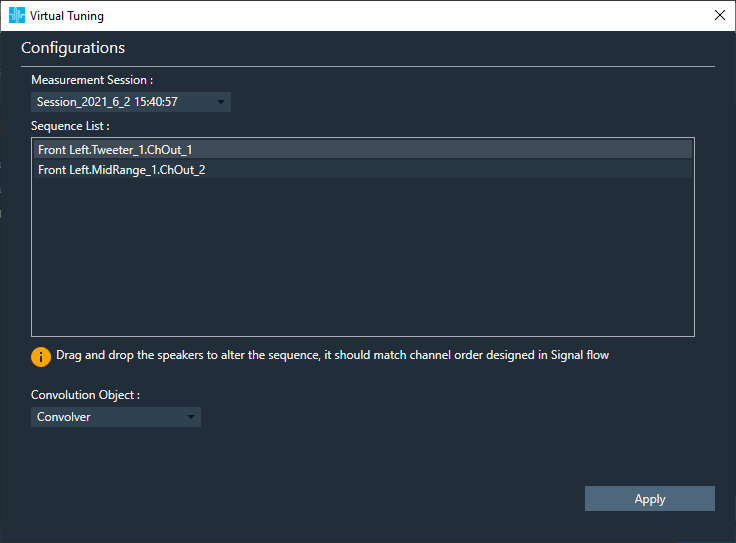
Click Apply after selecting Measurement session from drop down
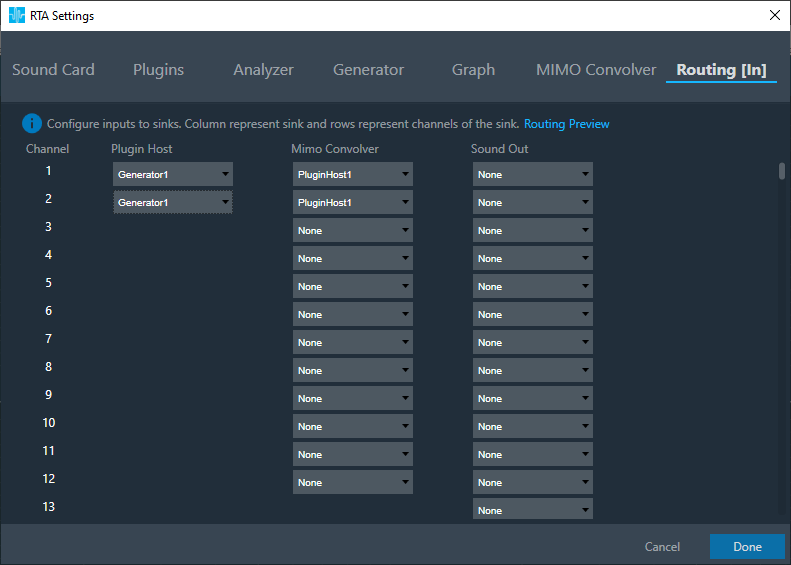
Switch to Routing tab
Set inputs to Plugin Host
Eg:Generator1 and Generator2
Set inputs to MIMO Convolver
Eg1:PluginHost1 and PluginHost2, if output of Plugin Host is fed to MIMO Convolver
Eg2:Generator1 and Generator2, if generator is fed to MIMO Convolver
Switch to Analyzer tab, to select plugin host, MIMO convolver output as channel source
Set Channel source
Eg:Generator1, PluginHost1, MimoConvolver1 to display in chart
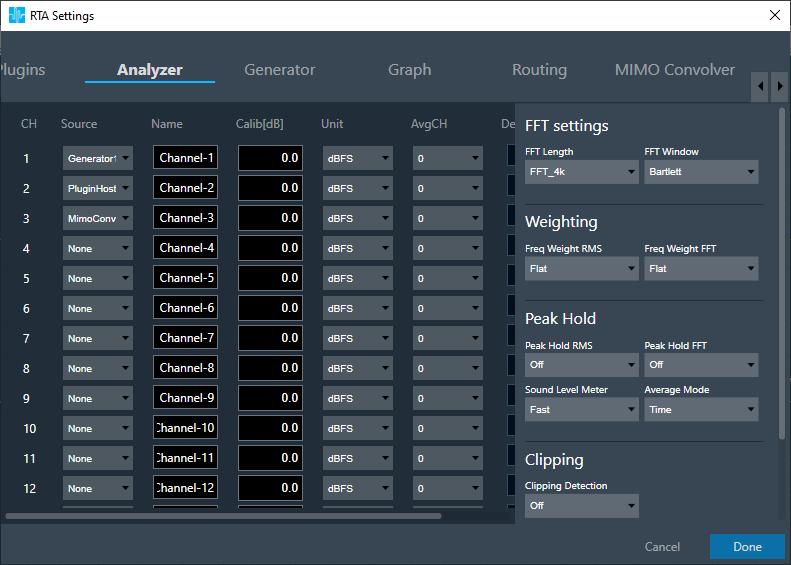
Click Done, once settings are updated
Analyzer View
Connect to device through Plugin Host. Follow steps as given here.
Open Channels, assign channels to Graph A and Graph B
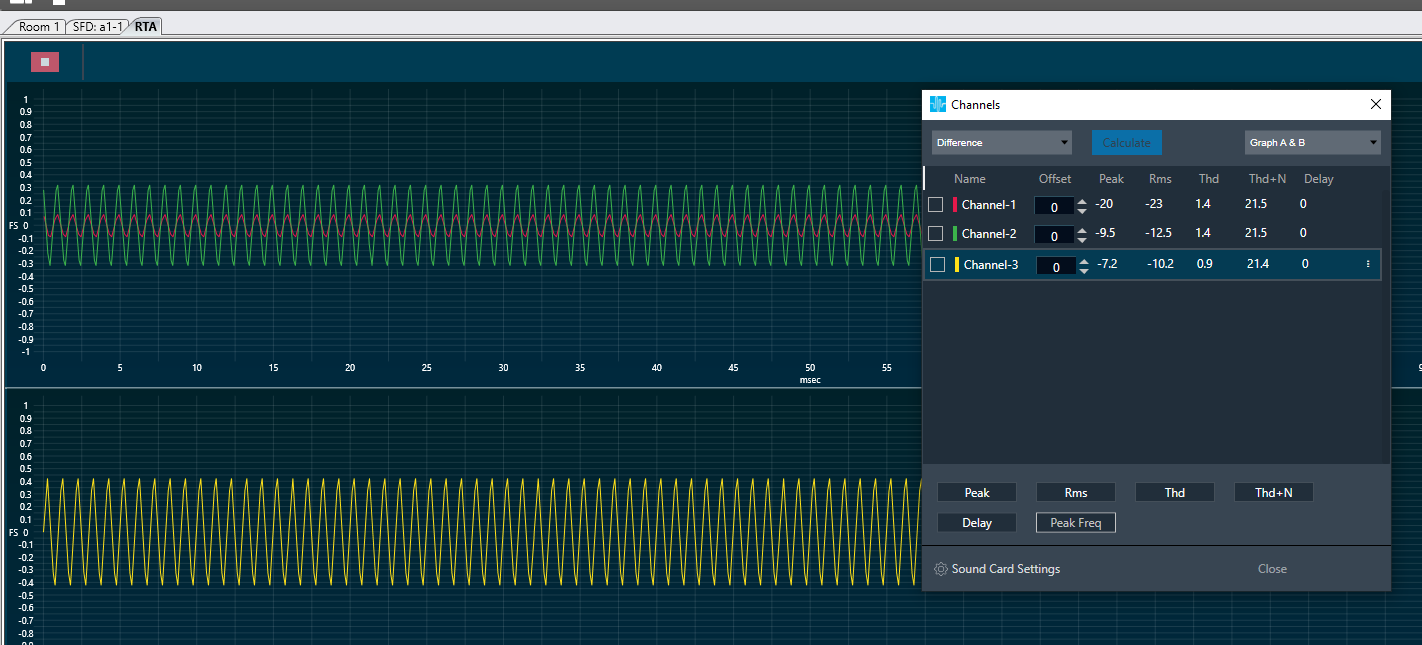
Chart with outputs of Genertor1, PluginHost1 and MimoConvolver1 appears