This tab is for controlling peak noise cancellation.
It is the main tab visible only when RNC mode is selected. This tab is visible from Q-release version and above.
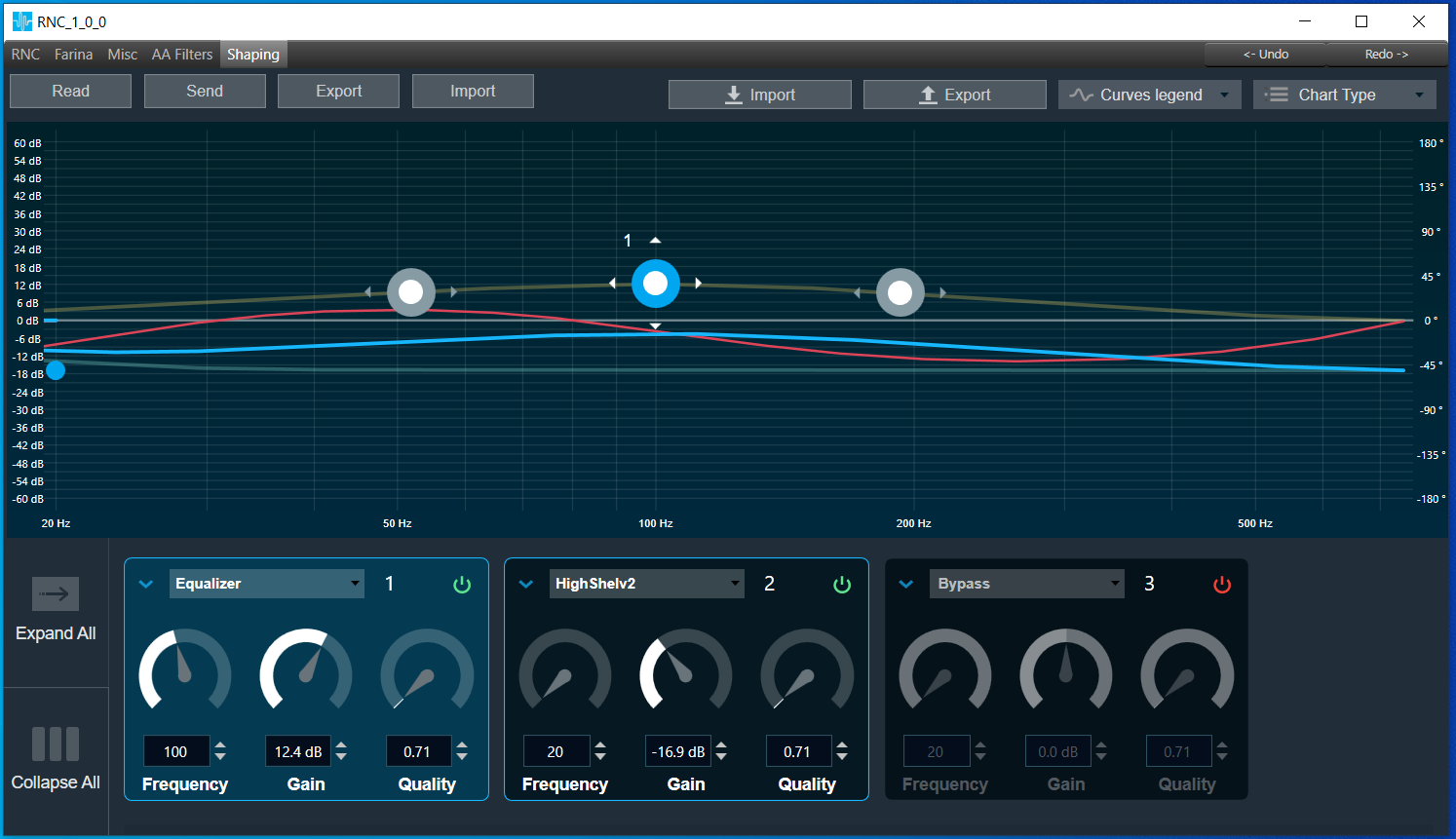
It consists of customized biquad panel:
- Sample rate 15000
- Biquad count 8
- gain in range: -60dB ~ +60dB
- quality in range: 0.1 ~ 116
- frequency in range: 20Hz ~ 735Hz
- 128 coefficients calculated for real and imaginary frequency response
- allows to use filter types provided in DDF and supported by biquad panel
Read
Allows reading all shaping parameters and coefficients from the device. Displays coefficient mismatch toast message when coefficients received from the device doesn’t match coefficients calculated by the panel.
Send
Allows sending all shaping parameters and coefficients to the device. The shaping panel by default doesn’t support online value synchronization.
Export
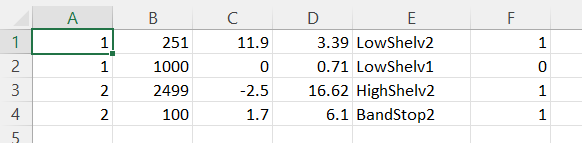
Allows exporting of all shaping parameters and coefficients with RNC audio object configuration information to the specific file. The format is as follows:

Import
Allows importing shaping parameters and coefficients from the file. Displays coefficient mismatch toast message when coefficients imported from file doesn’t match coefficients calculated by the panel.