Overview:
Mips and Memory window is a feature used to query device to get audio object level mips and memory data via xtp instance command.
Always Memory data is fetched only at the time of load of window.
Mips is fetched at load of window as well on click of Refresh Mips button.
Prerequisites:
- Signalflow should be flashed before launching Mips and Memory Window.
How To Use
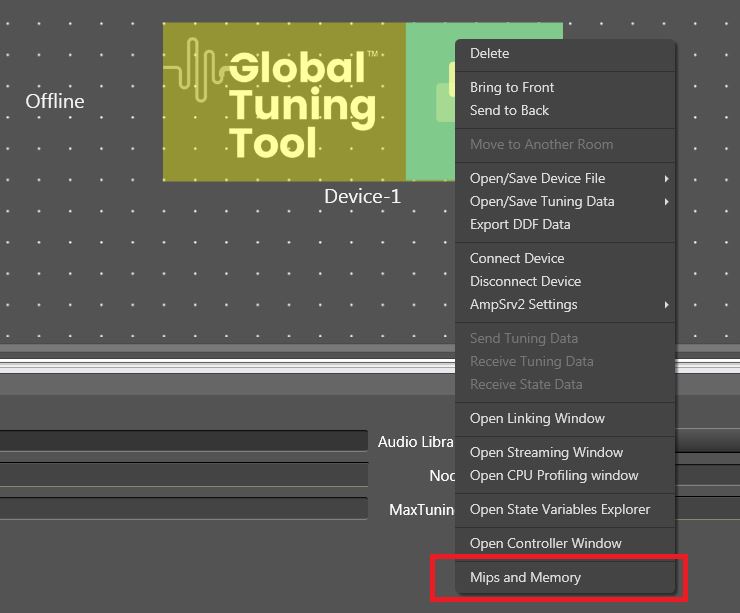
- To Check Mips and Memory for Audio Object a new window is introduced in Device/Node Context Menu.
Window on launch will be as shown below:
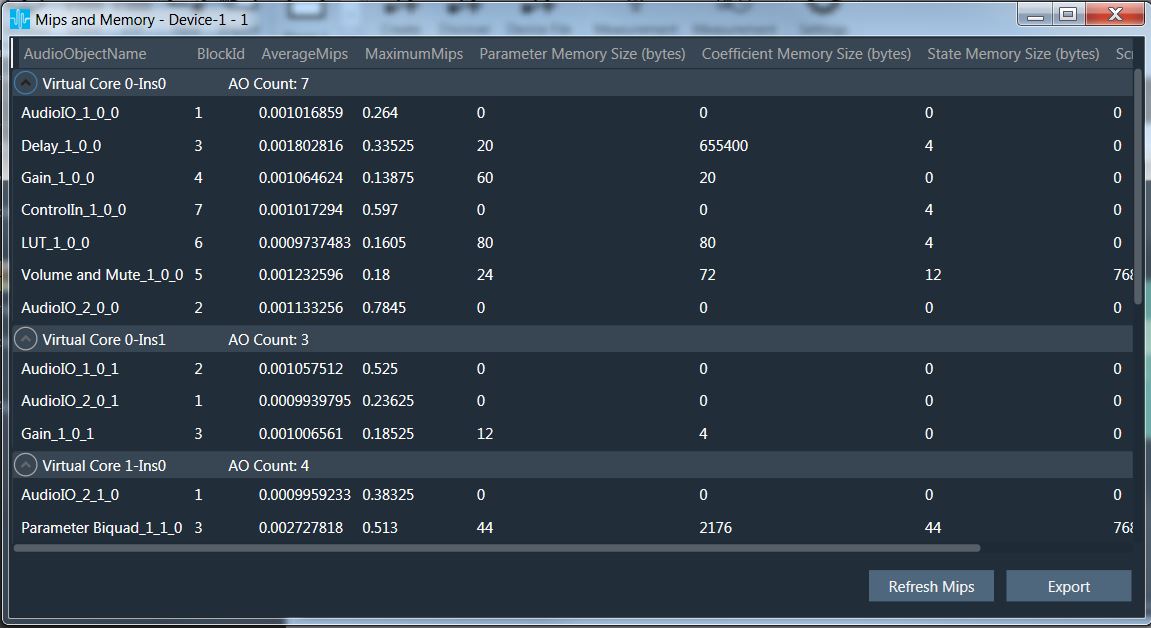
We can sort column by clicking on column header name.
Refresh Mips Button sends request again to device to get latest Audio Object CPU Load.
Export Button opens a save file dialog which allows user to save Data captured in the window as a csv file in their PC.
Following is the sample:

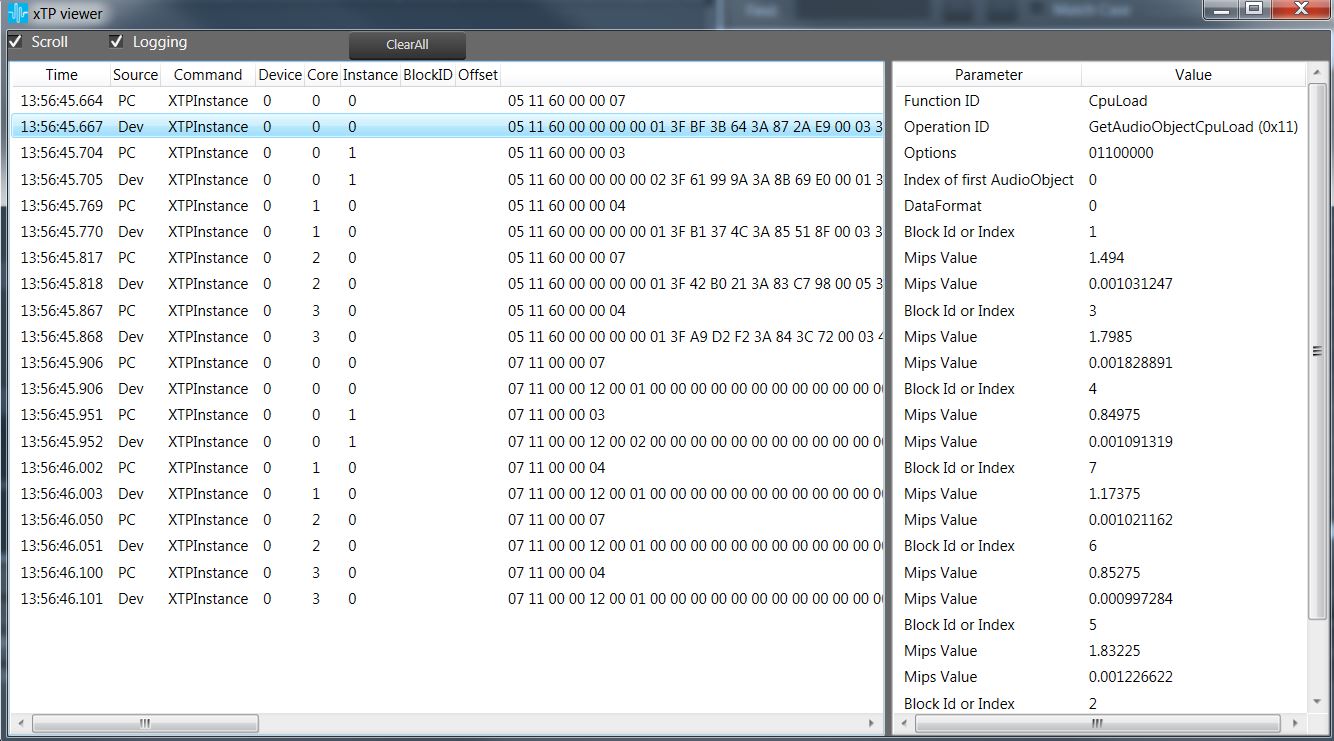
Sample XTP Response Message for CPU Load:
Sample XTP Response Message for CPU Memory:
This XTP Command for CPU Memory is removed in XAF dll version 17 and Memory Record data exchanged by XAF dll is used to display the Memory information.
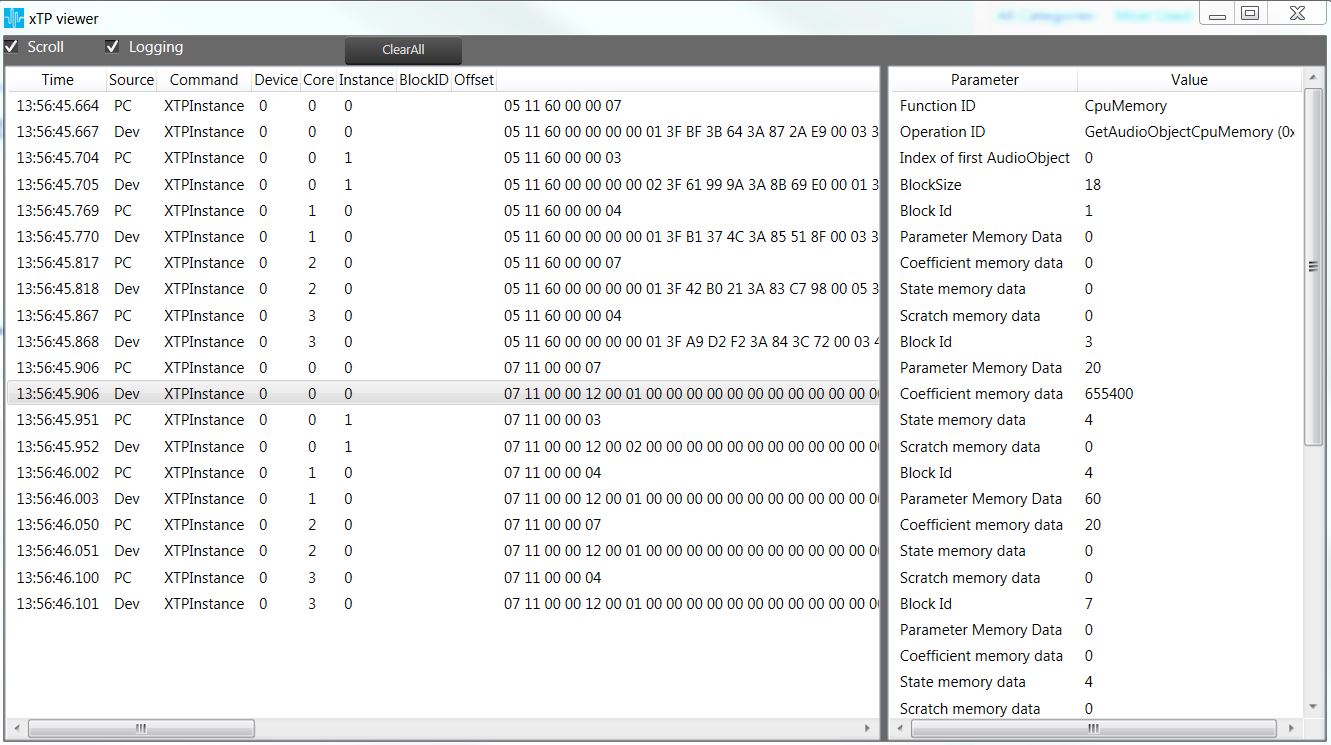
Note: XTPCommand For CPU Memory is not used for XAF libraries with version 17 and above