Tab Master Control
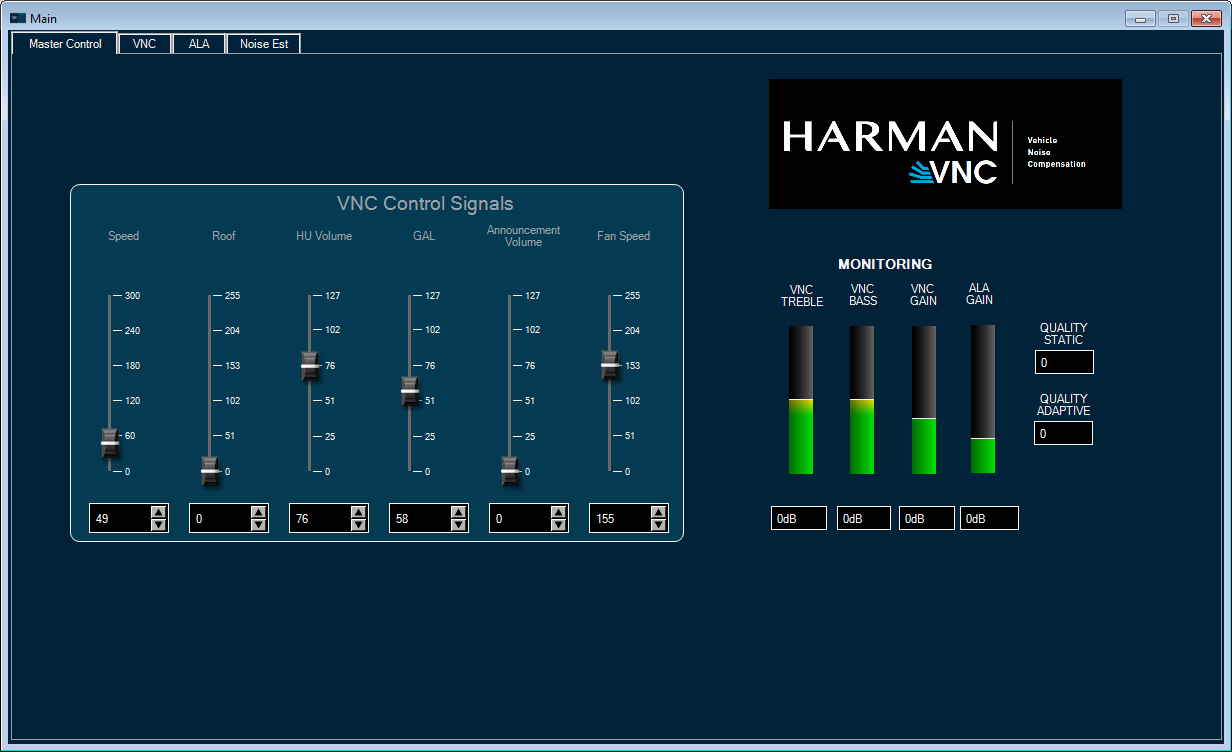
Tab Master Control
The control tab simulates control signals from the car. It also shows the VNC-ALA working status.
The VNC Control Signals section offers multiple scales for the user to simulate the control signals from the car.
The Monitoring section is not editable. It merely shows the VNC-ALA control status.
Tab VNC
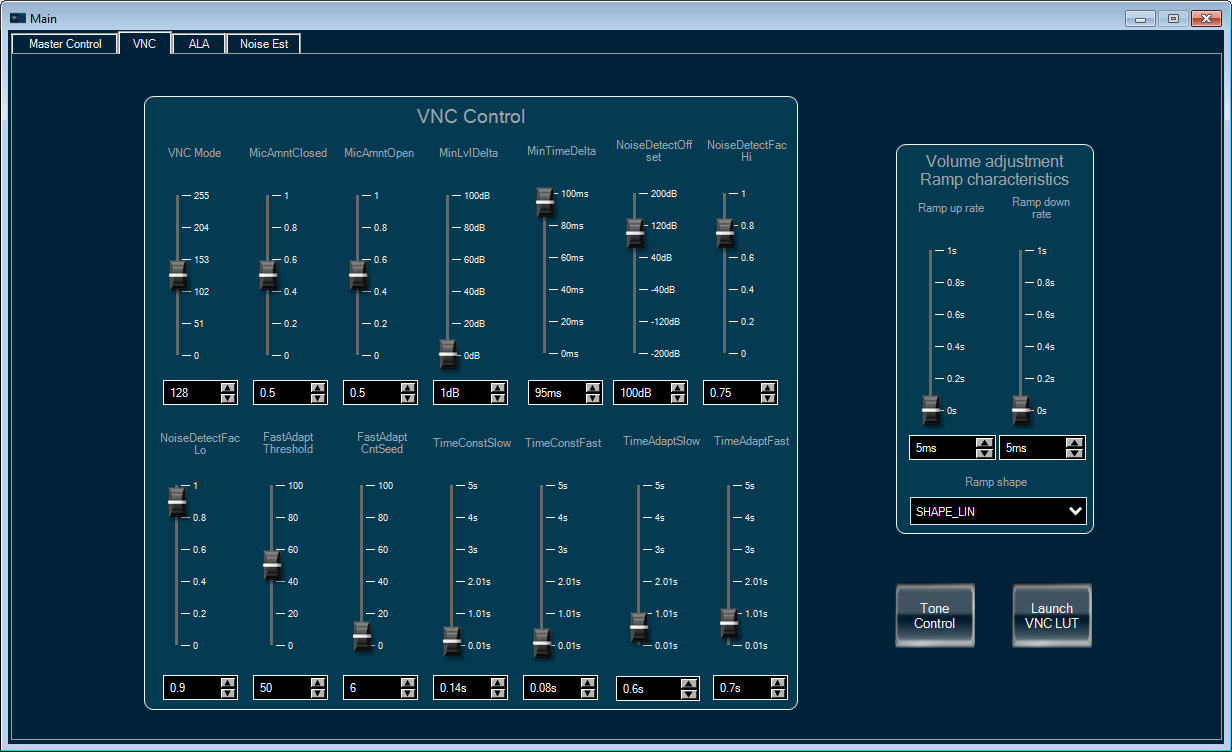
On this tab there are multiple scales to adjust VNC and volume ramp characteristics. It also contains two subpanels for VNC.
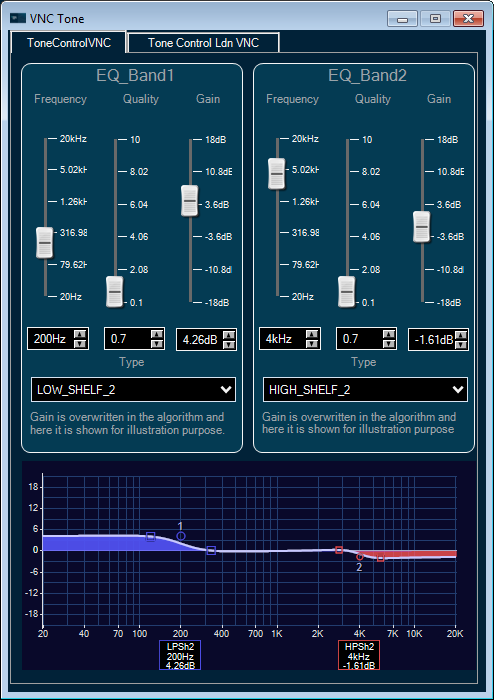
- Tone Control: EQ tuning based on VNC outputs
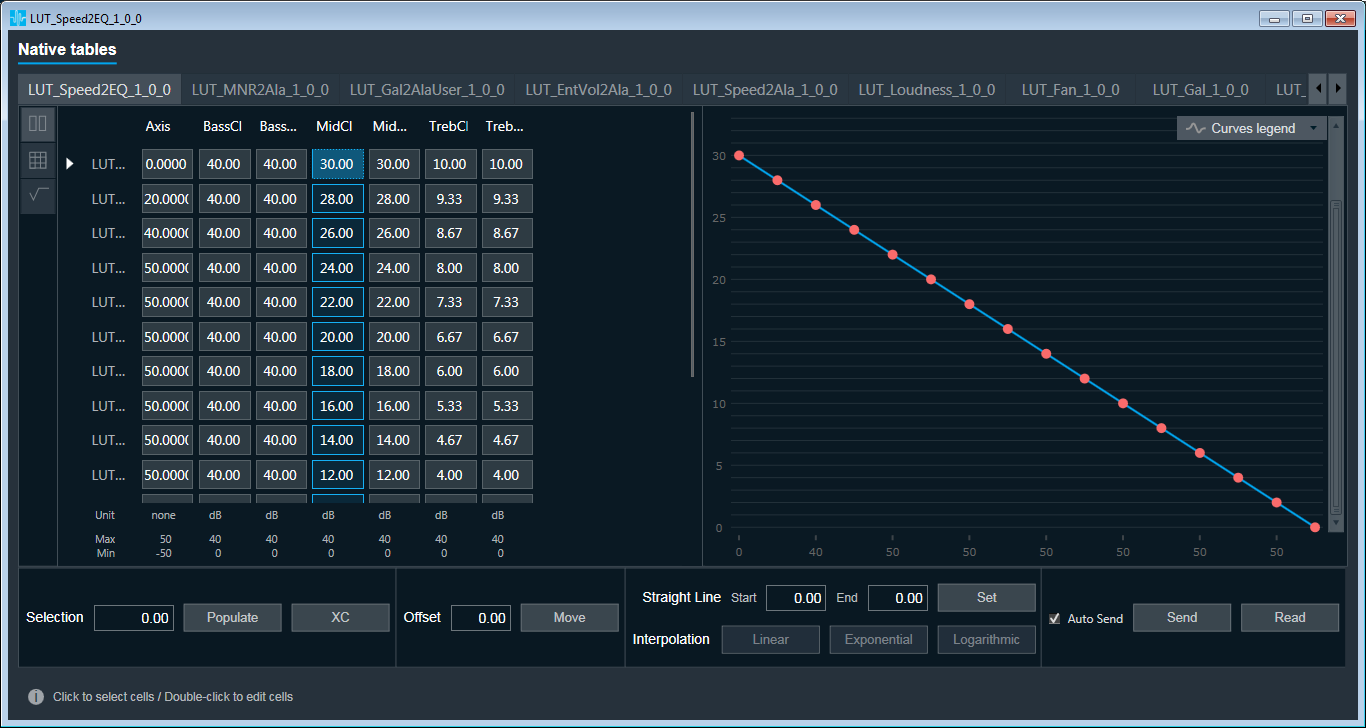
- VNC LUT: lookup tables for other VNC tuning parameters, arranged together with ALA lookup tables.
Tab ALA
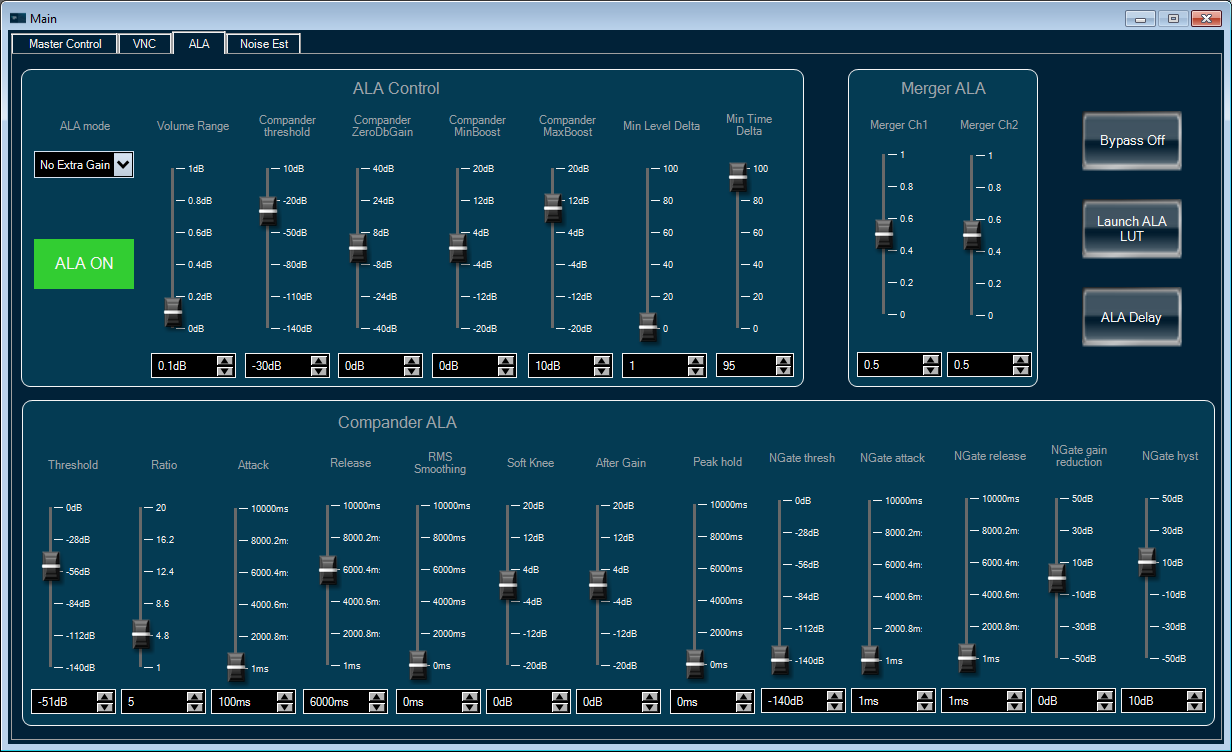
This tab handles all ALA tuning parameters. In addition, there are one Bypass button and two subpanels
- ALA LUT: lookup tables for other ALA tuning parameters, arranged together with VNC lookup tables.
- ALA Delay: delay setting for the stereo inputs, to compensate for the ALA processing time.
Tab Noise Estimator
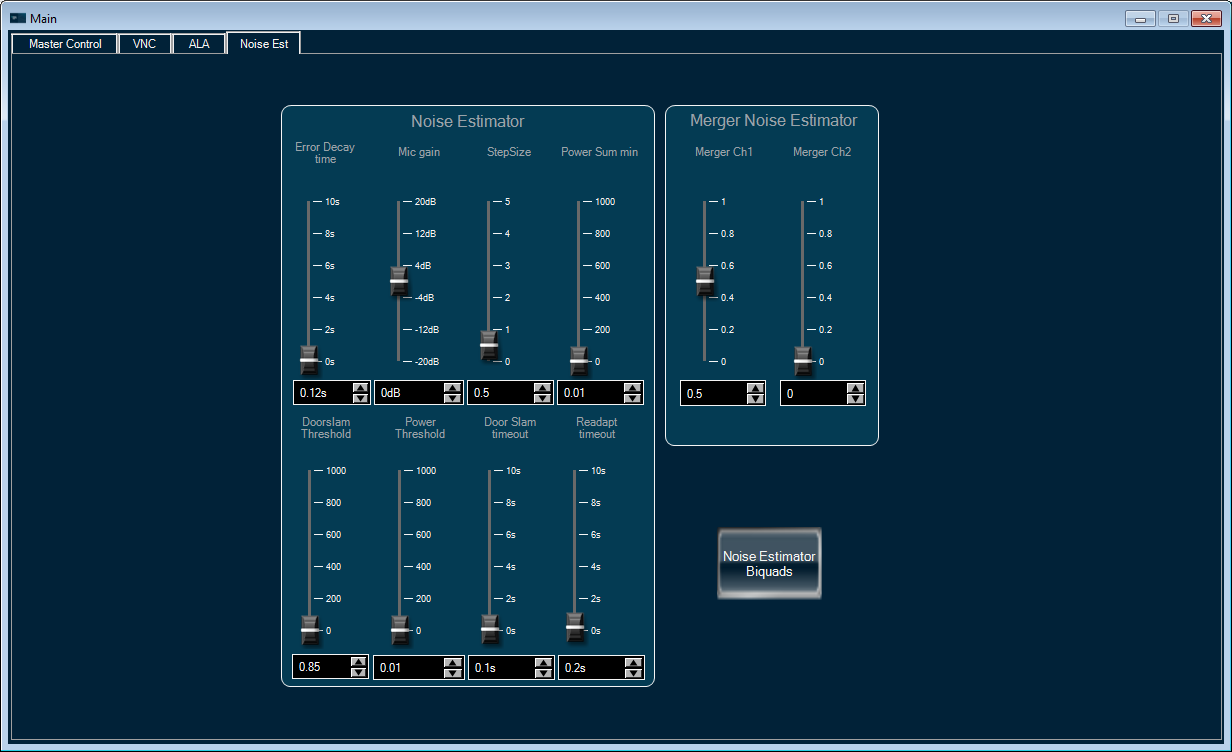
This tab contains tuning parameters for the noise estimator, which processes the mic signal and produces noise-related information for the VNC object.
Note: this reference project does not come with a set of tuning parameters. User needs to tune it from scratch.