In order to perform audio measurements certain measurement signals are necessary. These can be generated by a built in signal generator. The generator can be accessed by the “Generator” button in the ribbon bar:
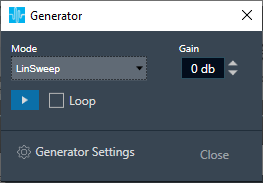
Different signals can be selected from the Mode control. Following signals are available:
- Sine
- DualSine
- Square
- Noise
- Dirac (Dirac Pulse)
- SinePulse
- SineBurst
- LinSweep
- ExpSweep
- File
The gain of the generator signal can be adjusted in 1 dB steps with the Gain control.
The generator is started by the Play button, the selected signal is being played back continuously. The signal is stopped by the Stop button.
Incase of LinSweep, ExpSweep, File mode if the loop is checked, and the generator is started by the Play button, the selected signal will be played back continuously. If the loop is unchecked, time limited signals will be triggered by Play button.
The signal generator has a stereo output. This is relevant for signals with adjustable inter channel phase or stereo wav file playback.
The different modes can be configured within the Generator Settings:
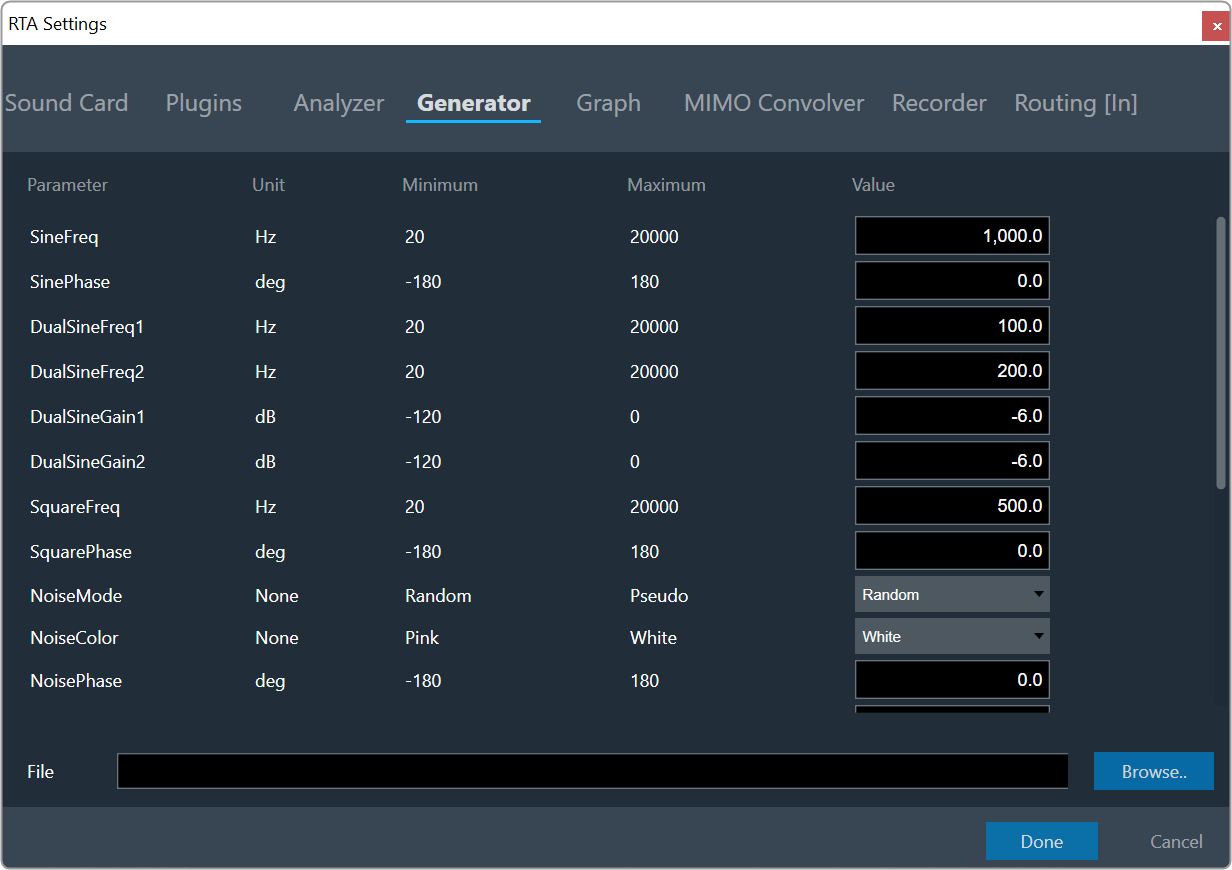
Below all modes and their parameters are described more detailed:
Sine
A single sine wave adjustable in the audible range between 20Hz and 20kHz by SineFreq. The phase between the two output channels can be set by SinePhase.
DualSine
Two sine waves mixed together to one mono output. The frequencies can be set via DualSineFreq1 and DualSineFreq2, the mixing gains by DualSineGain1 and DualSineGain2.
Square
Similar to the standard sine wave but shaped as a square wave.
Noise
A stereo noise generator. In the Random mode a standard noise signal is generated. When the NoiseMode is set to Pseudo, a multi sine signal is being generated where on each frequency bin of the selected analyzer FFT, a sine wave is generated. The phases of all sine waves are randomly distributed to achieve a noise like signal. This mode is being used for the spectrum analysis of static transfer functions. The window function of the analyzer has to be set to Rectangle. This results in very smooth spectrums.
The NoiseColor can be changed between Pink (-3dB per octave fall off) and White (flat frequency spectrum).
By adjusting the phase the output can be coded in a way so that surround upmixers can pan the signal according to the adjusted angle. The output changes from mono at 0° to L/R uncorrelated at 90° to out of phase at +/- 180°.
Dirac (Dirac Pulse)
In this mode one sample wide pulses are generated. The time between two pulses is set by SignalLength.
SinePulse
This mode generates sine squared pulses. The shape of the pulse is set by SinePulseFreq, the interval between two pulses by SinePulseInterval.
SineBurst
In this mode sine bursts are generated. The frequency is set by SineBurstFreq, the length of the burst by SineBurstLength and the interval by SineBurstInterval.
LinSweep
This generates a sine sweep starting from SweepStartFreq and ending at SweepEndFreq. The length of the sweep is set via SweepLength. The frequency progress is linear.
ExpSweep
Similar to LinSweep only with an exponential frequency progress.
File
In this mode the selected wav file is played back.