1.Terms and Abbreviations
| Abbreviations | Meaning |
|---|---|
| GTT | Global Tuning Tool |
| xAF | Extendable Audio Framework |
| VST | Virtual Studio Technology |
| SFD | Signal Flow Designer |
2.Overview of Control Router
Control Router is an xAF object that allows to route control signal from inputs to outputs. This allows for changing path of control singal during runtime, which allows for flexibility when designing pipeline. Control router object has arbitrary number of inputs and outputs. It takes control signals as inputs and emits control signals as outputs.It means that some inputs can be copied to multiple outputs or some inputs can be cut (not used further in the pipeline). On the other hand one output can have at most single input connected to it.
3.Build time parameters
Control Router can be launched from SFD.

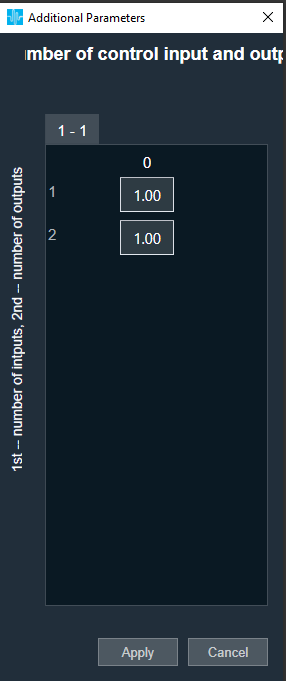
In the additional parameters section, there is a “Configure…” button responsible for setting the number of Inputs and Outputs of the Control Router:
| Configuration parameter | Values |
| Number of Control Inputs | 1-254 |
| Number of Control Inputs | 1-254 |
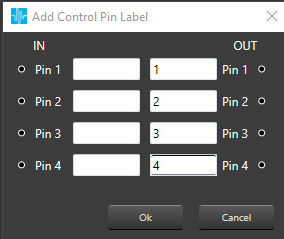
By clicking the right mouse button on Control Router audio object, there is an option to “Add Control Pin Labels“:
It is possible to edit only OUT labels.

4.Control Router Panel
The Control Router audio object supports native panel. The native panel window is a dynamic native panel. Panel get adapted in size based on the Router AO configuration.
By default, all outputs are disconnected.

Every output has an input that can be configured. More than one output can be assigned to a single input signal.
It is possible that some input signals are not assigned to any output.

Additionally, this panel enables to store presets for specific configuration.

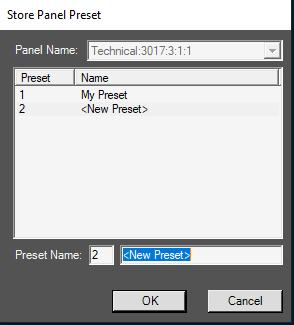
Name of preset is configurable in separate window after click Store button: