Samples editor for 8 waves. Gray graph / values indicate samples not used in the oscillator.
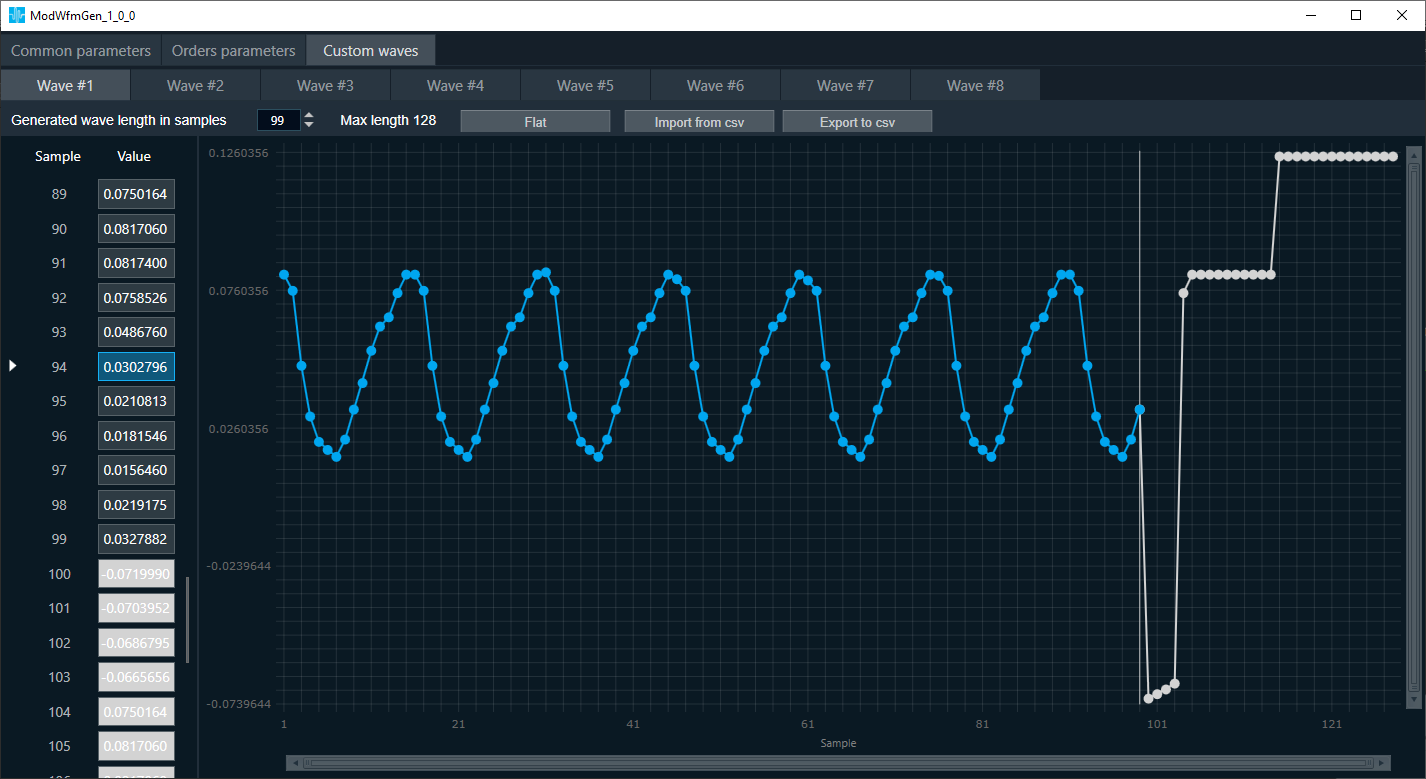
- Generated wave length in samples. Number of wave samples used for signal generation. Can be lower or equal to the value specified at build time.
- Max length. The length specified at build time.
- Flat. Sets all values to 0.
- Import from csv. Import exported data.
- Export to csv. Export all samples to the csv file.
Working with chart:
- Scroll to zoom in.
- Hold down left Alt and use left mouse button to select the area you want to zoom in.
- Hold down left Ctrl and use left mouse button to move the graph.
- Use the drag&drop to move the graph points.
Working with table:
- Use left mouse button to select values.
- Use Shift/Ctrl to manipulate of selected values.
- Select the title of column/s to select whole values in the column/s. Tab as column separator.
- Ctrl + C to copy selected values to the clipboard.
- Ctrl+V to paste values from clipboard. The decimal separator will adjust automatically.