

Table of Content


7.Additional Audio Block Configuration Parameters
Audio Objects may require a different set of configuration properties than the default ones like # of channels, audio inputs, audio outputs, and number of elements. In such cases, it is possible to customize the configuration properties of the AO to better match the specific requirements of the device.
The LUT audio object serves as a suitable example; you need to define the number of rows and columns in the table. To facilitate this requirement, additional configuration parameters are added in both GTT and xAF.
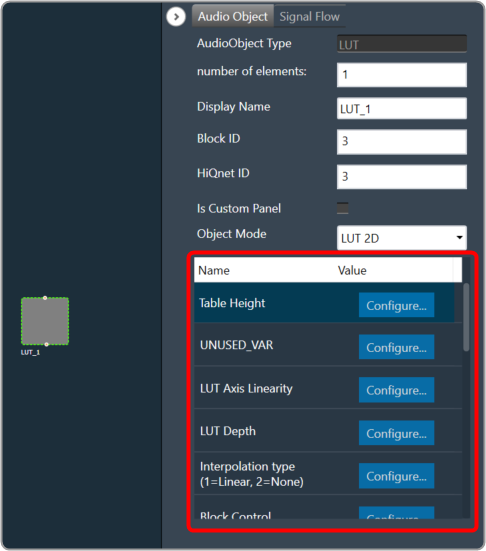 Theoretically, an audio block can have any number of additional configuration parameters. These parameter definitions are obtained from the xAF library in conjunction with the parent block definition. The parameter definition consists of parameter order, name, and value, which are currently represented as floats. There are plans to enhance parameter definitions in the future to accommodate multiple parameter types.
When a metadata is available, the additional parameters are displayed as shown below.
Theoretically, an audio block can have any number of additional configuration parameters. These parameter definitions are obtained from the xAF library in conjunction with the parent block definition. The parameter definition consists of parameter order, name, and value, which are currently represented as floats. There are plans to enhance parameter definitions in the future to accommodate multiple parameter types.
When a metadata is available, the additional parameters are displayed as shown below.
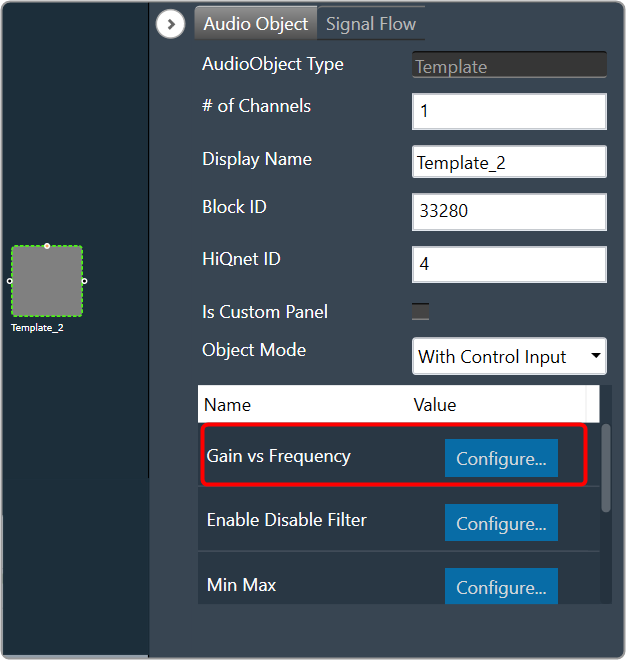 On the Audio Object Property view, click on the Configure. The system will open an additional parameters window, where you can provide additional parameters. These additional parameters are of the same data type which is provided as part of parameters definition.
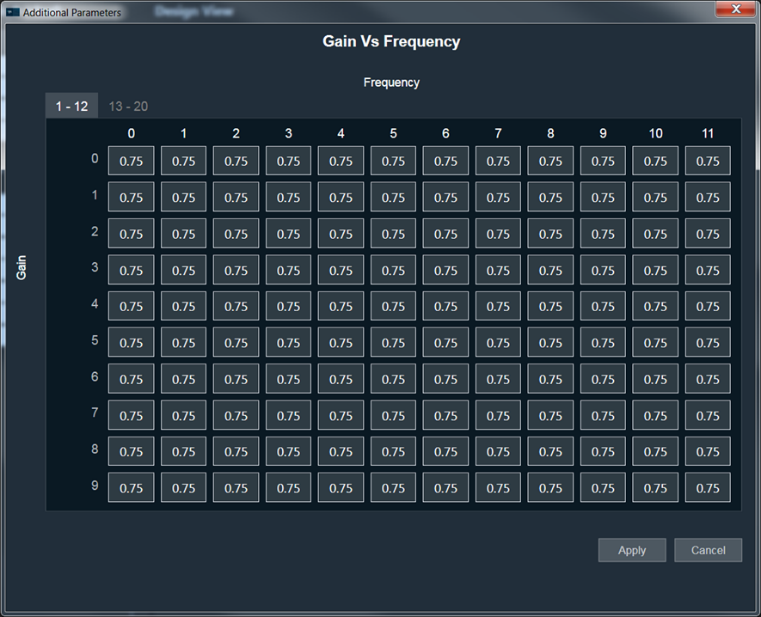 After making the necessary modifications, click the Apply and the system will implement the designated supplementary parameters.
Theoretically, an audio block can have any number of additional configuration parameters. These parameter definitions are obtained from the xAF library in conjunction with the parent block definition. The parameter definition consists of parameter order, name, and value, which are currently represented as floats. There are plans to enhance parameter definitions in the future to accommodate multiple parameter types.
When a metadata is available, the additional parameters are displayed as shown below.
On the Audio Object Property view, click on the Configure. The system will open an additional parameters window, where you can provide additional parameters. These additional parameters are of the same data type which is provided as part of parameters definition.
After making the necessary modifications, click the Apply and the system will implement the designated supplementary parameters.
Dynamic Additional Parameters
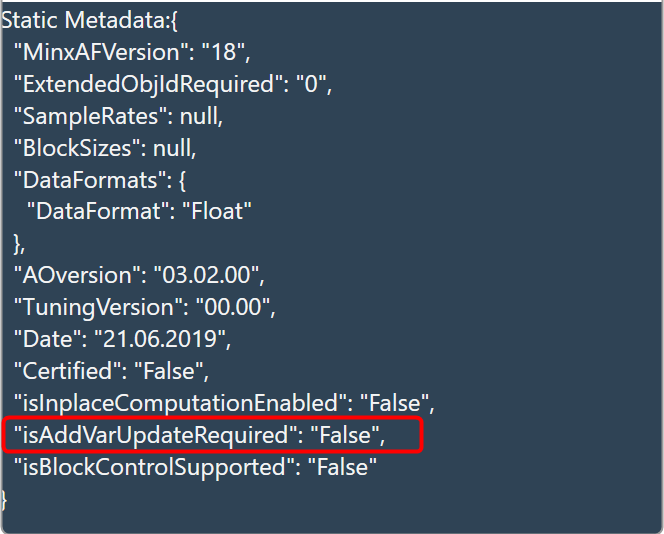
This feature is to change the size of additional parameters based on IO modifications. This feature is available for selected Audio objects which have “isAddVarUpdateRequired” flag set in their static metadata.
 Was this helpful?
Help Guide Powered by Documentor